MultiSmart Installation & Operation Manual
8.2 Configuring PumpView for a Serial Cellular Modem
The following setup is typically completed prior to shipment but circumstances may arise when this
procedure must be performed on-site. From the factory, a PumpView serial modem is configured to use
Serial 3.
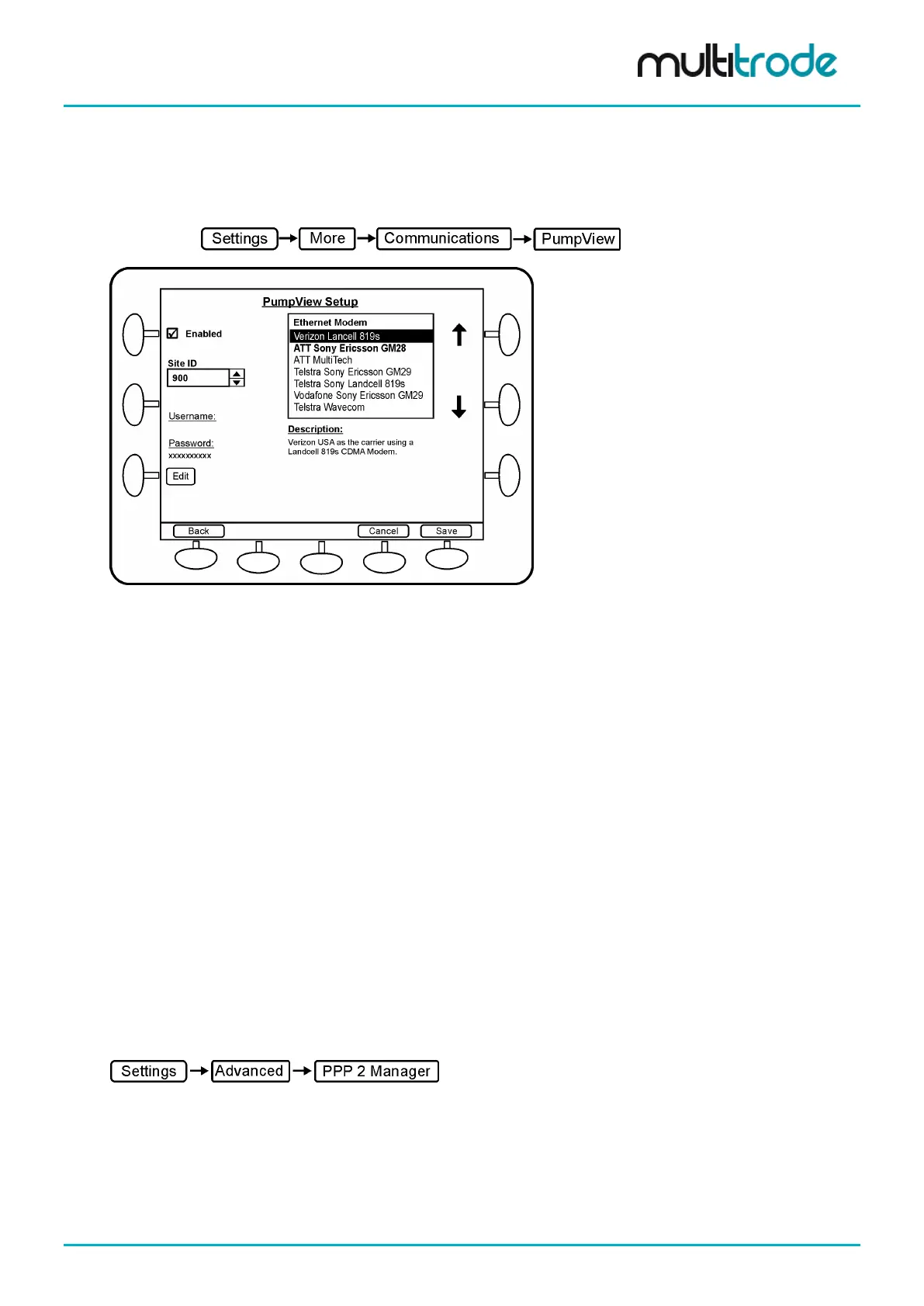
Navigate to:
Figure 65 – Modem Setup Screen for Serial Modem
This screen allows the user to configure a cellular modem for use with PumpView – MultiTrode’s hosted
Website – or for general DNP3/Modbus over a cellular network. A number of modems are supported. A
username and password for access onto the cellular network is required by some of the communication
carriers. PumpView setup procedure:
• Enable PumpView – tick the checkbox
• Enter the 4 digit Site ID (this is supplied by MultiTrode)
• Select the modem (based on the Telco and the modem brand)
• Depending on the Telco, a Username may be needed. The text “Username:” will appear on the left
hand side if a username is required.
• The username has the format: pv[Site ID]@multitrode.com
where [Site ID] is the same as the 4 digit number previously entered above,
e.g. pv1009@multitrode.com
• Press the Edit button to change or to enter a Username, then press Save
• The Password should not be changed from the default (displayed as xxxxxxxxx)
• Press Save and then Restart Later
The serial port that the modem is connected to must be selected. This is done in the Advanced settings in
the PPP2 Manager module. The PPPM (point to point protocol manager) is the module which handles
cellular communications. Navigate to this module.
• Under Comms Channel select a serial port – for example Serial 3.
• Press Save and then Restart Now
The MultiSmart will reboot and cellular communications should be established within a few minutes.
MultiSmart_IO_Manual_R20 Page 59 of 260



 To Next Page