MultiSmart Installation & Operation Manual
20.3 Configuring Analog Inputs for Inflow Measurement
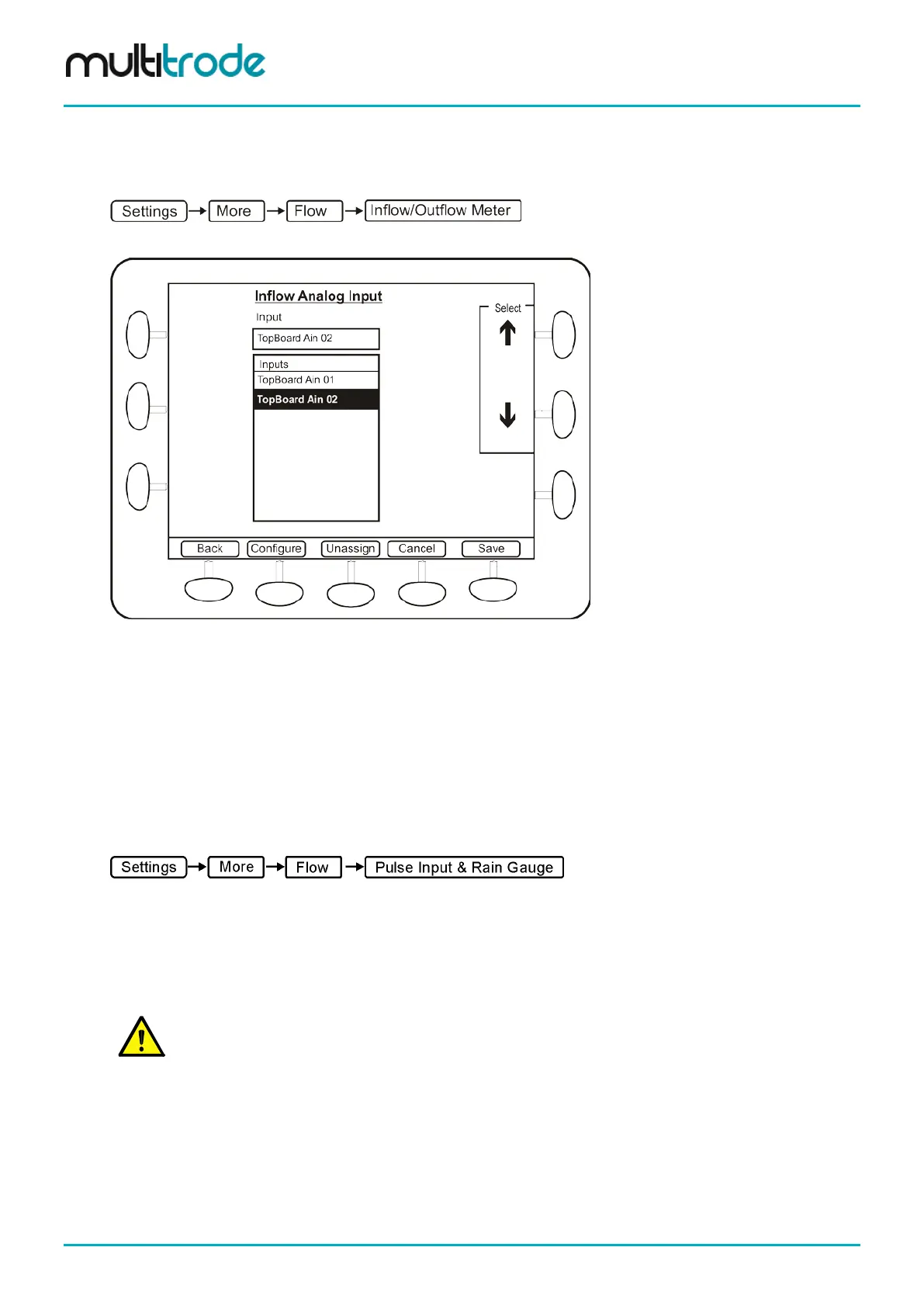
An analog flow meter can be used to measure inflow. To select and configure an analog input for this
purpose, go to:
Now select Inflow Meter and press Config
Figure 149 - Selecting Analog Device for Inflow Meter
Using the Select arrows on top right, choose from the available analog inputs.
Press the Configure button to make changes to the analog input selected. This allows span and zero for the
flow meter. When finished, press the Save button.
Press the Unassign button if the analog input device needs to be deselected.
20.4 Configuring Digital Inputs for Flow Measurement
A digital input can be used to count pulses from a flow meter to measure totalized flows.
To select and configure a digital input to count pulses, go to:
Press the Config button and select a digital input from the list. Press Configure to make changes to the
digital input setup if the flow meter has special interface requirements. If a high speed input is required
(1kHz), then use Din 19 or 20 and select the Mode as High speed. When finished, press the Save button.
Refer Section 14.4.1 for more information on the configuration options for the digital input.
Press the Unassign button if the pulse input device needs to be deselected.
NOTE: The Pump Control/General I/O Board (3PC) has two high-speed digital inputs designed
specifically for use with pulse counters (DIN 19 and 20). It is recommended that one of these inputs is
used where possible. It is important to use the Configure option to change the Mode to High Speed
and the Scale Factor to the volume that each pulse represents.
Currently only one pump is supported for the totalized results to be displayed in the flow screen (Info –
Flow).
However, additional flow meter pulse counters can still be assigned to digital inputs. Although they won’t
appear in Info – Flow, they will still appear in the Info - I/O Information screens. See Section 14.4 for
independently configuring digital inputs.
Page 176 of 260 MultiSmart_IO_Manual_R20



 To Next Page