MultiSmart Installation & Operation Manual
24.1 Setting up the Workbench
Once the workbench has been installed and started, you can open a new project. Give the project a
meaningful name and comment, and select the ISaFREE_TPL template. You will then need to import the
MultiSmart PLC definition, which defines the I/O and pre-defined function blocks for the MultiSmart. To do
this, right-click on the project name in the Solution Explorer, highlight Import, and select:
Import Target Definitions
Select the file MultiSmart2.txt. This file is included with each release of the MultiSmart.
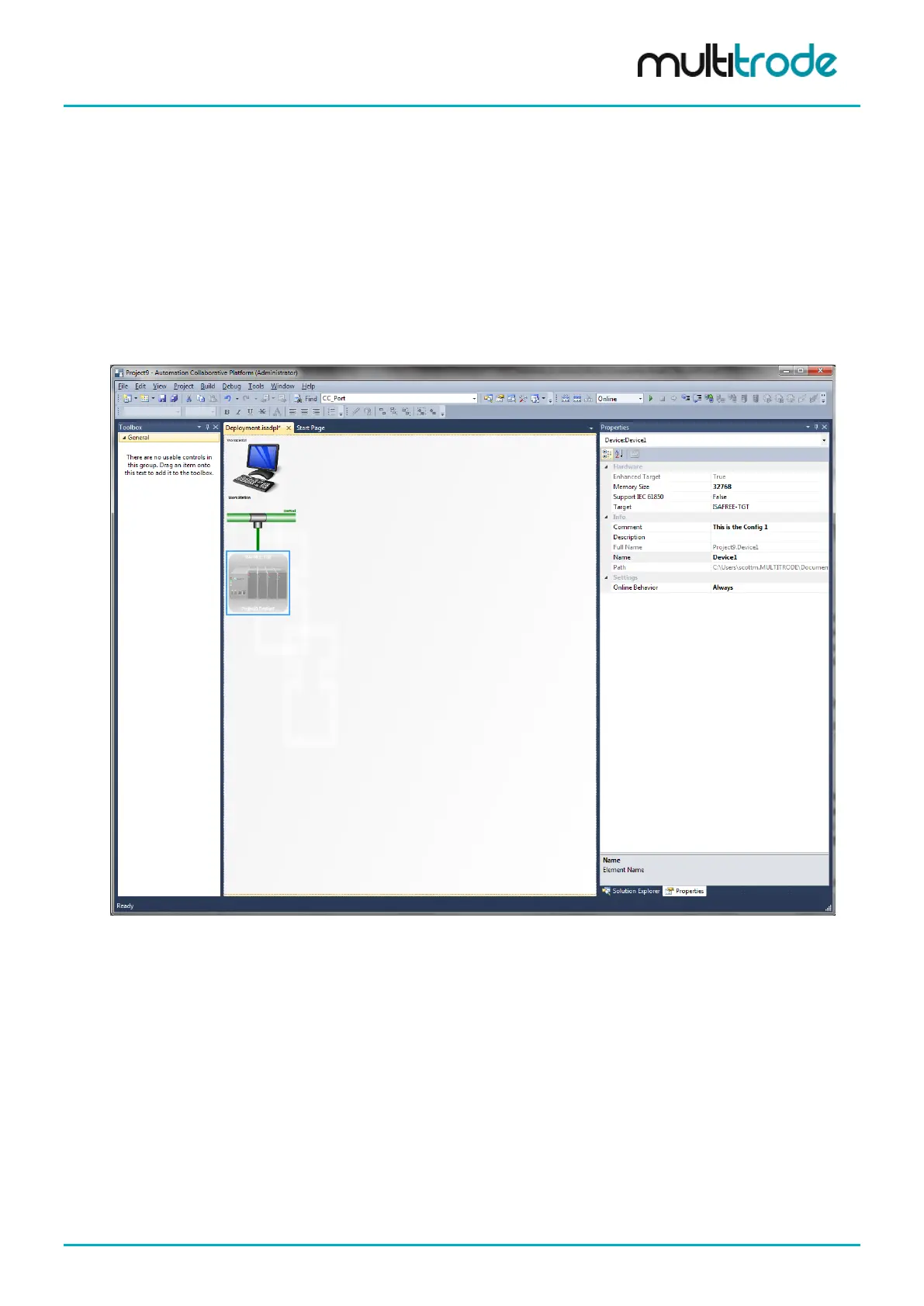
Once the MultiSmart definition has been imported, highlight the Resource symbol on the Deployment page
and view the properties. The resource will currently be defined as ISAFREE_TGT, and a generic rack-
mounted PLC symbol will be displayed. This is shown below.
Figure 163 - Selecting Resource Target
In the Properties tab, select Target, and then select MultiSmart from the drop-down list. Once this is
selected, the image for the Resource will change to a MultiSmart LCD.
In the Solution Explorer tab, navigate to the Resource, and then review the Properties for the
resource. In particular, consider the Cycle Timing (ms), which defaults to 100 ms. In general, this timing
can be reduced to 1000 ms or more, unless execution of the resource is particularly time critical.
MultiSmart_IO_Manual_R20 Page 205 of 260



 To Next Page