MultiSmart Installation & Operation Manual
14.9.1 Fault “Actions” including Pump Reversal
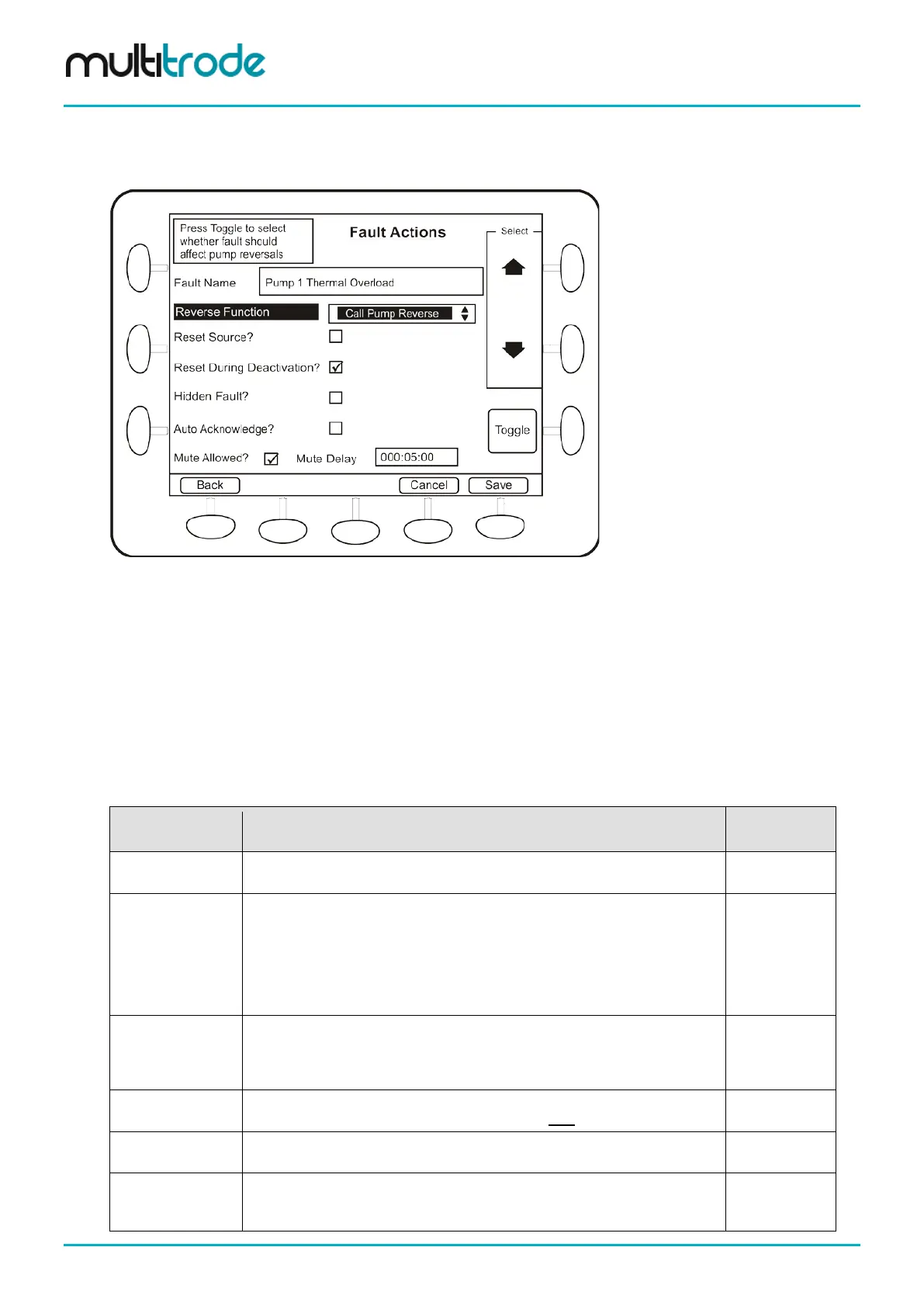
The Actions button provides some more advanced functionality, including Pump Reversal:
Figure 123 – Fault Actions Screen
Faults can be configured to automatically trigger pump reversals. For example, over-current may be
triggered by a pump blockage. Reversing the pump for a short duration has the potential to clear the
blockage.
To configure a fault to automatically trigger a pump reversal, set the Reverse Function to Call Pump
Reverse. After the fault activates, the pump reversal will start after the Fault-Reverse delay defined in the
Station Optimization – Pump Reversals screen. The reversal duration is also set in that screen (see
Section 16.1.1), however more than one fault can occur within a short time frame and the reversal may not
be desirable under some fault conditions. Therefore, those faults should have Reverse Function set to
Block Pump Reverse
.
The following items can be configured for this screen:
Name Description Range/Type
Reverse Function
Described above, choice of No Action, Call Pump Reverse, Block Pump
Reverse
Selection
Reset Source?
Not usually required for most faults. Fault conditions like “Maximum Run
Time Exceeded” requires this feature so that after the fault has occurred it
can clear.
Faults like Thermal Overload, Under-current do not need this feature
enabled, because when the thermal overload cools down the input to
MultiSmart resets, and when the under-current trips the pump under-
current is no longer active.
True/False
Reset During
Deactivation?
When this is enabled (default) – the fault can be reset from the user
interface or by SCADA while the deactivation delay is counting down.
If this parameter is disabled, then even after the fault condition has cleared
and while the deactivation timer is counting down, no reset is possible.
True/False
Hidden Fault?
Disabled by default. If this is enabled, when the fault condition occurs it will
hold out the pump but will not be displayed as a fault on the Faults screen.
True/False
This allows a fault to be auto acknowledged when it is deactivated. When
deactivated, an auto acknowledged fault will disappear from Faults screen.
True/False
Mute Allowed?
This allows a fault to be “muted” from the faults screen. A muted fault still
continues to take any configured actions but is hidden on the faults screen
until the Mute Delay expires.
True/False
Page 124 of 260 MultiSmart_IO_Manual_R20



 To Next Page