MultiSmart Installation & Operation Manual
16.1.6 Well Mixer
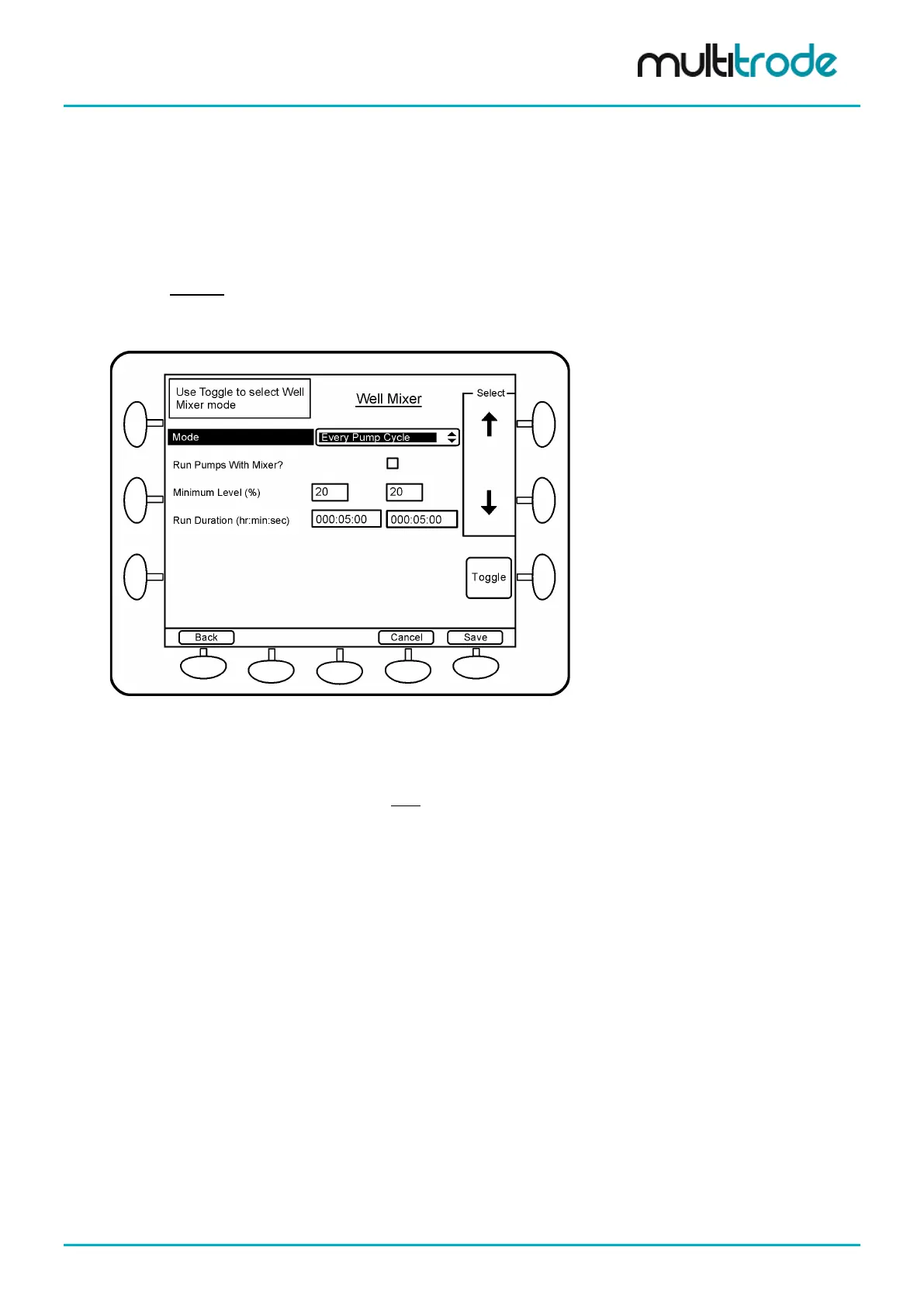
The Well Mixer feature allows well mixers to be controlled in one of two ways:
• Every Pump Cycle
• Every x Hours
In addition to each mode, the pumps can be allowed or inhibited to run with the mixer.
For both modes, a digital output must be assigned to the source Well Mixer Active. (Not to be confused with
the Well Washer Active source). (See Section 14.11
)
This Well Mixer feature is part of a separate module which if not enabled at the time of purchase can be
enabled later with a new Site Key (requires firmware version 2.2.0 or later).
Figure 137 – Well Mixer Screen
16.1.6.1 Every Pump Cycle
In this mode, the mixer starts when the lead pump run command is sent, however the actual pump start is
delayed until the mixer stops (providing the Run Pumps With Mixer check box is unchecked). The mixer
runs for the specified Run Duration or until the level reaches the Minimum Level.
16.1.6.2 Every x Hours
In this mode, the mixer starts periodically based on the specified Frequency (e.g. once every 4 hours). If the
Run Pumps With Mixer check box is unchecked then the pump and mixer do not run simultaneously. The
mixer runs for the specified Run Duration or until the level reaches the Minimum Level.
If the Run Pumps With Mixer is unchecked and the pump happens to be running when the time period
expires, the mixer runs for the full duration after the pump stops.
MultiSmart_IO_Manual_R20 Page 147 of 260



 To Next Page