MultiSmart Installation & Operation Manual
17.2.1 Enabling Insulation Resistance Testing (IRT)
During the Setup Wizard, the IRT terminals are automatically assigned, although for safety reasons the IRT
functionality is not enabled. To enable IRT for each motor perform the following procedure.
Navigate to:
• Select the required pump with the arrow keys.
• Press Config
• Scroll down to Insulation Resistance and press Configure
• Press Toggle to check the enable box
• Change the default threshold resistance of 1.0M ohms if necessary
• Press Save and Back and repeat for each pump
An Insulation Resistance Warning can also be configured in the same way – enable and enter a suitable
warning threshold resistance.
NOTE:
By default IRT is not enabled.
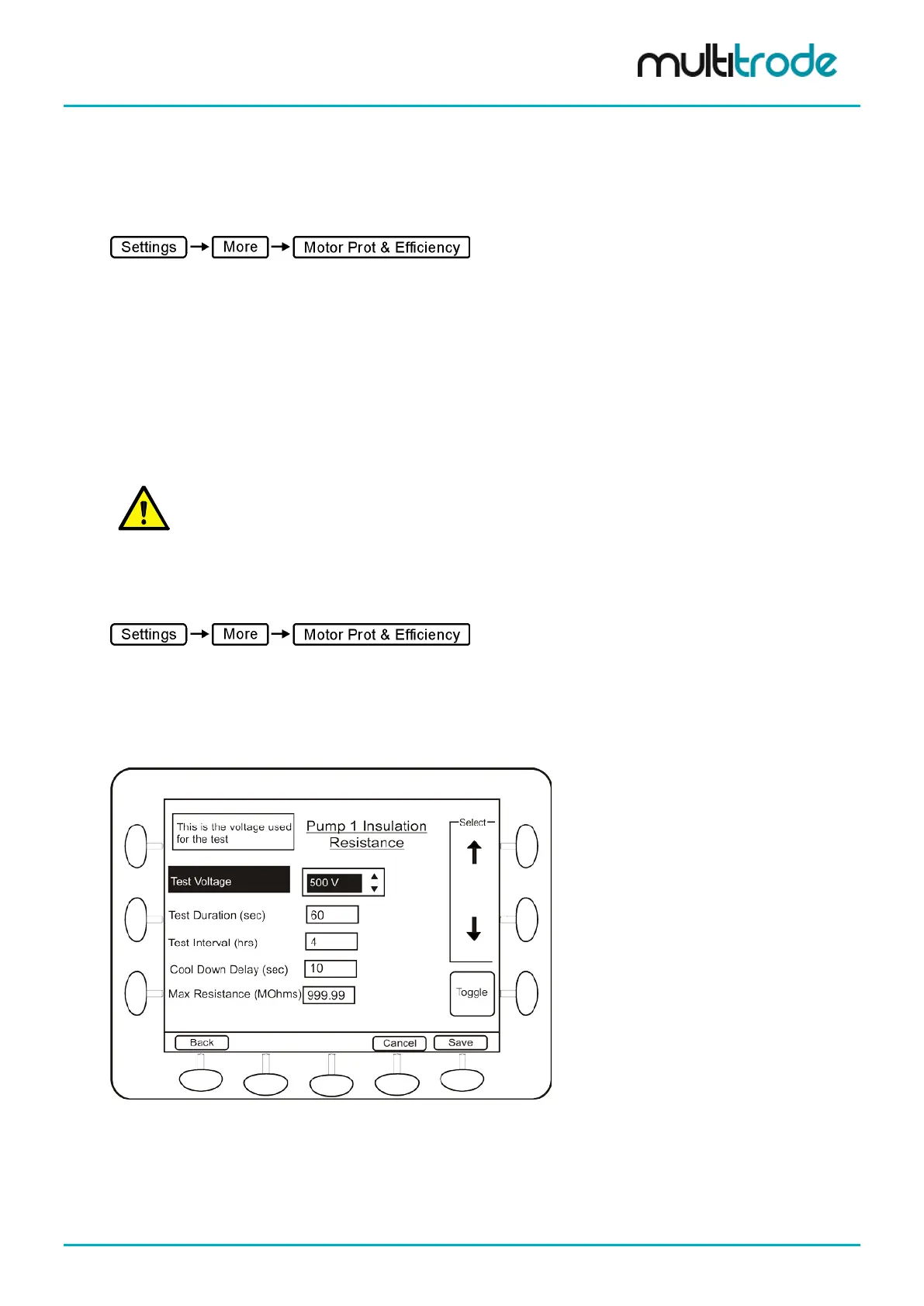
Basic Insulation Resistance Test configurations can be done from the Settings menu.
Navigate to:
• Select the required pump with the arrow keys.
• Press Config
• Scroll down to Insulation Resistance and press Configure
• Press Settings button displayed on the bottom of the screen
Figure 140 – Insulation Resistance Test Configuration Screen
MultiSmart_IO_Manual_R20 Page 155 of 260



 To Next Page