MultiSmart Installation & Operation Manual
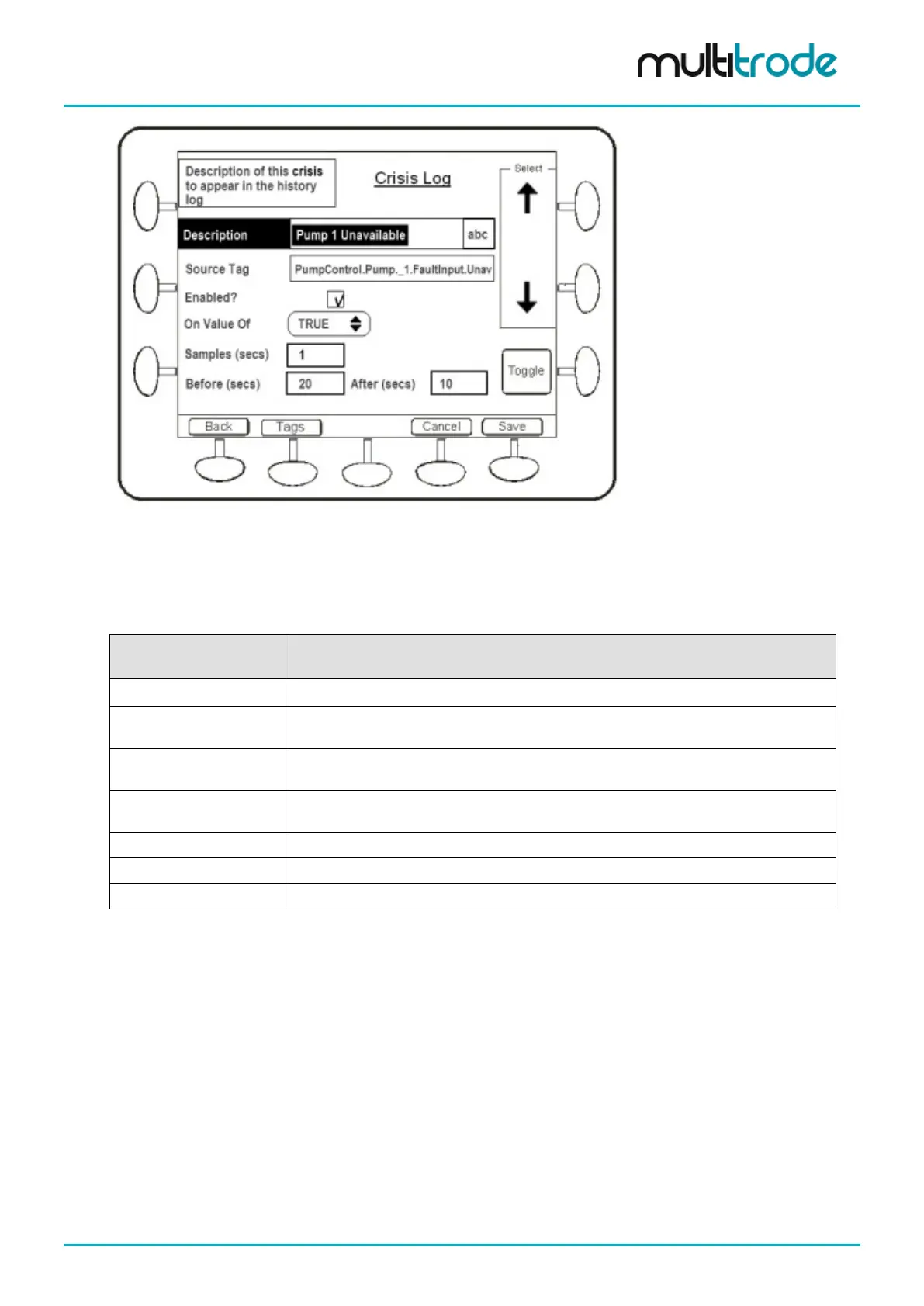
Figure 147 – Configuration of Crisis Log “Trigger” Parameters
This screen defines how the trigger tag is configured and the time periods and interval for logging. The Tags
button at the bottom navigates into the list of tags that are logged when the trigger event occurs. In that
screen (not shown), New Tag and Edit (of existing tags) both use the tag browser.
Parameters in this screen are explained below:
Name Description
Description of the “trigger” or event as it will appear in the history page.
Trigger
The tag being monitored which will trigger intensive logging of other tags. This can
only be a digital tag (on or off), e.g. a fault, a digital input, a digital output, etc.
Enabled?
This checkbox allows logging to be disabled without deleting the tag and its
configuration. This allows later re-enabling if required.
On Value of
Selectable as “True” or “False” – if set to “False” then when the tag being monitored
changes from On to Off, the crisis logger will be triggered.
Time between each log of the tags associated with the trigger.
Time before the trigger occurs to record data.
Time after the trigger has occurred to record data.
Table 31 – Crisis Logger Configuration for “Trigger” Parameters
Example: With Samples = 1, Before = 20 and After = 10, all of the tags associated with this trigger will be
logged for 20 seconds before the trigger occurs and until 10 seconds afterwards at 1 second intervals.
MultiSmart_IO_Manual_R20 Page 167 of 260



 To Next Page