MultiSmart Installation & Operation Manual
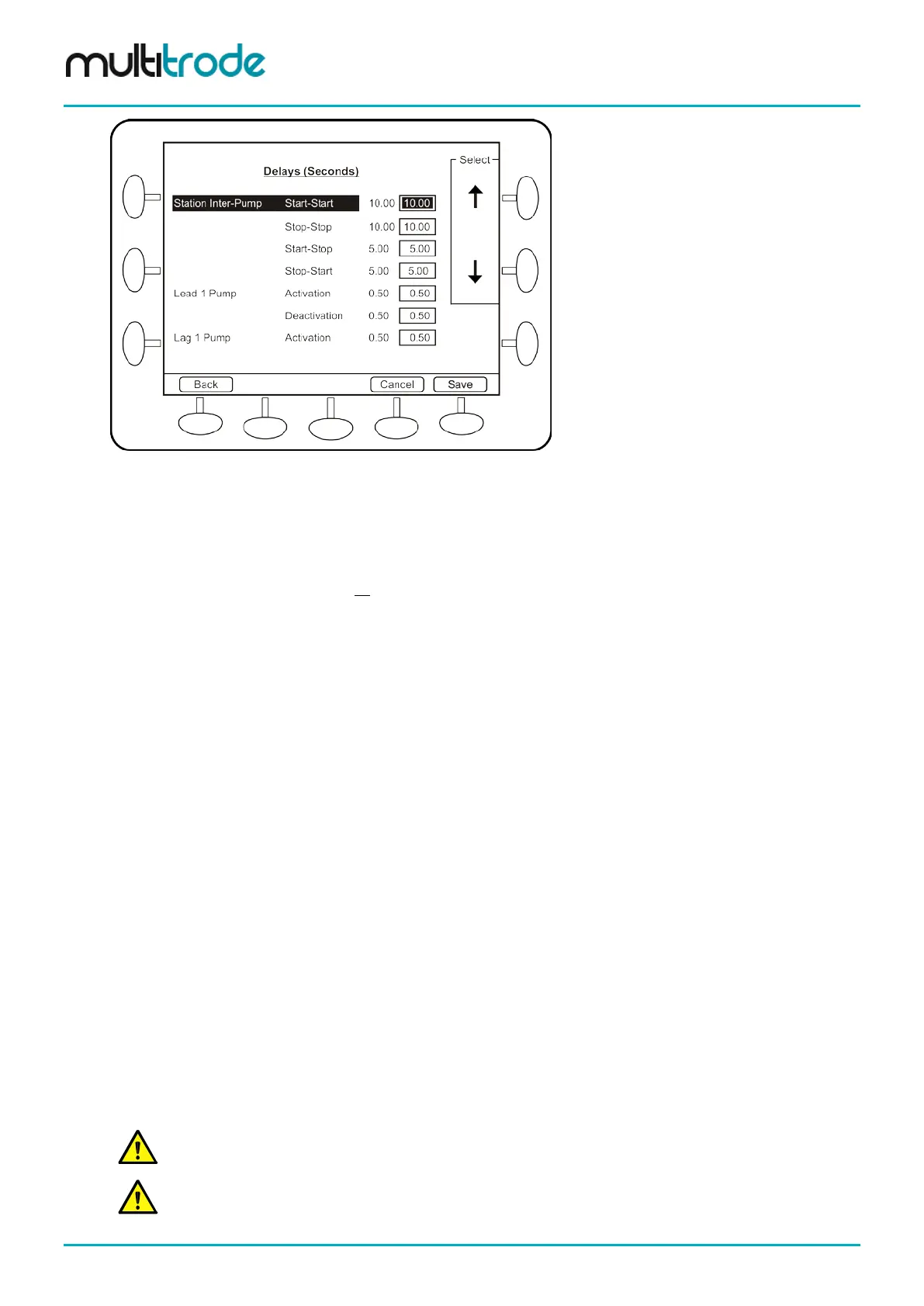
Figure 96 - Pump and Level Alarm Delays
• Use the arrows to select an alarm.
• Enter new values, in seconds, using the keypad.
• Push the Save button to commit the changes.
This screen changes the delays for all profiles.
12.4.1 Inter-pump delays
There are four different delays that operate between one pump stopping or starting and a second pump
starting or stopping.
• Start-Start (10s default)
• Stop-Stop (10s default)
• Start-Stop (5s default)
• Stop-Start (5s default)
12.4.2 Activation & Deactivation delays for individual pumps
An activation and deactivation delay is present for each pump.
• Pump Activation Delay (0.5s default)
• Pump Deactivation Delay (0.5s default)
12.4.3 Activation & Deactivation delays for level alarms
Each of the four level alarms have an activation delay (5s default) and a deactivation delay (10s default).
• High-High Level
• High Level
• Low Level
• Low-Low Level
Activation delays can be used to stagger equipment starts from a common level point.
Deactivation delays allow you to pump beyond the normal deactivation level for a set period of time.
NOTE: Activation delays can be used to prevent false alarm trips due to splashing or foam build-up, so
an alarm will only be raised if the level is above the alarm level for a certain time period. Deactivation
delays allow you to be sure the alarm condition has passed before clearing the alarm.
Page 92 of 260 MultiSmart_IO_Manual_R20



 To Next Page