MultiSmart Installation & Operation Manual
If N to M is selected, the user saves this option then presses the Config button which appears on the right,
and enters the values N and M in a new screen.
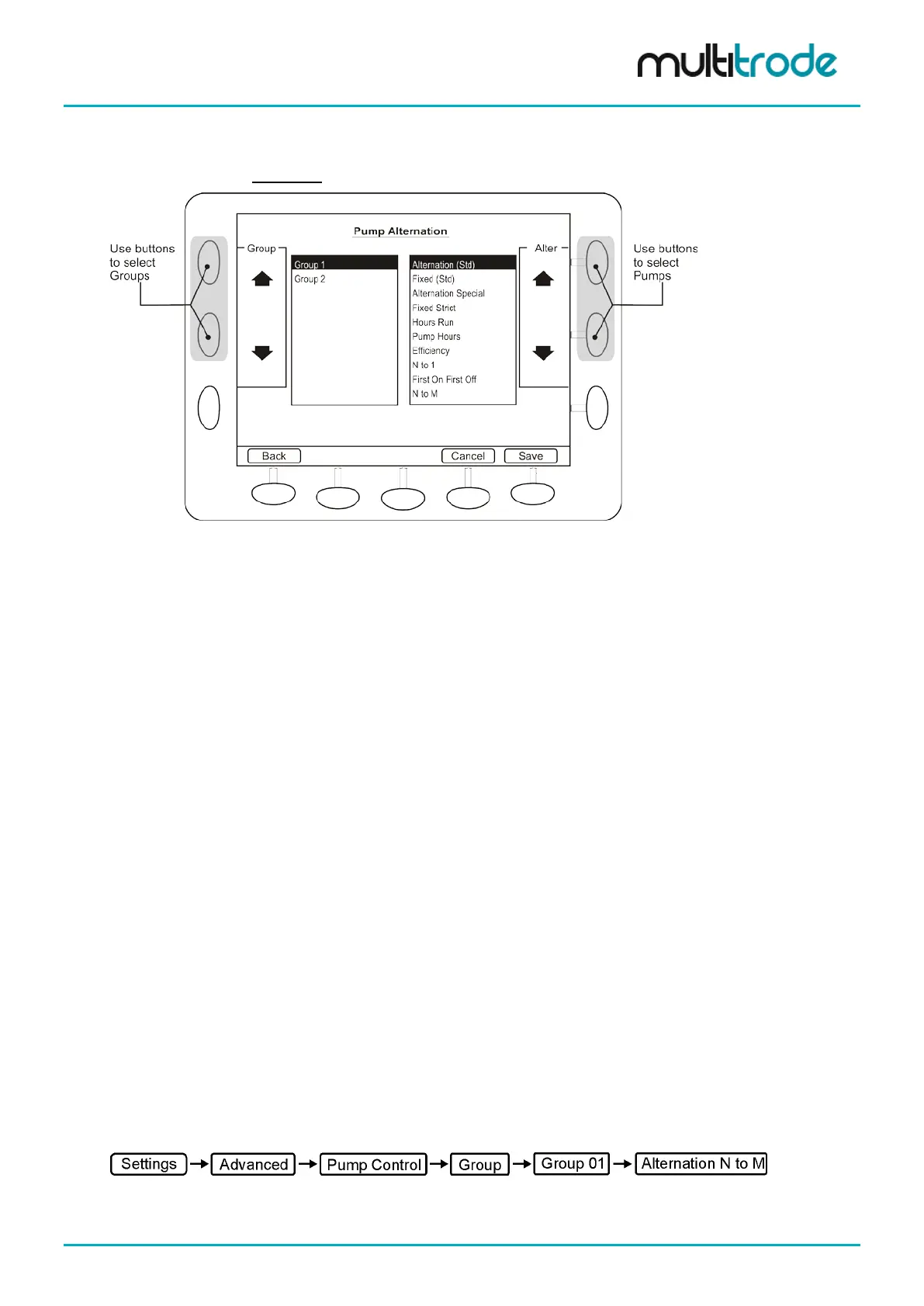
If there is more than one group, the screen has additional options:
Figure 99 –Changing Group Alternation & Fixed Duty
Use the Group arrows on the left to select each group in turn, then the Alter arrows on the right to change
the alternation scheme.
Press Save to apply changes and go back to the Alternation and Grouping screen. The summary now shows the
changes made as the current settings.
13.1.1 Alternation by Efficiency
This feature can provide a valuable energy saving function, as the most efficiency pump will be run more
often than the less efficient pump.
When Efficiency is highlighted two fields appear below the selection box:
• Efficiency Deadband
• N to 1 ratio
An arrow appears by the bottom left soft-key to move the selection between the main alternation options and
these two parameters.
The Efficiency Deadband ensures that a marginally more efficient pump is not run in preference. When the
efficiencies of the pumps are within the deadband, a secondary alternation scheme of Alternation (Std) is
used instead. This ensures even wear between pumps with similar efficiencies.
Once outside of the efficiency deadband, the more efficient pump will be run as the duty pump N times for
every one time the less efficient pump is run. N is defaulted to 10.
13.1.2 Alternation N to M
This feature allows the pumps to alternate based on the values of N and M. For every N+M calls of the duty
pump, the lead pump will run N times and the lag pump will run M times. This can be extended to more than
2 pumps. Once N to M is selected and saved as the pump alternation mode, a Config button appears in the
bottom right corner. When pressed, a new screen is displayed that allows the N to M ratio to be changed.
It can also be changed in the advanced screen:
MultiSmart_IO_Manual_R20 Page 95 of 260



 To Next Page