7-30 Specifying default settings
6
Select the default value, and press [Enter].
7
Press [Close].
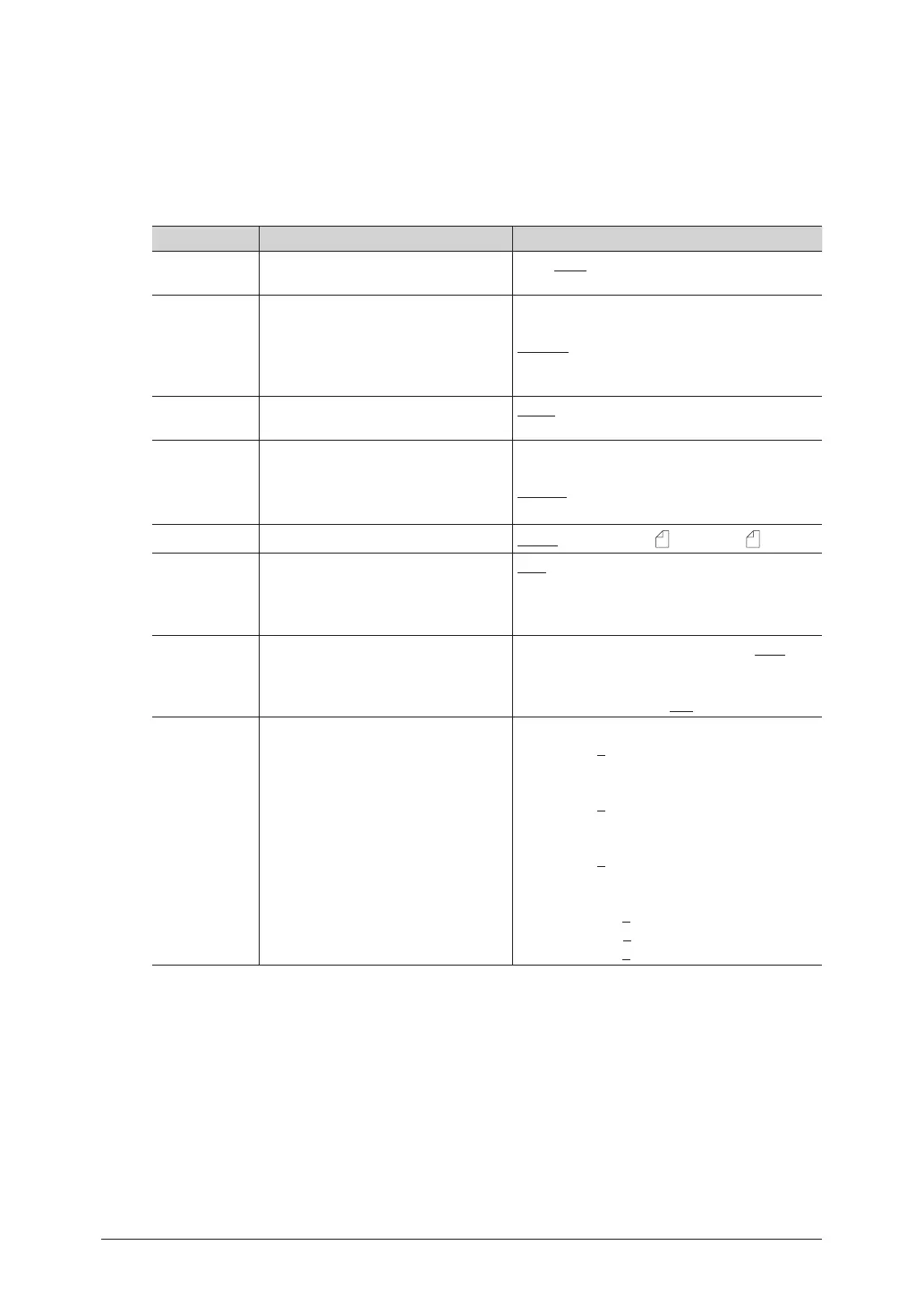
List of default scanner settings
Function Description Settings
Doc. Type Set the default document type
setting.
Text, Auto, Photo
Contrast Set the default contrast setting. Lightest
Lighter
Normal
Darker
Darkest
Color Set whether to scan in monochrome
or in color.
Mono
Color
Resolution Set the default resolution setting. 100 dpi
200 dpi
300 dpi
600 dpi
Scan Size Set the default scan size setting.
Letter, Legal, H.LTR , A4, F4, A5
Stamp
*1
You can stamp on a document
that has been scanned using the
automatic document feeder and
check it has been scanned.
OFF, ON
Next Doc. You can scan a series of separate
documents and transmit them as a
single document.
ADF (Automatic document feeder): OFF
ON
FBS (Document glass): OFF
ON
Color Adjust Set the default color adjustment
setting.
Contrast
-3 / -2- / -1 / 0 / +1 / +2 / +3
Sharpness
-3 / -2- / -1 / 0 / +1 / +2 / +3
Lightness
-3 / -2- / -1 / 0 / +1 / +2 / +3
RGB
R -3 / -2- / -1 / 0 / +1 / +2 / +3
G -3 / -2- / -1 / 0 / +1 / +2 / +3
B -3 / -2- / -1 / 0 / +1 / +2 / +3



 To Next Page