3-30 Transmitting faxes from a computer
Item Description
[Clear] Erases the current settings in the [Destination Settings]
tab and the [Other Settings] tab.
[Send] Click [Send] to start transmission.
[Cancel] Click this to close the screen.
11
Repeat step 10 to specify all the destinations.
12
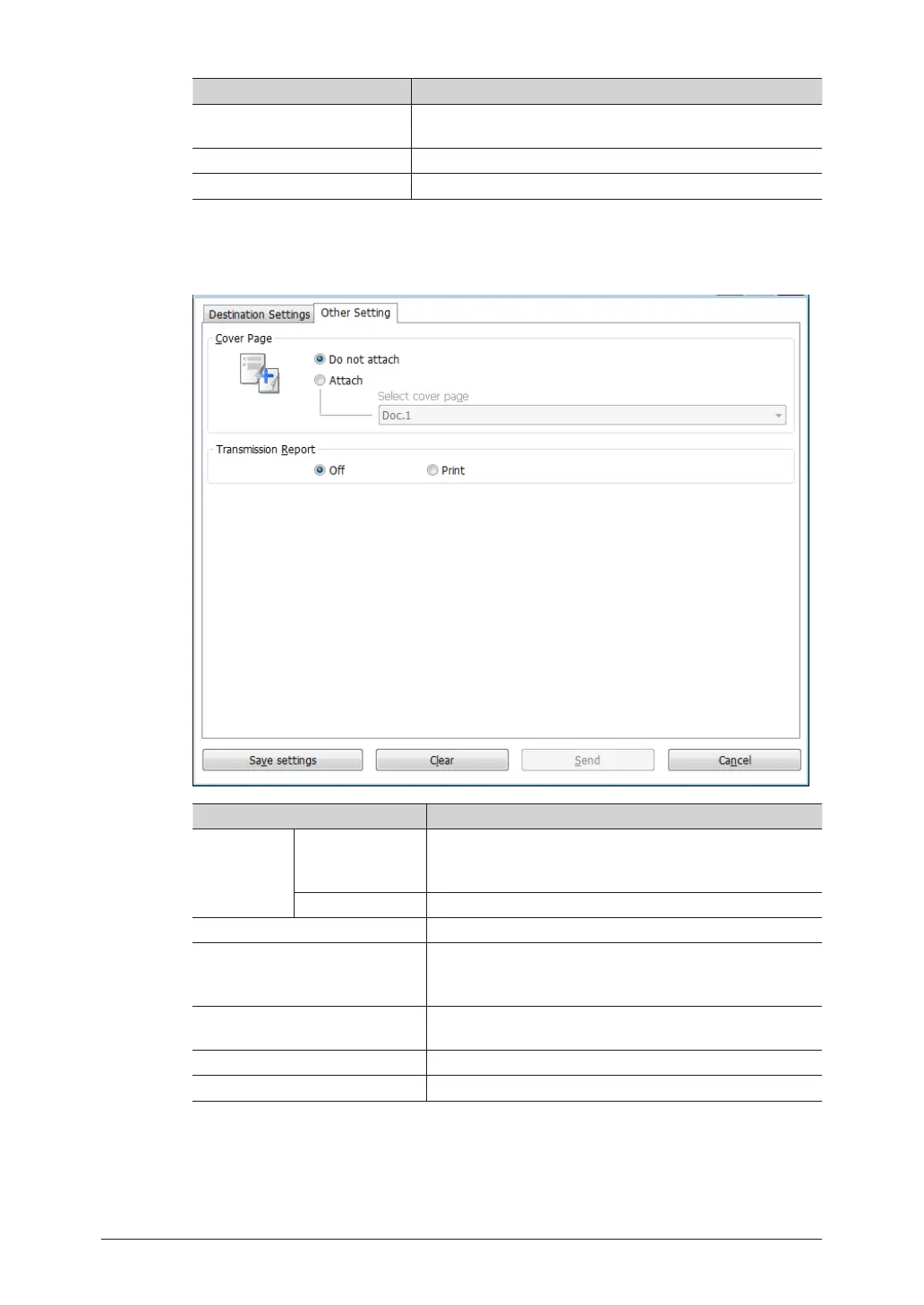
To set cover page and transmission report settings, click [Other Setting] tab.
Item Description
Cover Page Do not attach /
Attach
Sets whether to attach a cover page.
When you select “Attach”, you can choose the cover page
format.
Select cover page Select which cover page to use.
Transmission Report Sets whether to print a transmission report.
[Save settings] Saves the current settings in the [Destination Settings]
tab and the [Other Setting] tab. This is useful for saving
settings that you use frequently.
[Clear] Erases the current settings in the [Destination Settings]
tab and the [Other Setting] tab.
[Send] Click [Send] to start transmission.
[Cancel] Click this to close the screen.
13
Check the destinations in the “Sending Destinations” field.
14
Click [Send].
To delete destinations, select the destination to delete, and click [<Delete].



 To Next Page