1
2
3
Transmitting faxes from a computer 3-29
Basic fax functions
10
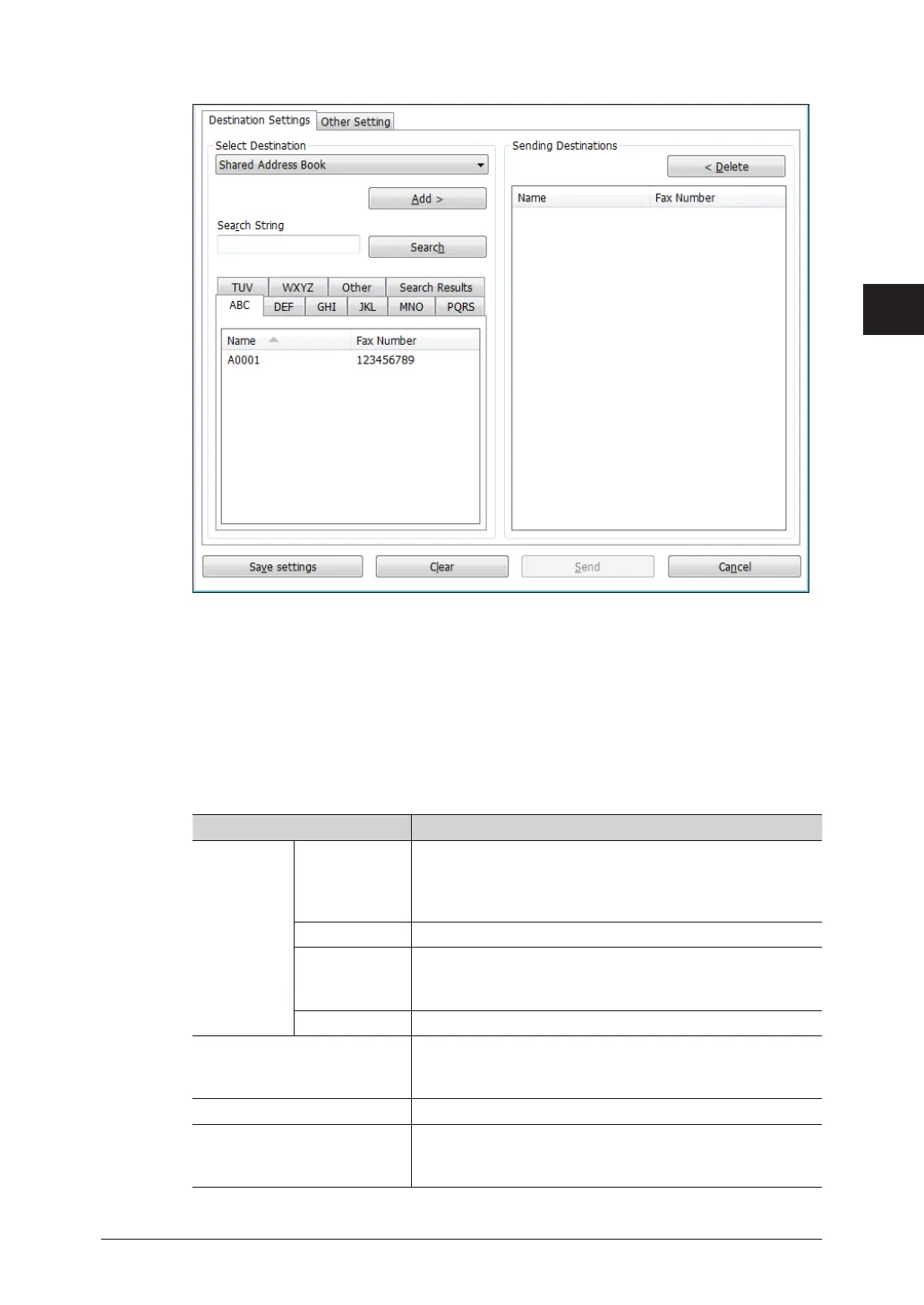
Enter a destination on the “Destination Settings” tab.
You can enter a destination with the following ways.
•Select either “Shared Address Book”or “Personal Address Book” from the pull-down menu,
and select the destination from the address book, and click [Add>]. When no user is selected
in step 7, you can choose only “Shared Address Book”.
•Select “Direct Input” from the pull-down menu, and directly enter the fax number for the
destination in the “Fax Number” entry box, and click [Add>]. Pauses and other dialing
options can be also entered using the keyboard. For details on the dialing options, see “Dialing
options” (page 3-10).
•To search a fax number from the server, the LDAP server registered in advance. For details,
see chapter 2, “Registering LDAP servers” in “Specifying the network settings” in the
Administrator’s Guide.
Item Description
Select
Destination
Pull-down
menu
Select either “Shared Address Book”, “Personal Address
Book” or “Direct Input”.
When no user is selected in step 7, you can choose only
“Shared Address Book” or “Direct Input”.
Search String To search a fax number, enter a keyword here.
[Search] Click [Search] to search with the keyword entered in “Search
String”. The search result will be displayed in “Search
Results” tab.
Index The address book is displayed in alphabetical order.
[Add>] Click after entering a destination in “Select Destination”
or selecting a destination in “Address Book” to specify the
entered or selected destination as a fax destination.
Sending Destinations Displays the specified fax destinations.
[Save settings] Saves the current settings in the [Destination Settings]
tab and the [Other Settings] tab. This is useful for saving
settings that you use frequently.



 To Next Page