152 User Manual Version 3.1
To update the flashware via an USB Port you will need the software tool PrintFile. This free
software uses an installed printer driver to send the flashware file to your printer. Download
your free copy at http://www.lerup.com/printfile/
.
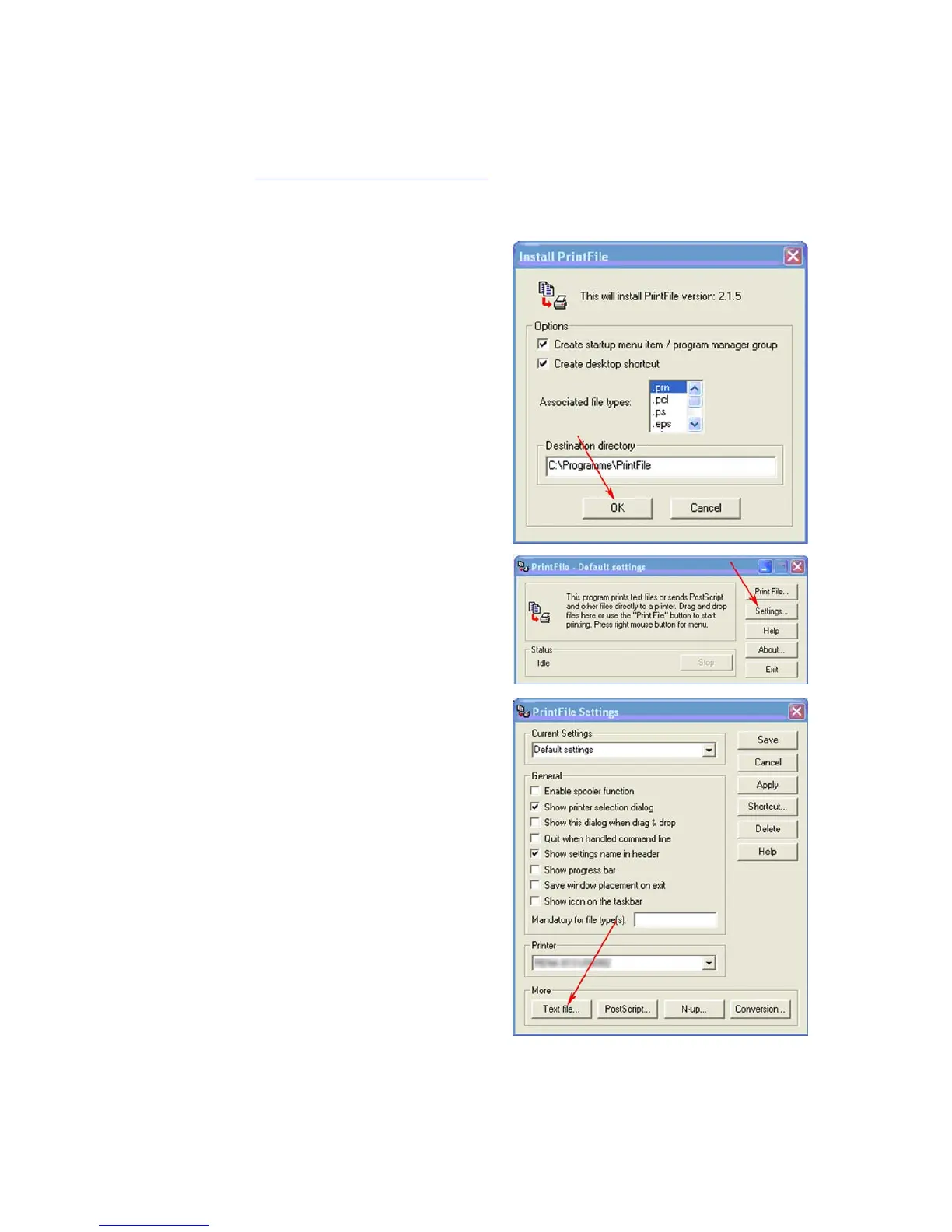
Please perform the following steps, to send the flashware file to your printer:
1
• Execute the Setup.exe and configure
the software as shown in the picture
on the right.
• Click on “OK”



 To Next Page