102 Chapter 4 Use the PLC applications to control your workflow
Icons
Icons
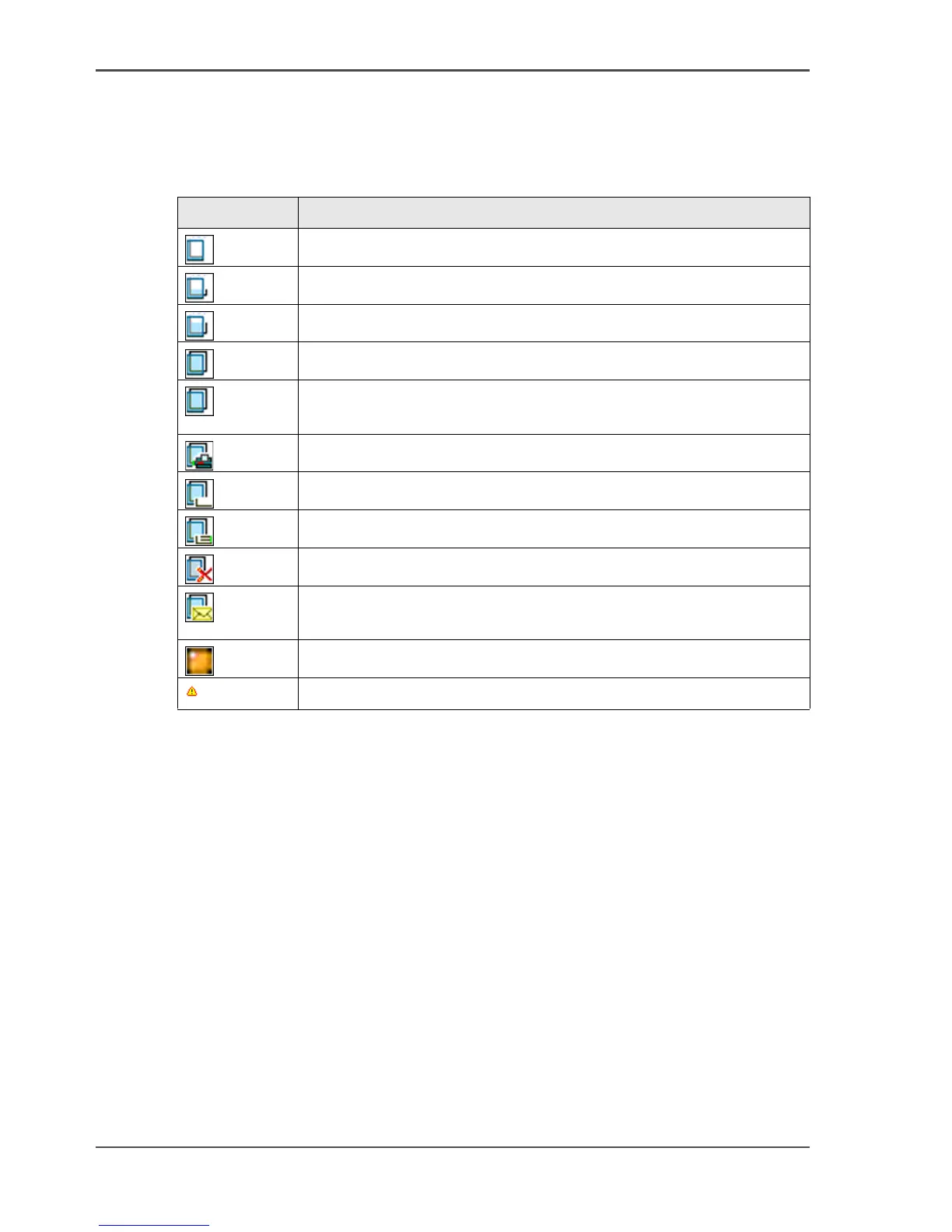
The Océ Queue Manager uses a number of icons to display information about a job
in the queue. The following icons are used.
[39]
Icon Description
[61]
Receiving a job in the inbox or the print queue.
[62]
Received a job in the print queue.
[63]
Processing a job in the print queue.
[64]
Processed a job in the print queue.
[65]
An active job in the print queue (bold font and above the gray
separation line).
[66]
Printing a job.
[67]
Delivering a job to the history queue.
[68]
Delivered a job to the history queue.
[69]
Deleted a job.
[70]
A job that is put on hold by default . This icon indicates that the
job is displayed in the inbox.
[71]
A job is on hold.
[72]
Warning, a media request.



 To Next Page