217
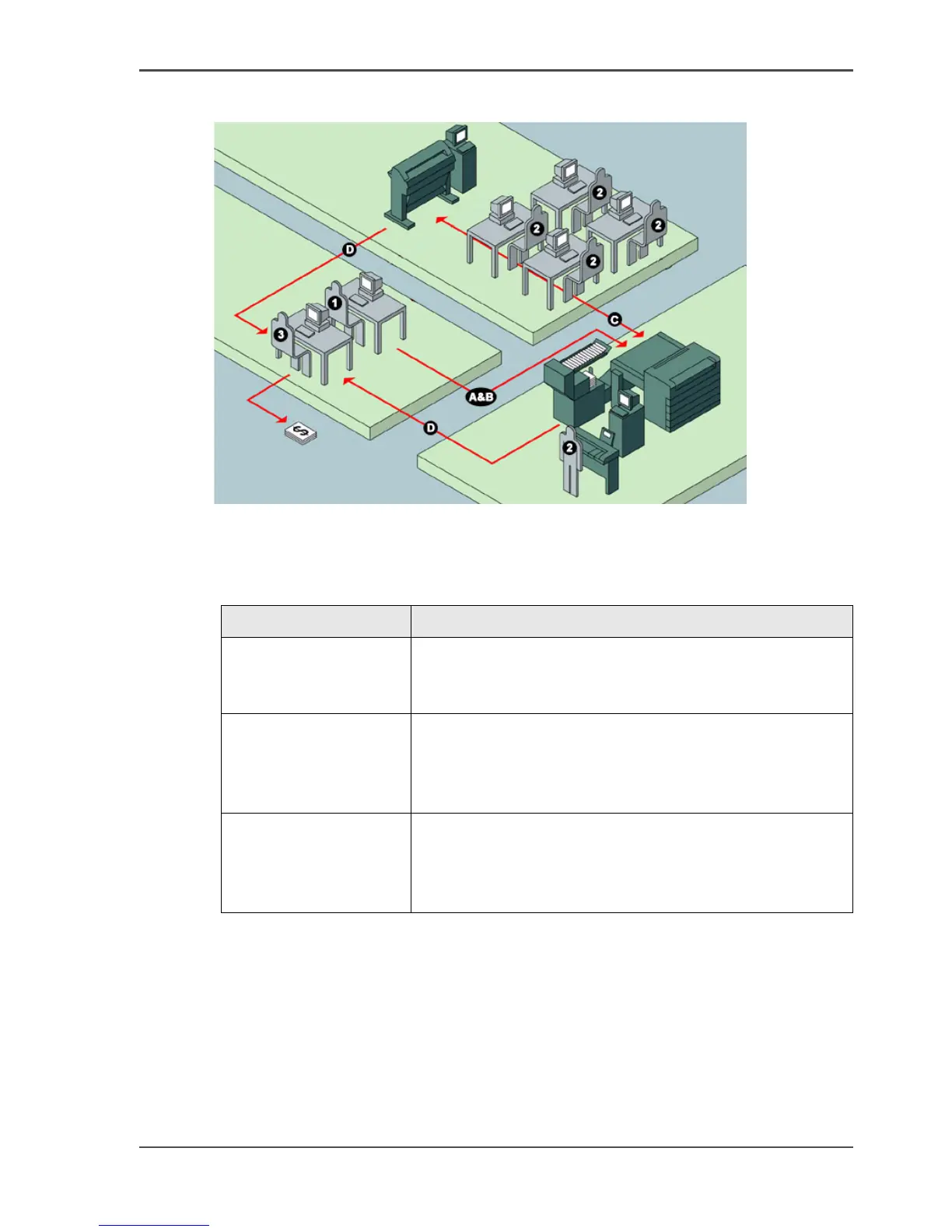
An overview of Océ Account Center
Illustration
[176]
User roles and tasks in Océ Account center
[85]
[85] User roles and tasks in Océ Account center
Users Tasks
1) Administrator A) Create, manage and delete the account dialog.
B) Publish the account dialog to the Océ Power Logic
®
controller.
2) Users C) Use the dialog of Océ Account Logic or the dialog in
the Océ Windows Printer Driver (WPD) or Océ Print
Exec Workgroup to specify the account information for
each copy, print and scan-to-file job.
3) bookkeeper D) Retrieve and use the account information of the copy,
print and scan-to-file jobs that is stored on the Océ Power
Logic
®
controller. The log data serves as input for the
accounting reports.



 To Next Page