32 Chapter 2 Get to know the Océ TCS500 color printing system hardware
The Océ TCS500 printer
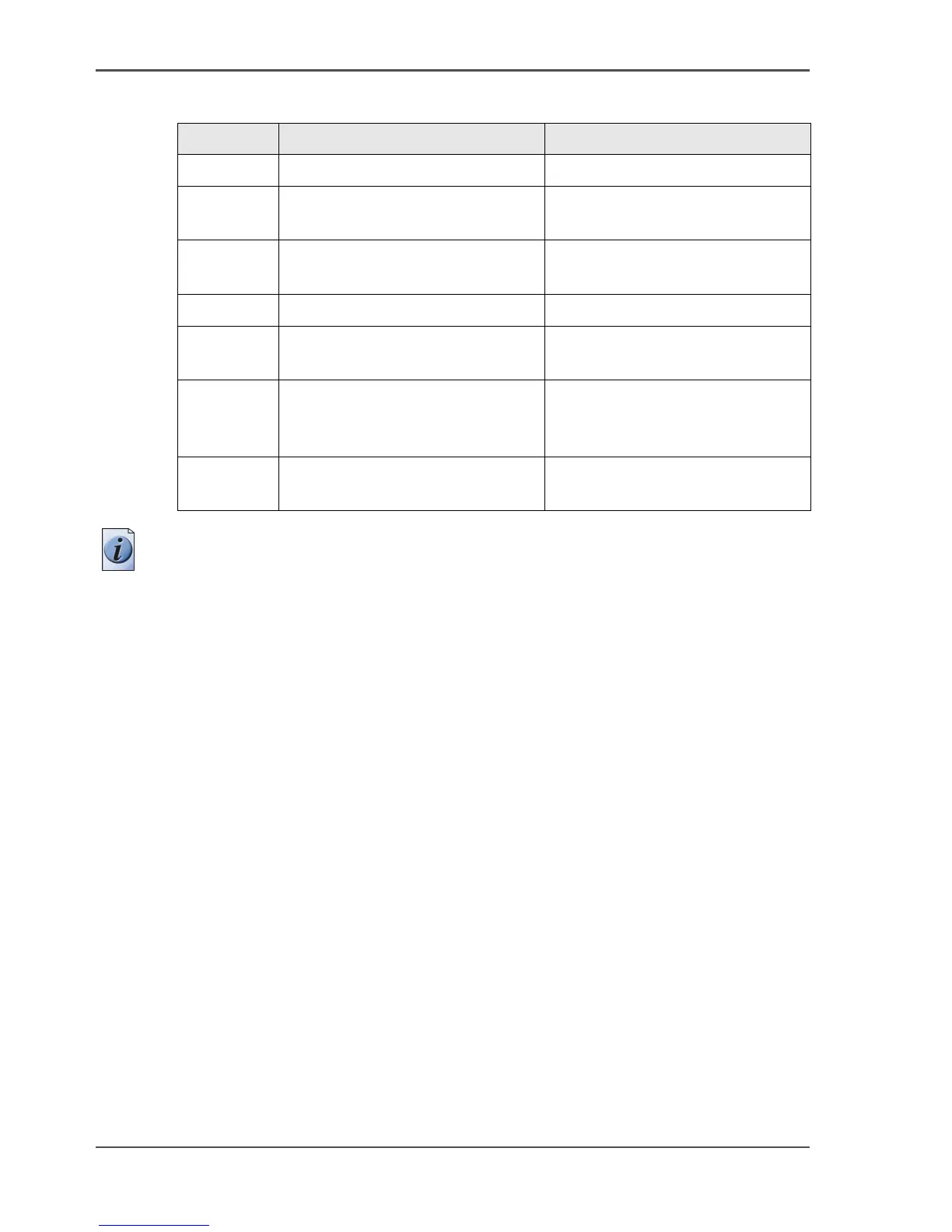
The main components of the Océ TCS500 printer
[10]
Note: The copy receiving rack is an optional feature. The copy receiving rack is
required for the 3 roll version (see ‘The optional copy receiving rack’ on page 42).
Number Component Function
1. The printer operator panel Define the job settings.
2. The top cover Get access to the carriage with
the printheads.
3. The media rolls Provide the media for your
printed output.
4. The integrated receiving tray Receive the output (option).
5. The ink tanks Provide the ink for your printed
output.
6. The Océ Power Logic
®
controller
door
Get acces to the optionally
integrated Océ Power Logic
®
controller.
7. The maintenance door Get access to the maintenance
cassette.



 To Next Page