- 363 -
9. Operating Management/ Specifications
6
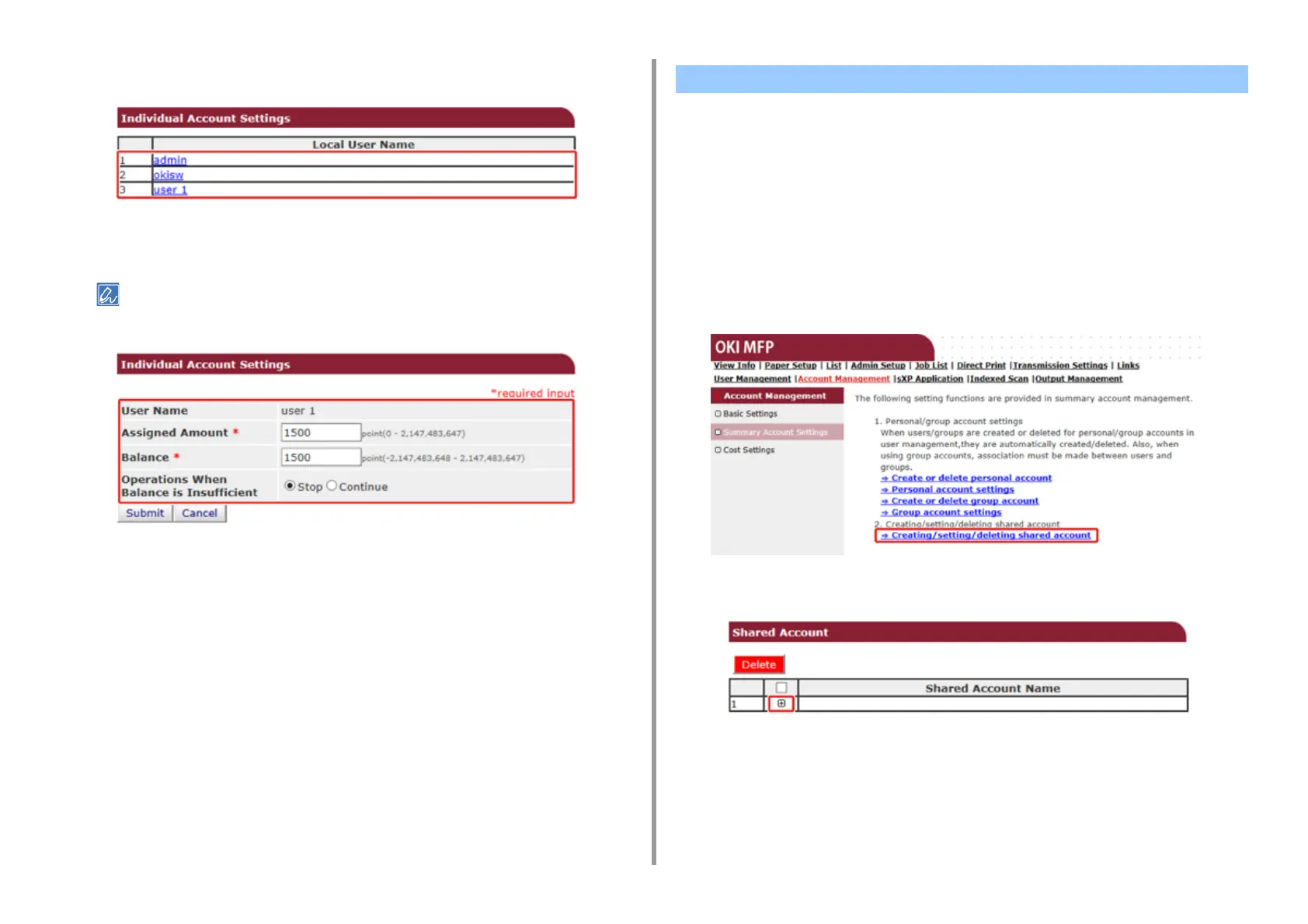
Click a user whom you set a number of points.
7
Enter assigned amount, balance, and set operation when balance is
insufficient. Points are charged for each print job.
For the balance, you cannot enter a number larger than that for the assigned amount.
8
Click [Submit].
Create a shared account which can be used by the users.
1
Open the Web page of the machine.
2
Log in as the administrator.
3
Click [Account Management].
4
Click [Summary Account Settings].
5
Click [Creating/setting/deleting shared account].
6
Click [+].
Creating a Shared Account



 To Next Page