- 58 -
2. Copy
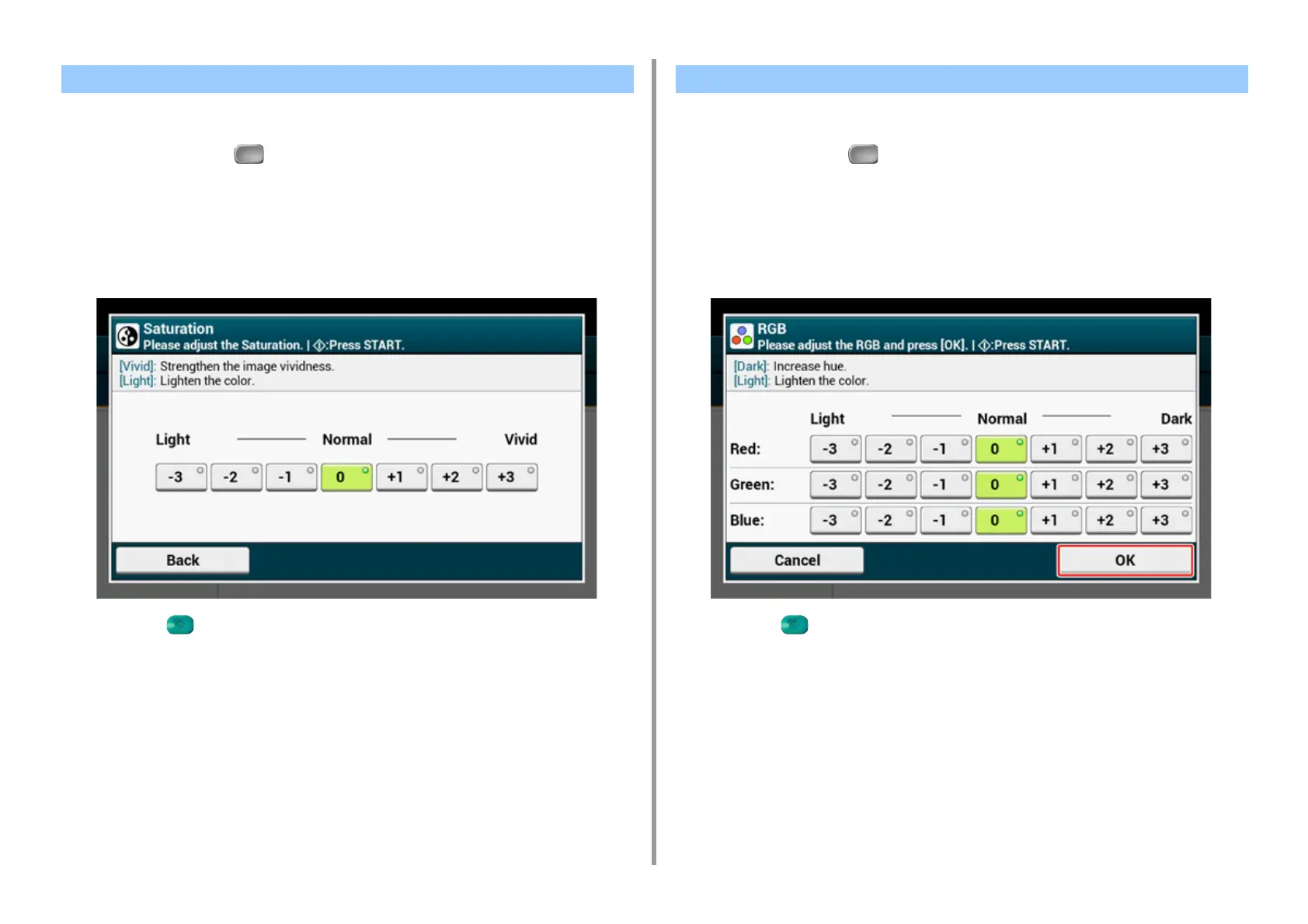
Saturation setting. Vivid: Enhance image sharpness. Light: Mute color.
1
Press [Copy] or the (COPY) button.
2
Press [Image settings] on the [Image Settings] tab.
3
Press [Saturation].
4
Select a value.
5
Press the (START) button.
Adjust RGB contrast settings.
1
Press [Copy] or the (COPY) button.
2
Press [Image settings] on the [Image Settings] tab.
3
Press [RGB].
4
Select a value each for RGB, and then press [OK].
5
Press the (START) button.
Adjusting Saturation Adjusting RGB



 To Next Page