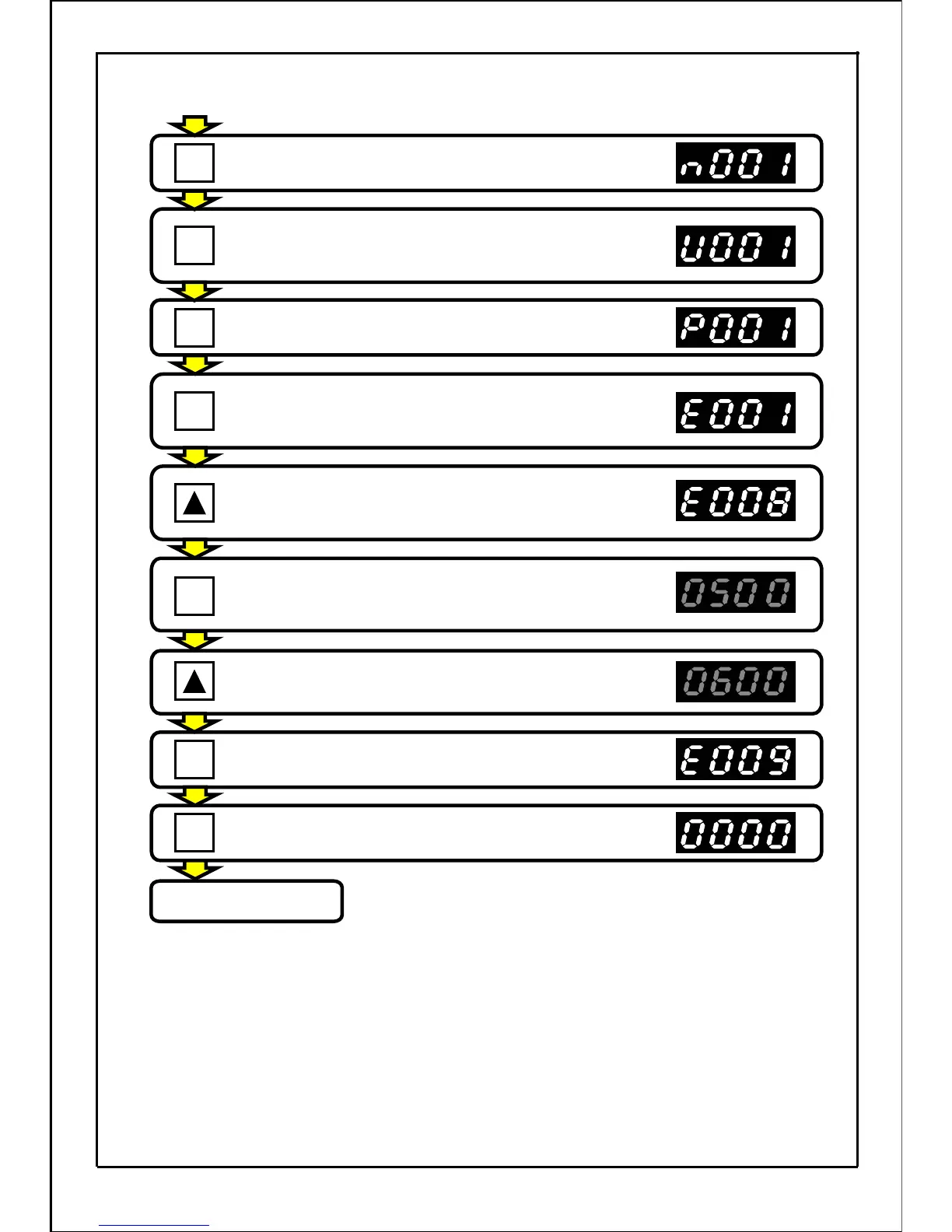
Press the MODE button.
Press the MODE button.
(If a password is set, it's necessary to input the
password. Refer to page 139.)
Press the MODE button to select built-in memory
setting mode.
(If the mode is not displayed, set the copy function
4 to "E2P")
Press the UP button seven times and change
built-in memory parameter No. to E008.
Press the SET button to display built-in memory
parameter E008 data.
(Main display will flicker.)
Press the UP button to set the displayed value
to "60.0".
(Main display will flicker.)
Press the SET button to set the data.
Press the MODE button and enter the operation
preparation completed state.
Operation preparation
completed state
・・・
The normal stop state will be entered and the inverter
can be run.
(Operation status display mode)
Press the MODE button.
[Continued from previous page]
146
SET
SET
MODE
MODE
MODE
MODE
MODE
.
.







 To Next Page