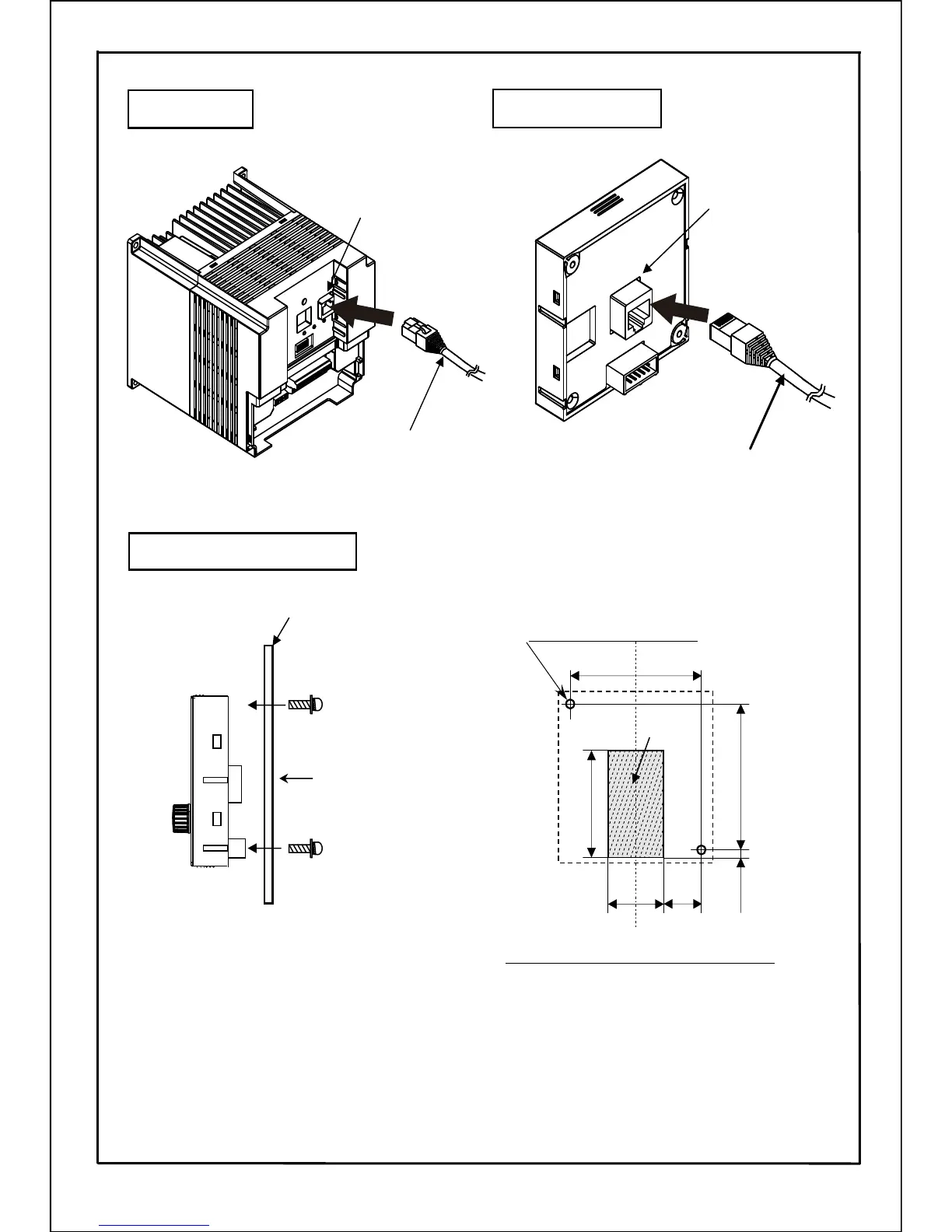
Inverter side
Operation panel side
Connector (RJ45)
Connector (RJ45)
LAN cable
LAN cable
61
613.5
24
45
(18.5)
Dimensions of panel cut-out (A view)
2-φ3.5(Mounting holes)
panel cut-out
1. Manufacture the mounting plate according to dimensions of panel cut-out. The suitable
thickness is 1.0mm~3.5mm.
2. Mount the operation panel on the forward side of plate (panel), and mount the attached
mounting screws on the reverse side. (Tightening torque: 0.6N・m)
3. Mount LAN cable after the operation panel is installed.
[Mounting Procedure]
Unit : mm
Mounting screws(M3)
Plate (panel)
<Reverse side><Forward side>
Mounting screws(M3)
A
Installed on the plate (panel)
18







 To Next Page