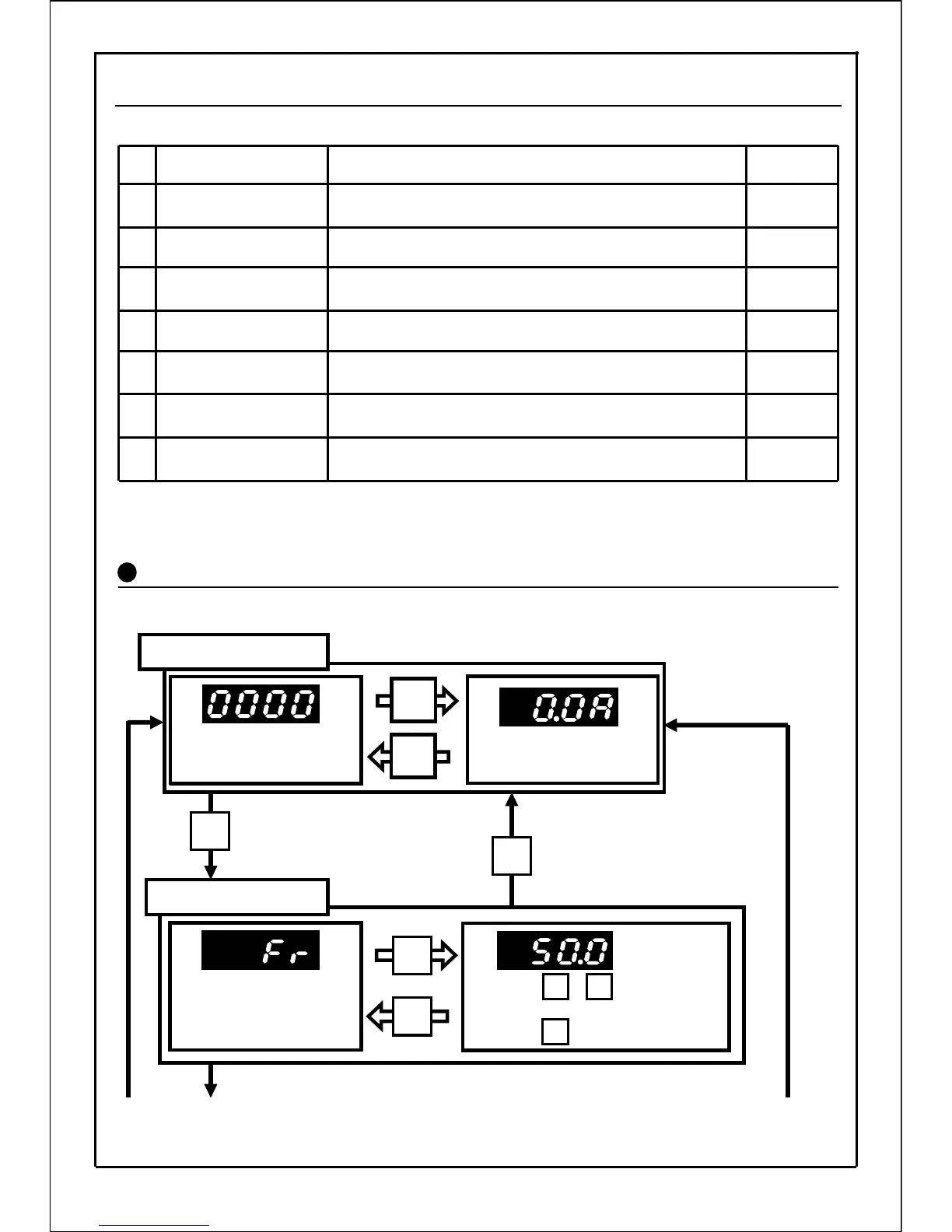
VF100 has the following seven modes.
Normally, use in the operation status display mode. This mode is entered when the
power is turned ON.
Operation status
display mode
Displays according to the
setting of parameter P145.
Output current is displayed.
Frequency setting mode
Mode of monitoring digital
setting of frequency and
frequency command.
Press the buttons to
change the frequency.
Press the button to set the data.
SET
[Continued to next page]
* The parameter P004 command frequency is
displayed except during the digital setting.
Set data in built-in memory on main display can be changed.
(Display or undisplay can be selected.)
Parameter data can be changed and monitored.
In addition, copy function of the parameter data can be used.
10 frequently-used parameters can be logged in and the
data can be changed and monitored.
Control state and details of errors can be monitored.
Rotation direction and control state (local/external control/
communication) set for panel operation can be monitored.
Digital setting of frequency and frequency command
can be monitored.
Output frequency and output current are displayed.
(The display can be changed with parameter P145.)
Details
Built-in memory setting
mode
⑦
Function setting mode
⑥
Custom mode
⑤
Control state monitor
mode
④
Rotation direction
setting mode
③
Frequency setting mode
②
Operation status
display mode
①
Reference
page
Mode name
Mode Operation Diagram
SET
[Continued to next page]
SET
41
7-4 Operation Modes
MODE
MODE
SET
SET
・
▲
▲
136
41
42
42
141
53
145







 To Next Page