[Continued to next page]
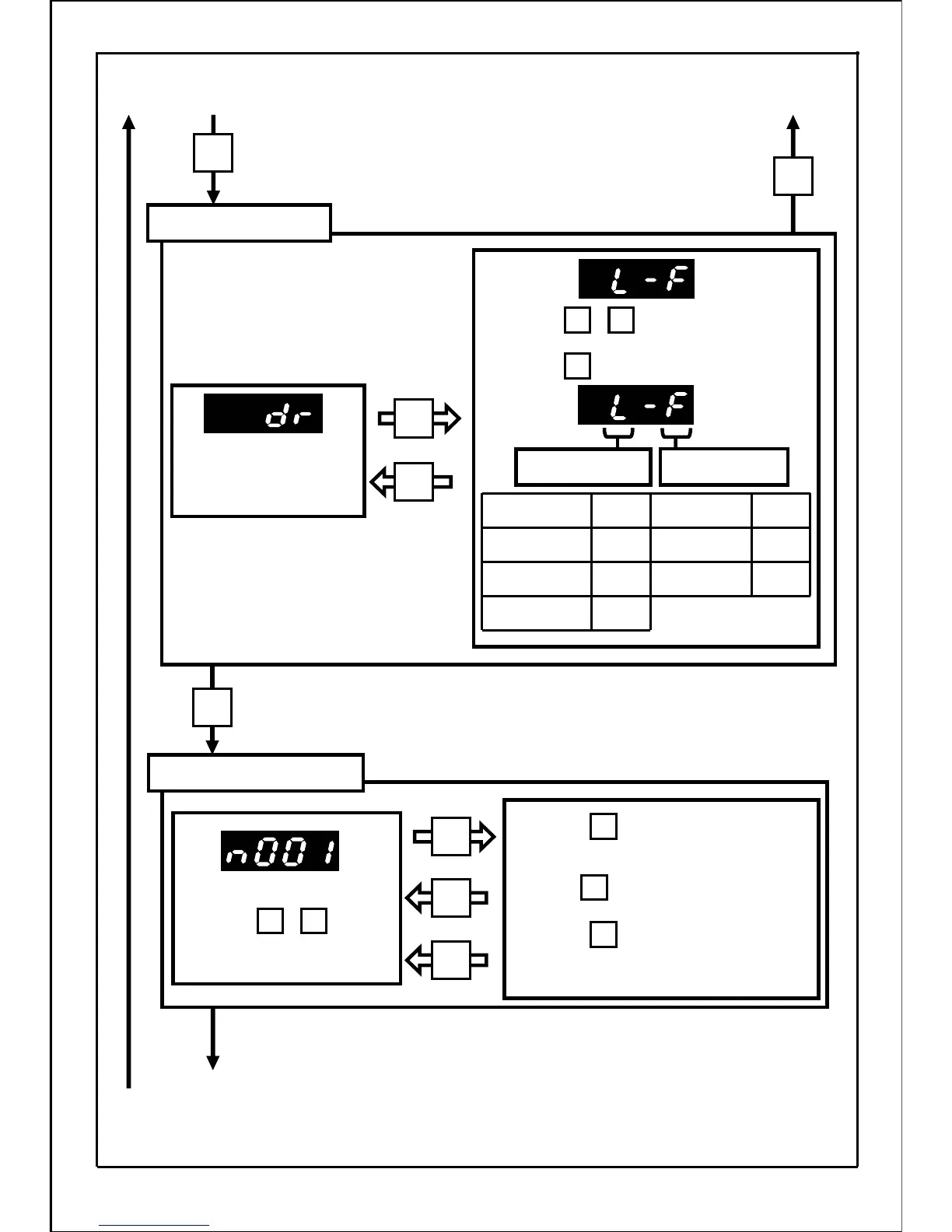
Monitor No. is displayed.
Press the button to display the data.
The next monitor No. will be displayed
after the button is pressed.
Press the button, and the current
monitor No. will be displayed.
Rotation direction
setting mode
Mode of monitoring
rotation direction setting
and control state.
C
Communication
E
External control
operation
L
Local
DisplayRun command
r
reverse
F
Forward
Display
Rotation
direction
Run
command status
Forward /reverse
Control state monitor mode
[Continued from previous page]
[Continued from previous page]
42
MODE
SET
MODE
MODE
SET
MODE
SET
SET
Press the buttons to change the
rotation direction.
・
▲
▲
・
▲
▲
Press the button to set the data.
SET
SET
MODE
SET
Press the buttons
to set the required No..







 To Next Page