Upload all function parameters of the main unit connected with the operation panel to built-in memory
inside the operation panel. After data value is set to "UPL", all upload will start.
11-2 Upload function of parameters (CPY1)
Note
・ Function parameter data of the main unit connected with the operation panel will not change
even if built-in memory parameter data is changed.
・ During data changing, the "0V stop state" will be returned to if the inverter stops at zero.
・ While changing the data, the mode will return to the "operation status display mode" if a stop
signal is input and the inverter stops.
・ While changing the data in the "0V stop", the mode will return to the "operation status
display mode" if the inverter enters operation state.
・ During operation, the parameters other than those that can be changed will be monitored only.
(The data can only be displayed, but cannot be changed.)
・ While setting and changing the data, the set data will be written in non-volatile memory inside
the inverter and the data will be stored even if the power is turned off. Max. writing times of the
non-volatile memory inside the inverter is 100,000 times. Note that function parameter No.
cannot be changed too frequently.
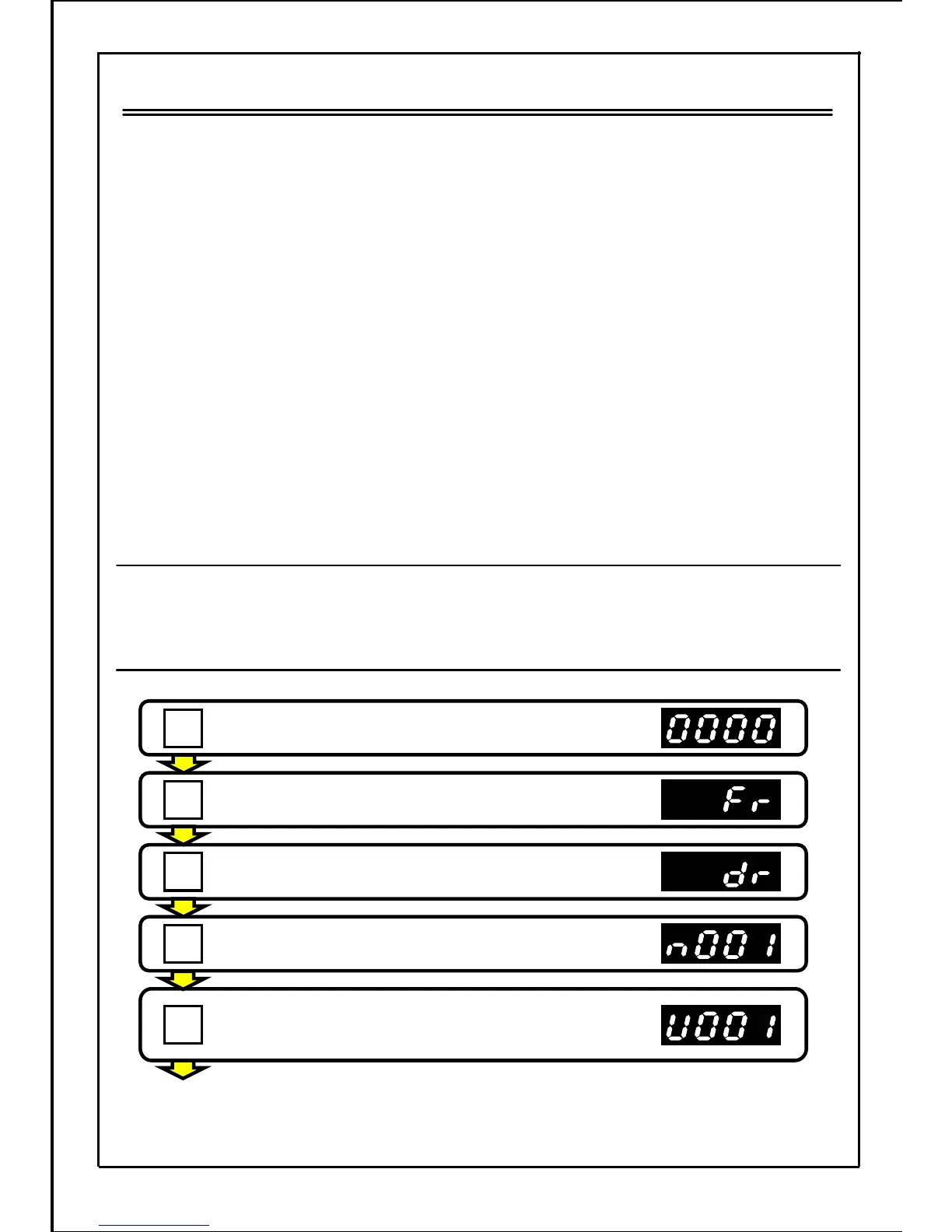
■ Upload method of function parameters
Press the STOP button to stop the inverter.
Press the MODE button.
Press the MODE button.
Press the MODE button.
Press the MODE button.
(If a password is set, it's necessary to input the
password. Refer to page 139.)
[Continued to next page]
147
MODE
MODE
MODE
MODE
STOP







 To Next Page