The inverter VF100 has 151 function parameters. Please set the necessary parameters
according to load and operation specifications. Parameters can be set and monitored in
"custom mode" and "function setting mode".
Various functions data can be changed and set when the operation is stopped. Note
that some function parameters can be changed during operation.
9-1. Setting and Changing Function Parameters
9-1.1 Setting and changing function parameters when operation is stopped.
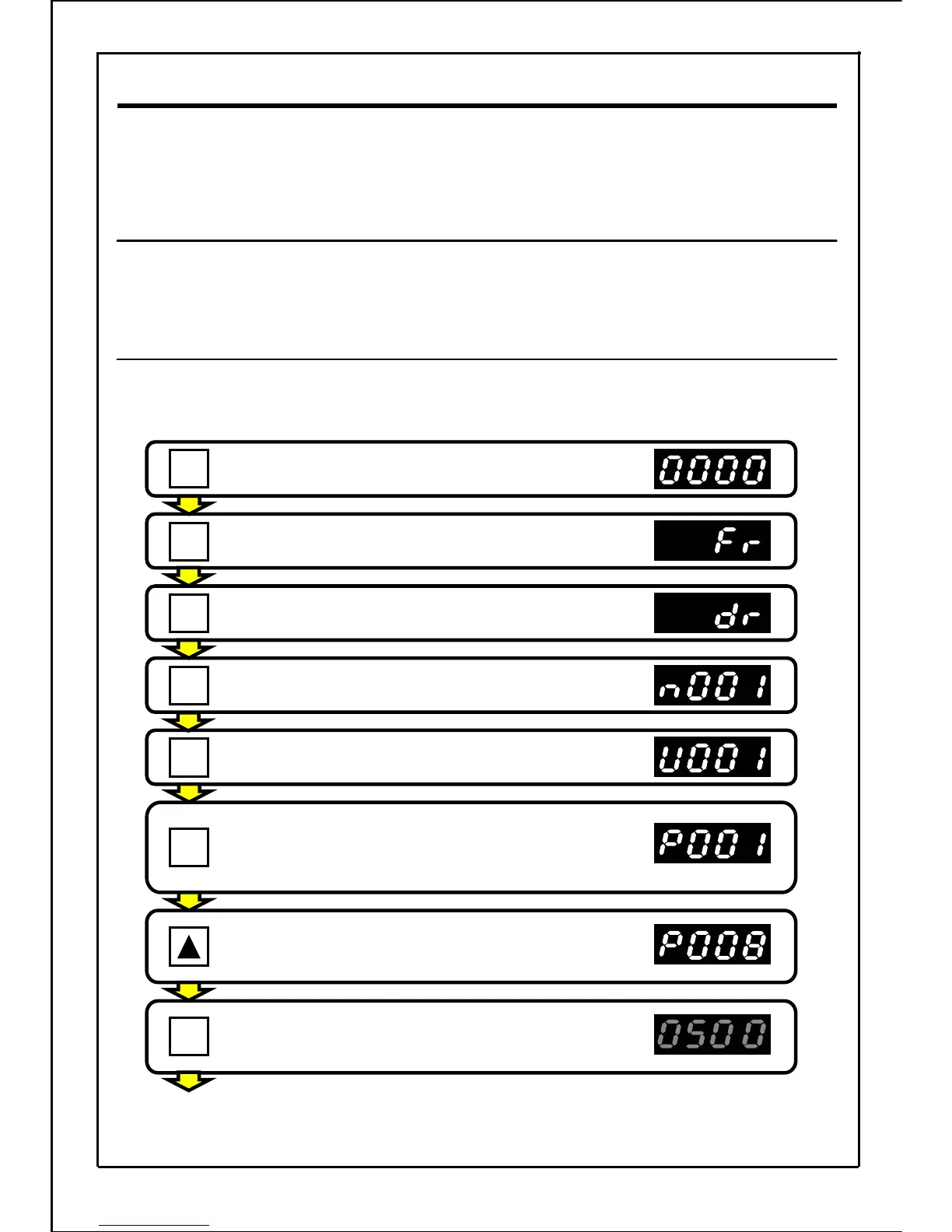
Setting example: Change the maximum output frequency from 50.0Hz to 60.0Hz.
(Changing the parameter P008 data from "50.0" to "60.0".)
Press the STOP button to stop the inverter.
Press the MODE button to enter the function
setting mode.
(If a password is set, it must be entered at this point.
Refer to page 139.)
Press the UP button seven times, and change
the parameter No. to P008.
Press the SET button to display the parameter
P008 data.
(The main display will flicker.)
[Continued to next page]
53
9. Function Parameters
.
SET
STOP
Press the MODE button.
MODE
Press the MODE button.
MODE
Press the MODE button.
MODE
Press the MODE button.
MODE
MODE







 To Next Page