Used to set, change and confirm function parameter data distributed to custom parameter No.
In respect of changeable function parameters during operation, refer to "changeable during operation
" item in "9-2 Function parameters table".
(See page 57)
10-2. Method of setting and changing function parameter data in custom mode
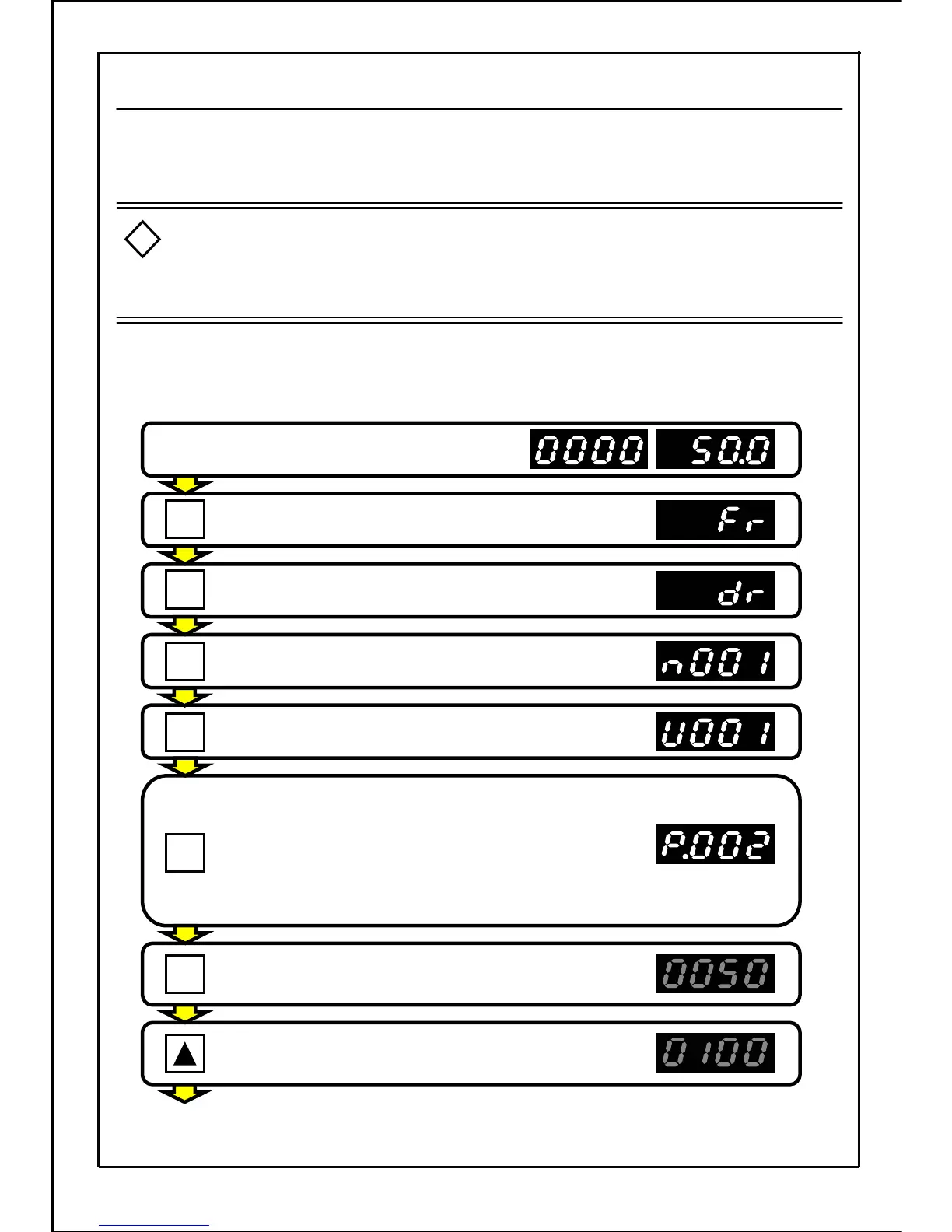
[Setting example] Change "P002" (1
st
deceleration time) data distributed to custom parameter
"U001" from "5.0" to "10.0"
When changing the data during operation, the inverter may starts or stops suddenly
if the motor and motor load changes greatly.
(Ensure personal safety before using this function.)
Failure to do so could lead to injury.
Stop state or operation state (at 50.0Hz)
Press the MODE button.
Press the MODE button.
Press the MODE button.
Press the MODE button and select the "custom mode".
Press the SET button to display parameter P008 data.
(Main display will flicker.)
Press the UP button to set the displayed value to "10.0"
(Main display will flicker.)
Press the SET button and confirm the current function
parameter No. to be distributed.
* When function parameter No. in the custom mode
is displayed, a dot following "P" is displayed.
"P" changes to "P.".
(If a password is set, it's necessary to input the password.
Refer to page 139.)
[Continued to next page]
143
Caution
!
SET
SET
MODE
MODE
MODE
MODE
.
.







 To Next Page