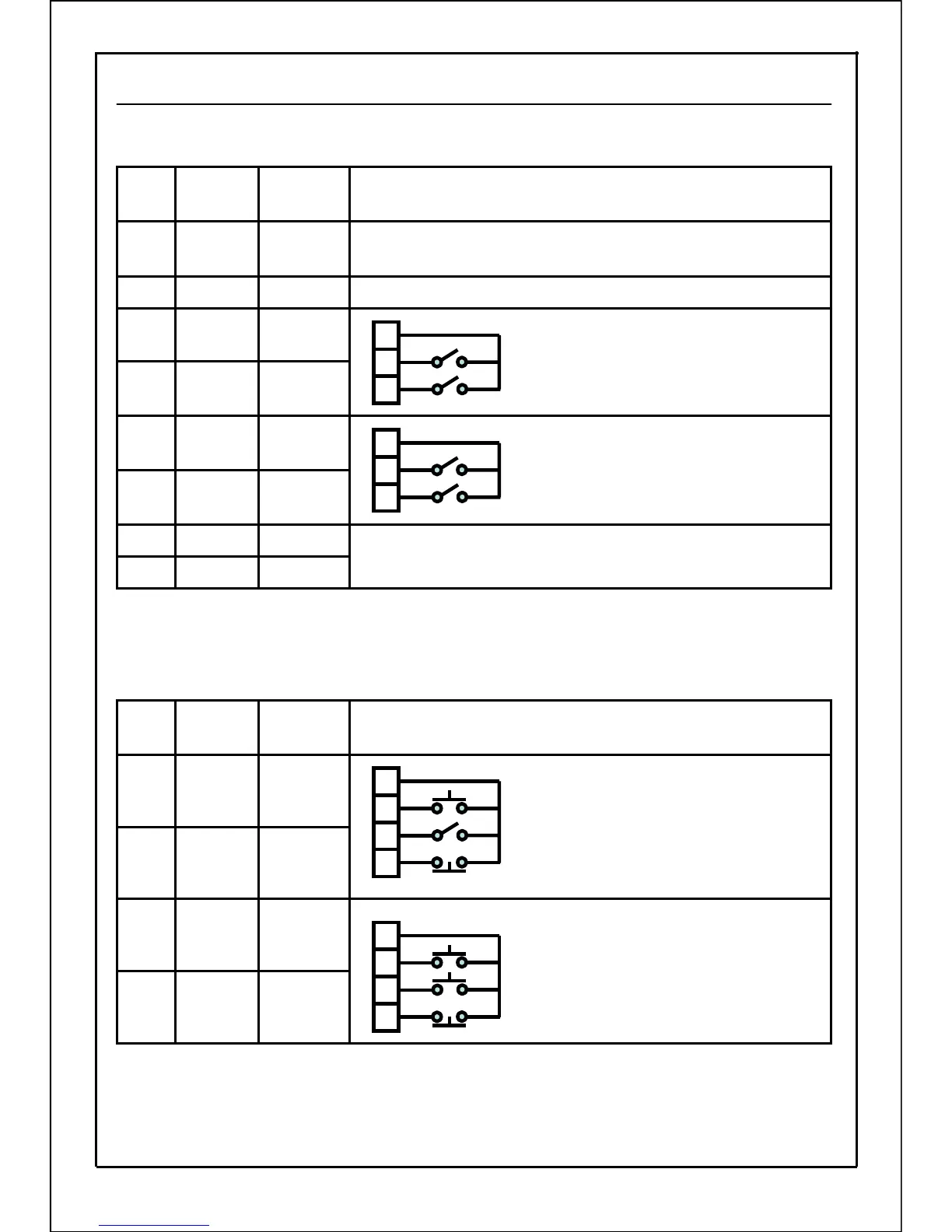
P003:Operation Command Select
Used to select whether to carry out start/stop and forward/reverse run with the operation
panel, with signals input from external devices or with communication command.
[3-wire start/stop command]
Distribute" 3-wire stop command" to any input terminal SW1 to SW5.
The following connecting example indicates the situation that "3-wire stop command" is distributed
to input terminal SW1.
(*1) If any terminal SW1 to SW5(control terminals No.4~No.8) is used as "3-wire stop command",
"P036~P040: SW1~SW5 function select" is set to "10" (3-wire stop command). In addition, take note
that even if "P041: input logic setting" is set to A contact input, B contact input always applies.
Provided
Communication
7
Make the operation command input by communication valid.
Unprovided
Communication
6
Provided
External
control
5
Unprovided
External
control
3
Provided
External
control
4
Unprovided
External
control
2
Forward run: UP+RUN, Reverse run: DOWN +RUN, Stop: STOPProvidedPanel1
Start: RUN, Stop: STOP
Forward/reverse run: Set in rotation direction setting mode (dr mode)
ProvidedPanel
0
Operation method and control terminal connection diagram
Panel reset
function
Command
state
Data
setting
value
Panel reset
function
Command
state
Data
setting
value
①
②
③
①
②
③
ON: Start / OFF: Stop
ON: Reverse run / OFF: Forward run
Common terminal (Terminal No.1 or No.8)
ON: Forward run / OFF: Stop
ON: Reverse run / OFF: Stop
Common terminal (Terminal No.1 or No.8)
Provided
External
control
5
Unprovided
External
control
3
Provided
External
control
4
Unprovided
External
control
2
Operation method and control terminal connection diagram
ON: Start
ON: Reverse run / OFF: Forward run
Common terminal (Terminal No.1 or No.8)
ON: Forward run
ON: Reverse run
Common terminal (Terminal No.1 or No.8)
①
②
③
④
ON: Stop (*1)
ON: Stop (*1)
①
②
③
④
63







 To Next Page