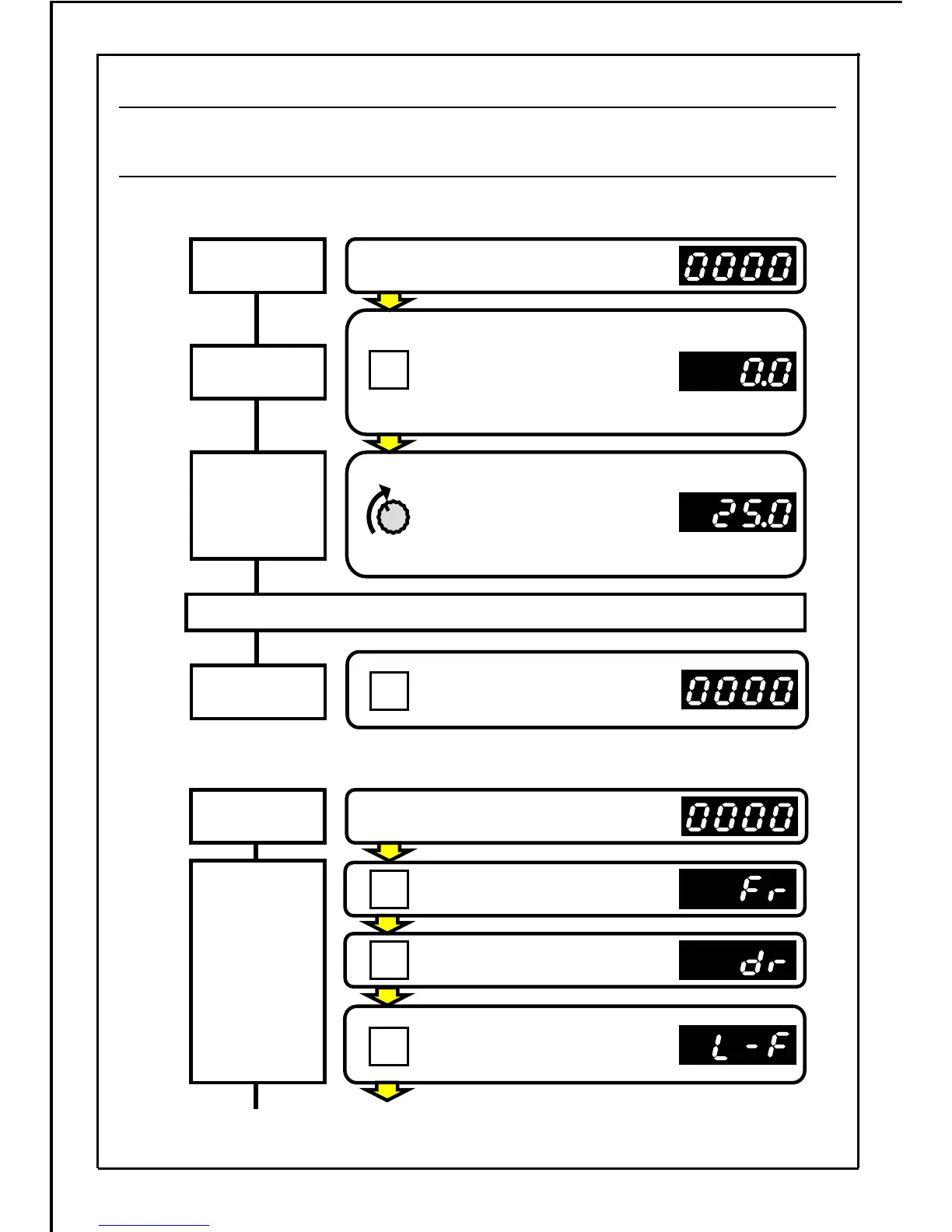
・Forward /reverse run function: Rotation direction setting mode method (Parameter P003=0)
・Frequency setting
: Potentiometer setting (Parameter P004=0)
Example for rotating in forward direction at operating frequency 25Hz
Example for rotating in reverse direction at operating frequency 25Hz
[Continued to next page]
RUN
The main display lamp will turn ON.
(Operation status display mode)
Press the RUN button.
The run state will be entered,
but as the frequency setting
dial is set to Min., the OV stop
state will be entered.
Gradually turn the frequency
setting dial clockwise, and then
motor will start to run. When
"25.0" is displayed, the motor is
operating at 25Hz.
Power ON
Stopping operation
STOP
MODE
MODE
Press the STOP button.
The motor will start to decelerate
and will stop.
Run command
Frequency
setting
Stop command
Power ON
Changing
the rotation
direction
Press the MODE button.
Press the MODE button.
SET
Press the SET button.
(The main display will flicker.)
The main display lamp will turn ON.
(Operation status display mode)
29
7-3.1 Operating with the Operation Panel -1 (Factory Setting State)







 To Next Page