P004
Related
parameters
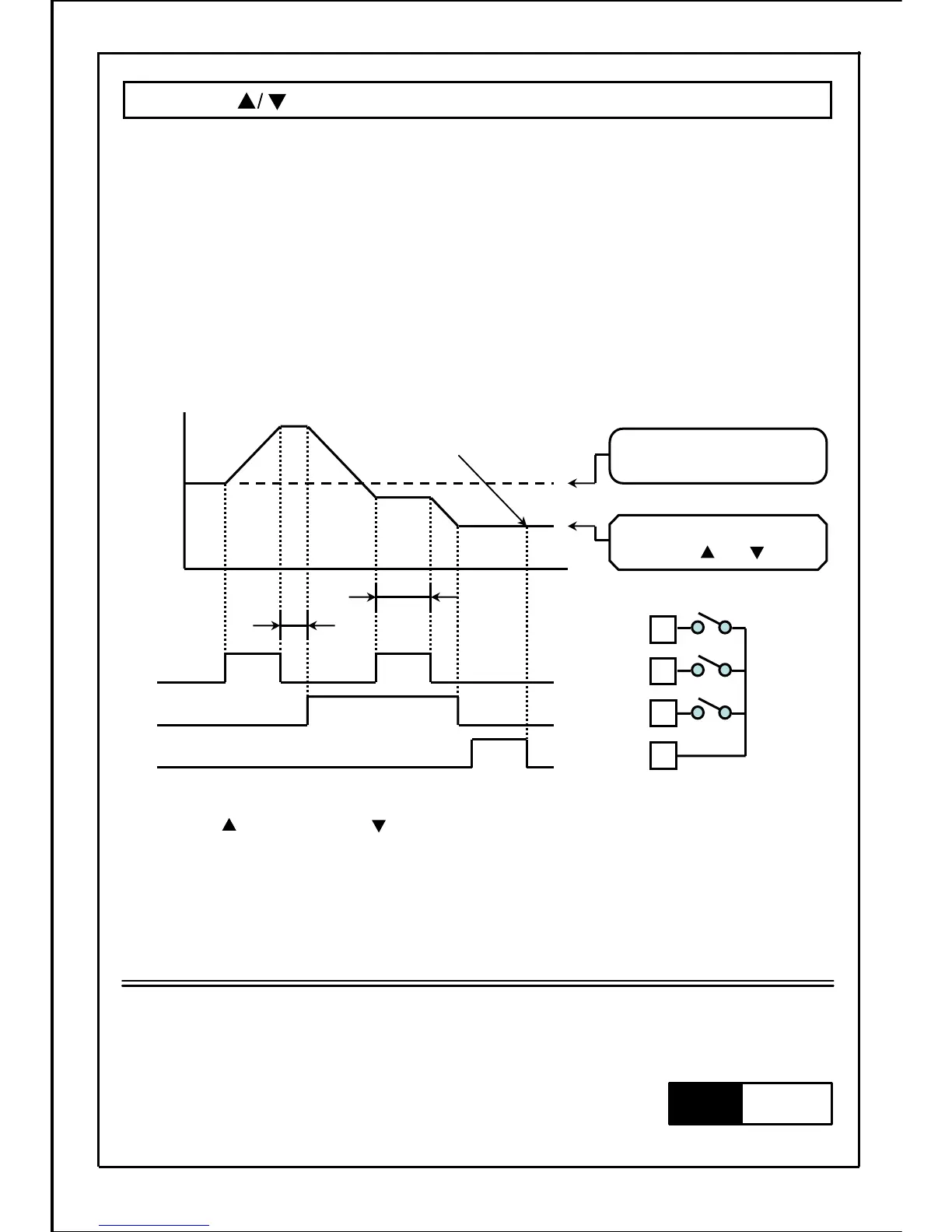
When frequency is set to "digital setting with operation panel (P004=1)", and parameter P040 is set
to "11", SW3 and SW4 can be used to change frequency and SW5 can be used to save this frequency.
・SW3: During ON, frequency increases. (During OFF, existing frequency is held.)
・SW4: During ON, frequency decreases. (During OFF, existing frequency is held.)
・SW5: Turn ON once, then turn OFF to save the current frequency.
(This frequency will be saved even if the power is turn OFF.)
Note2) When "frequency memory operation of SW5" and "frequency setting in the frequency setting
mode" on the operation panel are not applied, operation frequency will not be saved.
・
Frequency is forced to become function input terminal of "SW3: frequency increase SW",
"SW4: frequency decrease SW" and "SW5: frequency memory SW" after parameter P040
is set to "11".
・ON/OFF state of each SW can be set to A contact input or B contact input with parameter "P041:
Input logic setting". When using each SW function, please take note of the setting value of
parameter P041.
Note
Save the frequency when SW5
switches from ON to OFF.
9
6
7
Common
【Terminal connection】
8
SW5(memory)
ONSW3(▲)
SW4()
ON
SW3
SW4
SW5
ON
ON
Digital setting frequency on
the operation panel
(Fr mode)
Frequency changed or
saved with and button.
Output frequency
B
A
Note1) Turn button (SW3) and button (SW4) "OFF" or "ON" simultaneously (A, B area, etc.),
operation frequency will not be changed.
Frequency setting function
88







 To Next Page