LIFEPAK 15 Monitor/Defibrillator
Service Manual
Battery Maintenance
Battery Status Indicators
Section Menu Section Contents Back Index
161
7
When all battery capacity is exhausted, the device turns OFF. If you insert a fresh battery and repower the device in less than 30
seconds, the device retains its settings. For more information, see Battery Performance Characteristics (p. 163).
Battery Fuel Gauge
The LIFEPAK 15 Li-ion battery has a pushbutton fuel gauge and the ability to communicate with the Li-ion battery charger.
The pushbutton fuel gauge provides a visual indication of battery capacity and battery condition through a series of four green LEDs. Pressing this
button illuminates the LEDs in one of the following patterns:
The displayed battery fuel gauge shows four levels of stored energy as shown in the following table:
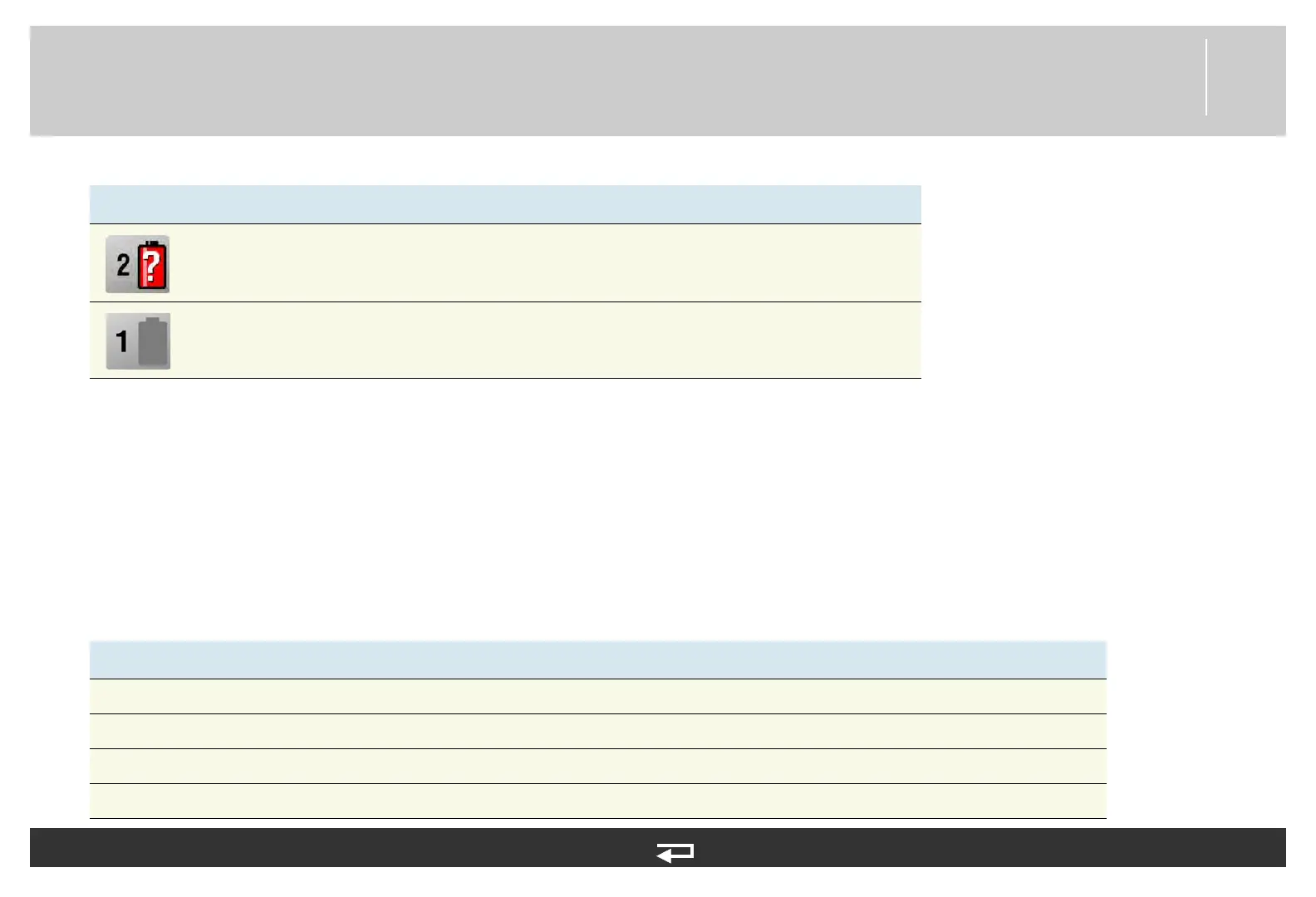
Unrecognized
battery
Battery in Well 2 is not in use. Battery communication failed or a non-Physio-
Control battery is installed. The battery may power the device, but the level of
charge is unknown and low battery messages and prompts will not occur.
No battery
installed or fault
detected
No battery is installed in Well 1, or a fault was detected in the battery in Well
1 and the device will not use the battery.
Table 7.2—Fuel gauge indicator
# Fuel Gauge LEDs Absolute State of Charge (ASOC) Messaging/Comments
4 green 75% < ASOC None
3 green 50% < ASOC None
2 green 25% < ASOC None
1 green 15% < ASOC None
Table 7.1—Battery Status Indicator (Continued)
Indicator Meaning Description














 To Next Page