LIFEPAK 15 Monitor/Defibrillator
Service Manual
Replacement Procedures
Main Keypad/Interface PCB Cable (W13) Replacement
Section Menu Section Contents Procedures Back Index
217
8
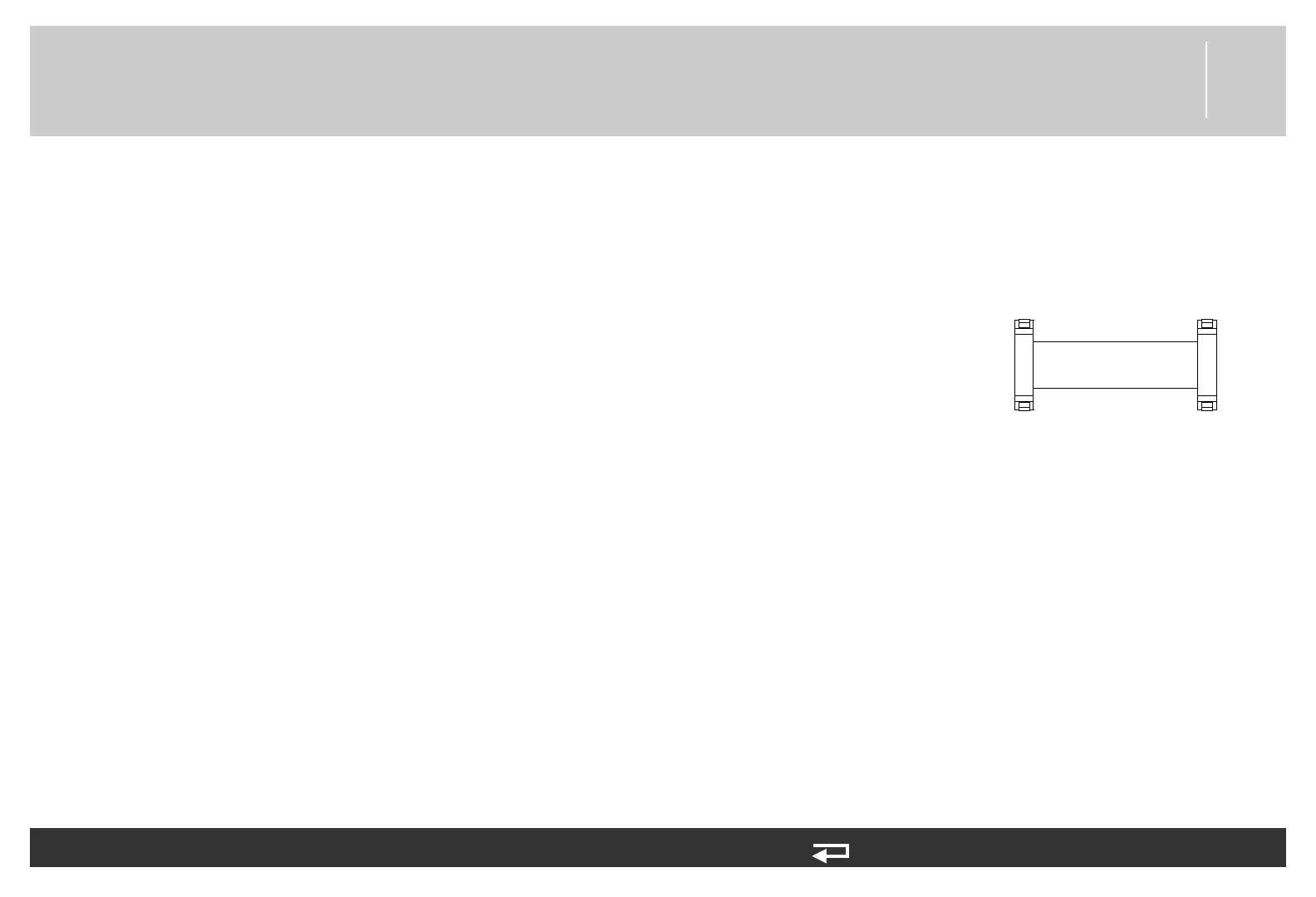
Main Keypad/Interface PCB Cable (W13) Replacement
Refer to Inside Front Case Diagram (p. 189).
Removing the Main Keypad/Interface PCB Cable (W13)
To remove the W13 cable (3207388-001) from the front case:
1. Disassemble the case as described in Disassembling the Case (p. 181).
2. Press the connector locking tabs to unlock the connector, and then disconnect the W13
cable from the interface PCB at J31.
3. Press the connector locking tabs to unlock the connector, and then disconnect the W13
cable from the main keypad at J39.
Installing the Main Keypad/Interface PCB Cable (W13)
To install the W13 cable (3207388-001) into the front case:
1. Connect the W13 cable to the main keypad at J39 (“snap” the connector locking tabs
into the locked position).
2. If interface PCB is present, connect the W13 cable to the interface PCB at J31 (“snap”
the connector locking tabs into the locked position).
3. Reassemble the case as described in Reassembling the Case (p. 184).
P39
P31
to A10 - J39
to A05 - J31
Figure 8.25—Main keypad/interface
PCB cable connections














 To Next Page