LIFEPAK 15 Monitor/Defibrillator
Service Manual
Replacement Procedures
Paddle Retainer Cover Replacement
Section Menu Section Contents Procedures Back Index
322
8
Paddle Retainer Cover Replacement
Paddle retainer cover replacement consists of the following
procedures:
• Removing the Paddle Retainer Covers (p. 322)
• Installing the Paddle Retainer Covers (p. 322)
Removing the Paddle Retainer Covers
To remove the paddle retainer covers (3006766-003):
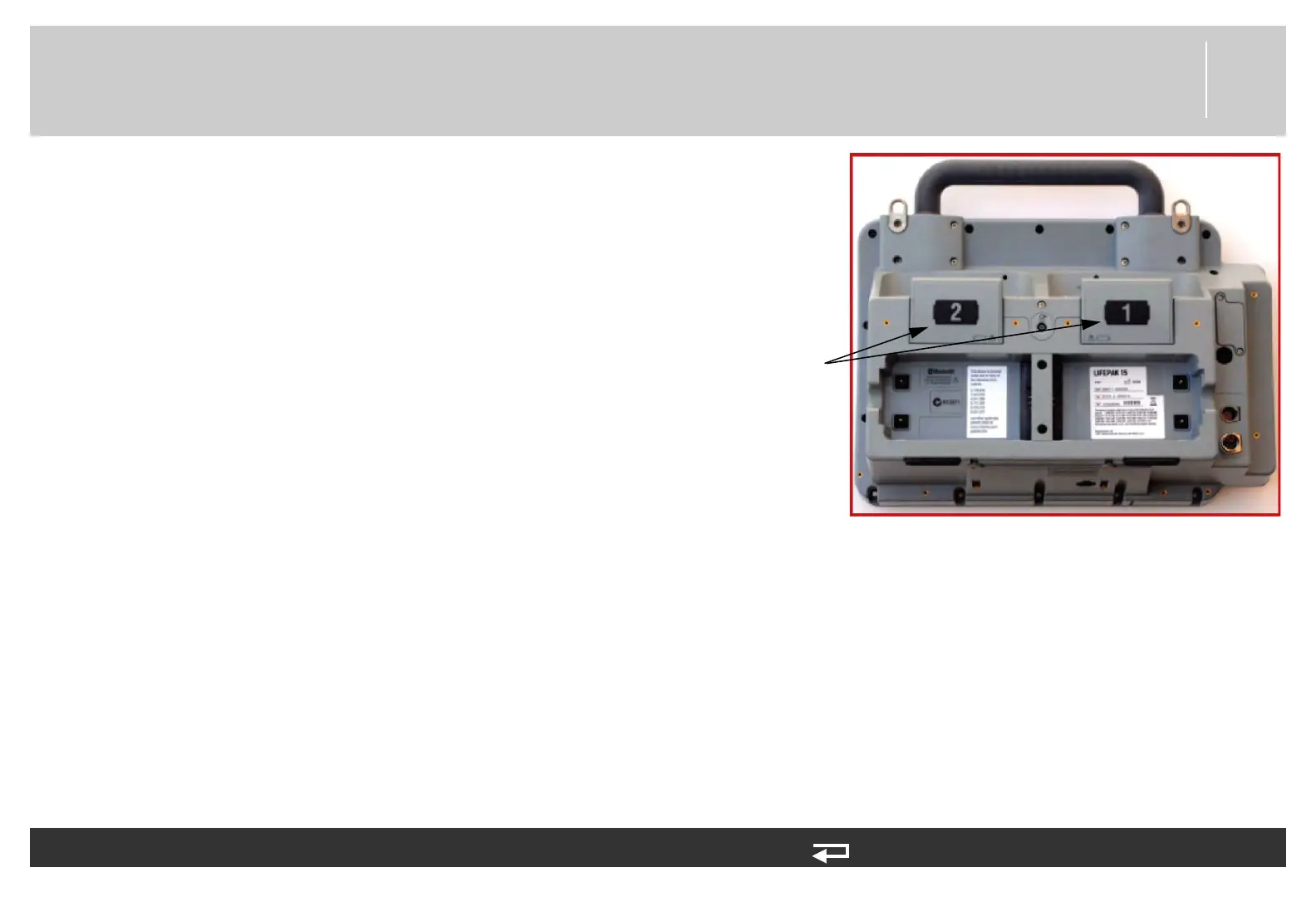
1. Remove the two labels (number 1 and number 2)
from the covers.
2. Remove the six screws (201407-069) (three on each
of the left and right covers). Discard the screws.
3. Remove the left and right retainer covers
(3006766-003).
Installing the Paddle Retainer Covers
To install the paddle retainer covers (3006766-003):
NOTE: When installing the paddle retainer covers, use Paddle Retainer Repair Kit (MIN 3305431-017) (p. 508).
1. Install the left and right retainer covers using six new screws (201407-069); torque to 10 in-lb using a P2 bit.
2. Apply the new cover labels (#8 and #9) from the label set (3207318-XXX).
NOTE: Label #8 (displaying the number 1) goes to the right as you view the rear case.
paddle retainer
covers (note: screws
under labels)
Figure 8.104—Paddle retainer cover locations














 To Next Page