LIFEPAK 15 Monitor/Defibrillator
Service Manual
Replacement Procedures
LCD Display Assembly/Interface PCB Cable (W18)
Replacement
Section Menu Section Contents Procedures Back Index
226
8
LCD Display Assembly/Interface PCB Cable (W18)
Repl
acement
Refer to Inside Front Case Diagram (p. 189).
Removing the LCD Display Assembly/Interface PCB Cable (W18)
To remove the LCD display/interface PCB W18 cable (3206990-001) from
the front case:
1. Disassemble the case as described in Disassembling the Case (p. 181).
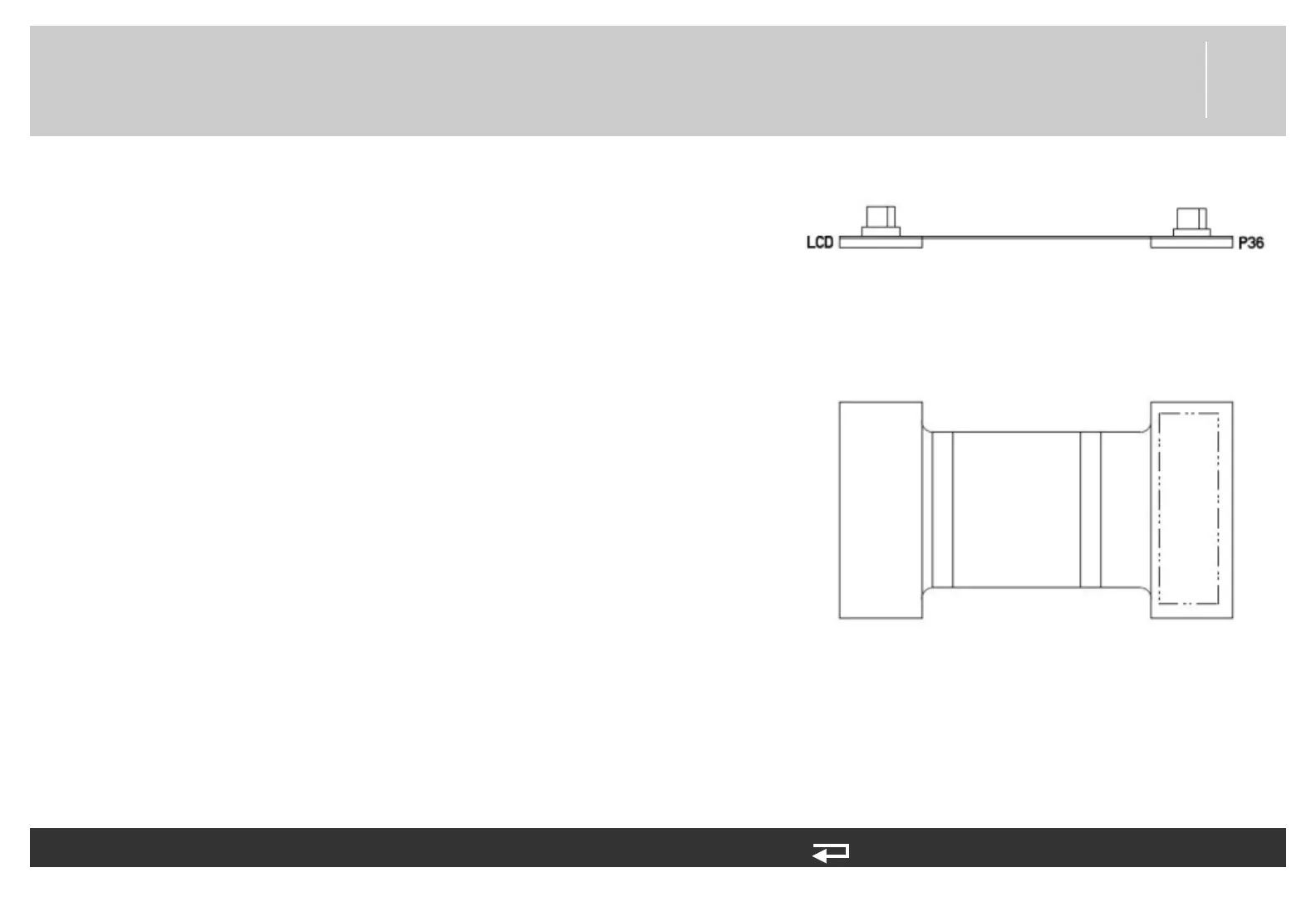
2. Remove the W18 cable (3206990-001) (see Figure 9.58 on p. 480)
from the interface PCB at J36.
3. Place even pressure on the cable ribbon and ease the W18 cable out of
the connector on the LCD display assembly.
Installing the LCD Display Assembly/Interface PCB Cable (W18)
To install the LCD display/interface PCB W18 cable (3206990-001) into the
front case:
1. Connect the W18 cable to the connector on the LCD display assembly.
2. If interface PCB is present, connect the W18 cable to the interface
PCB at J36.
3. Reassemble the case as described in Reassembling the Case (p. 184).
Figure 8.33—LCD cable connection














 To Next Page