LIFEPAK 15 Monitor/Defibrillator
Service Manual
Modes of Operation
Service Mode
Section Menu Section Contents Back Index
95
4
Entering Service Mode
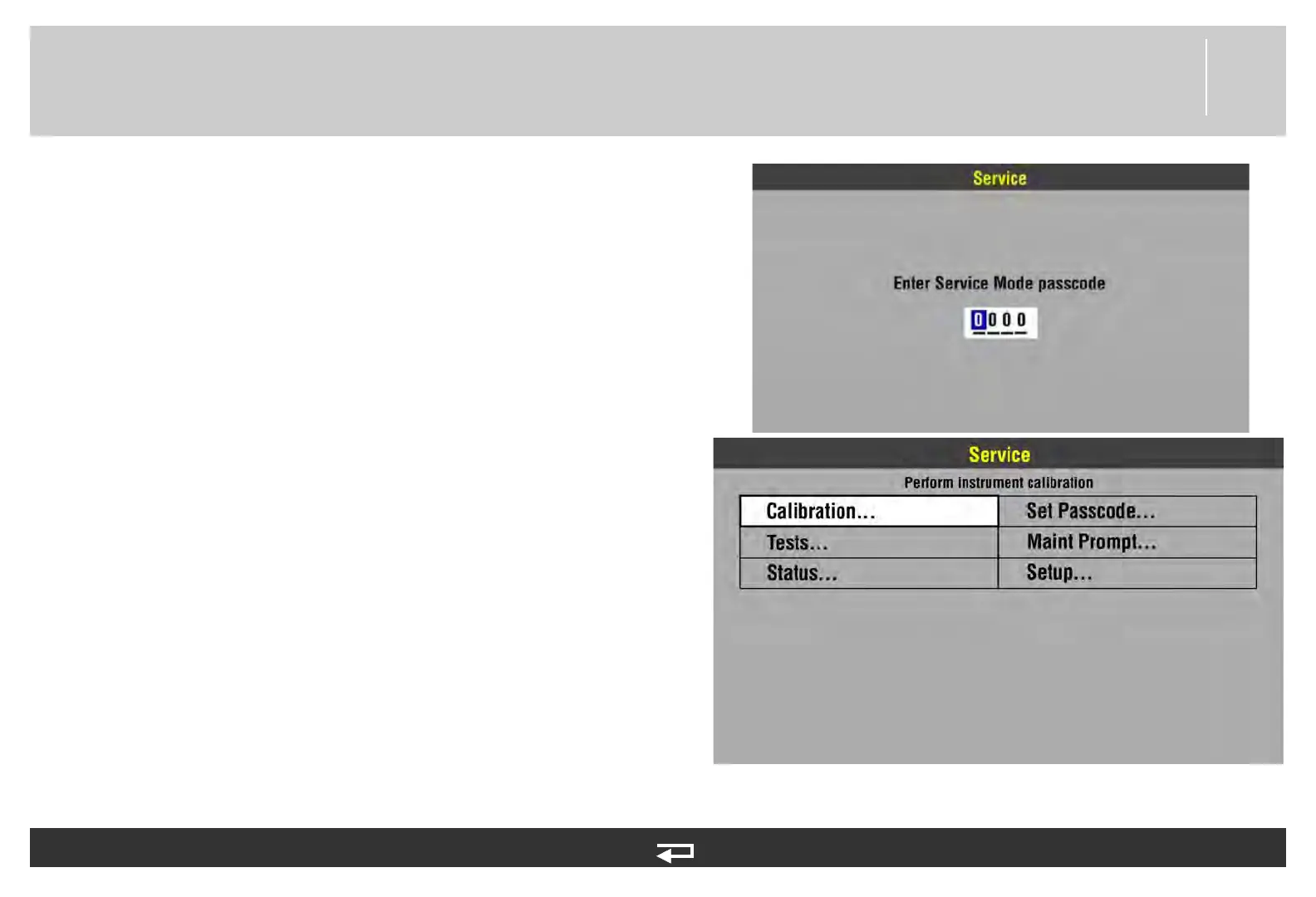
To enter the Service mode:
1. Enter the Setup Mode (see Setup Mode (p. 92))
2. Rotate the SPEED DIAL to select SERVICE in the Setup
menu, and then press the SPEED DIAL. The Service mode
passcode prompt appears. The factory default passcode is
0000; the reserved technician passcode is 5433.
3. To enter the passcode, rotate the SPEED DIAL to select a
digit, and then press the SPEED DIAL to continue. After the
last digit is entered, the Service menu appears.
4. Rotate the SPEED DIAL to select a service option, and then
press the SPEED DIAL to display the option overlay.
Calibration — See Test and Calibration Procedures.
Tests — See Performance Inspection Procedures.
Status — See Troubleshooting (p. 98).
Set Passcode — Set a Service mode access passcode.
Maint Prompt — See Preventive Maintenance (p. 145).
Setup — Return to the Setup Home Screen.














 To Next Page