Polycom RealPresence Collaboration Server (RMX)1500/2000/4000 Deployment Guide for Maximum Security Environments
2-32 Polycom, Inc.
For more information, see the RealPresence Collaboration Server (RMX) 1500/2000/4000
Administrator’s Guide, "Participant Level Monitoring” on page 8-10.
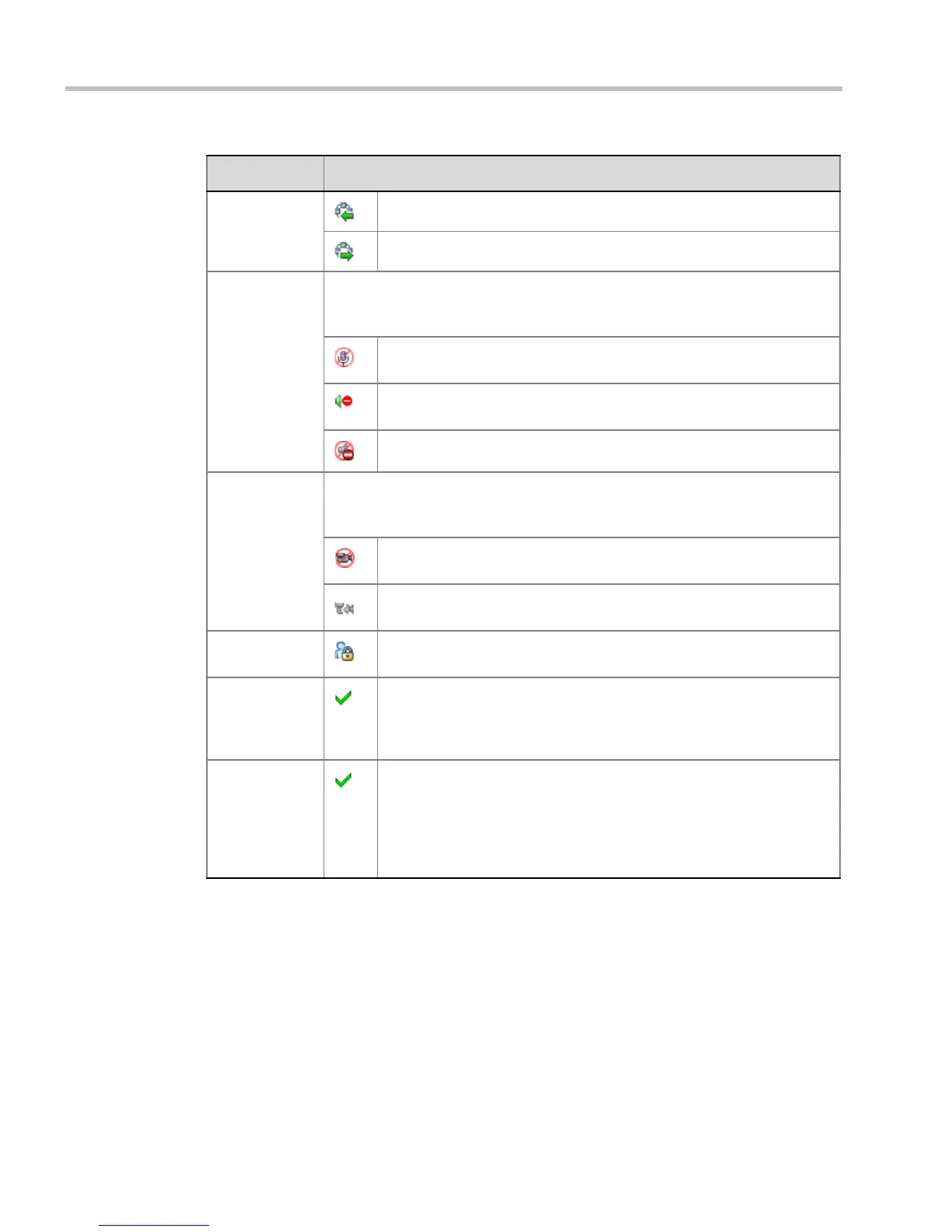
Dialing
Direction
Dial-in – The participant dialed the conference.
Dial-out – The MCU dialed the participant.
Audio Displays the status of the participant’s audio channel.
If the participant’s audio is connected and the channel is neither muted nor
blocked, no indication is displayed.
Muted – Participant’s audio channel is muted. The participant can still
hear the conference.
Blocked – Transmission of audio from the conference to the participant
is blocked.
Muted and Blocked - Audio channel is muted and blocked.
Video Displays the status of the participant’s video channel.
If there is no problem with the participant’s video connection and the channel is
neither suspended nor secondary, no indication is displayed.
Suspended – Video transmission from the endpoint to the conference is
suspended.
Secondary – Participant is connected only through the audio channel
due to problems with the video channel.
Encryption Indicates that the endpoint is connected to the conference using
encryption.
FECC Token Participant is the holder of the FECC token and has Far End Camera
Control capabilities.
The FECC token can be allocated to only one participant at a time and
remains un-allocated if no participant requests it.
Content Token Participant is the holder of the Content token and has content sharing
permission.
The Content token can be allocated to only one participant at a time and
remains un-allocated if no participant requests it.
For more information, see the RealPresence Collaboration Server
(RMX) 1500/2000/4000 Administrator’s Guide, "H.239” on page 2-12.
Table 2-6 Participant Monitoring – Indicators and Properties (Continued)
Column Icon/Description














 To Next Page