Polycom RealPresence Collaboration Server (RMX)1500/2000/4000 Deployment Guide for Maximum Security Environments
2-42 Polycom, Inc.
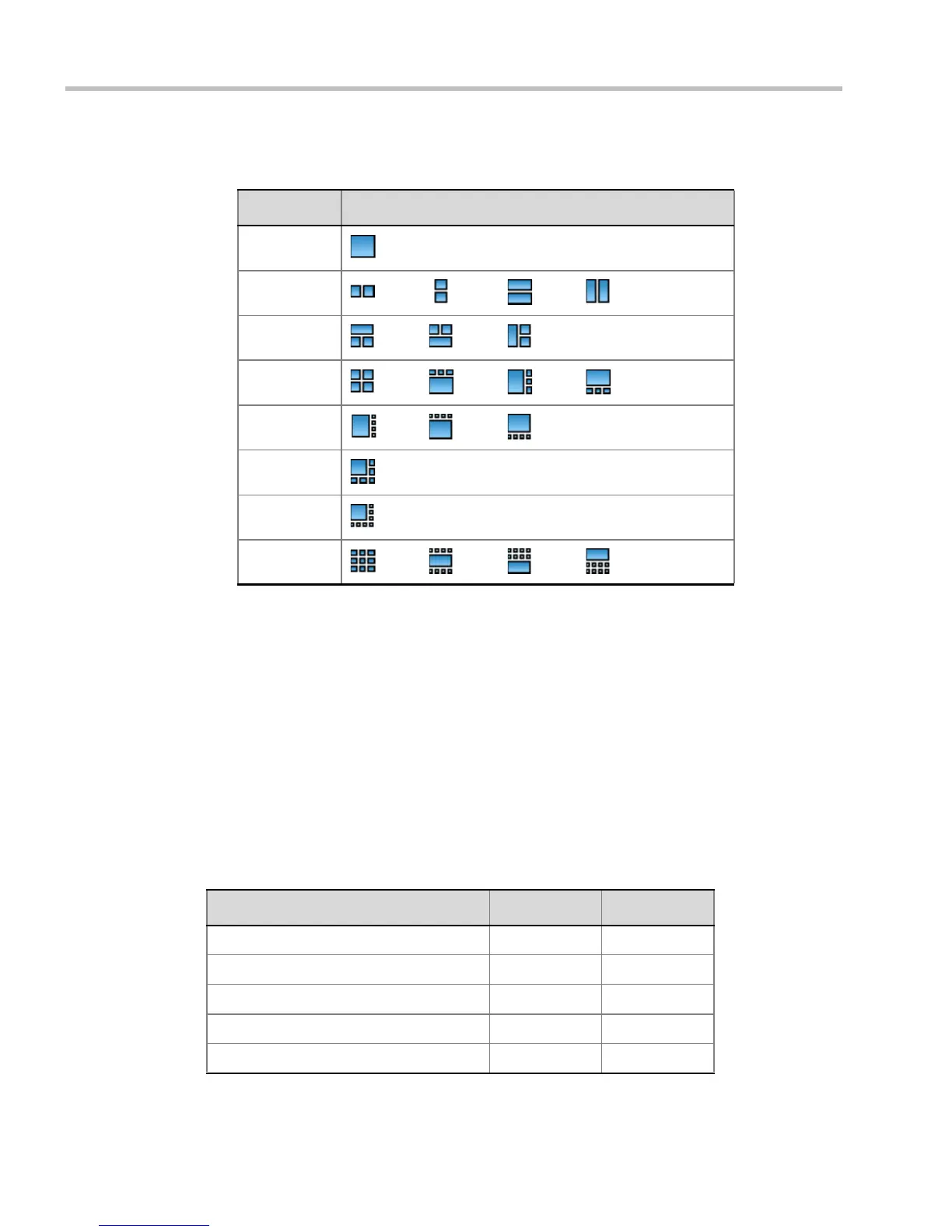
The following table summarizes the Video Layout options available via Click&View.
Conference Control Using DTMF Codes
Participants and chairpersons can manage their connection to ongoing conferences from
their endpoints, using touch-tone signals (DTMF codes) from their endpoints. Table 3-9 lists
the DTMF Codes that can be used.
Chairpersons can also control an ongoing conference using DTMF codes.
Permissions for DTMF actions to be performed by all conference participants or by
chairperson only are configured in the Conference IVR Service assigned to the conference.
For more information, see the RealPresence Collaboration Server (RMX) 1500/2000/4000
Administrator’s Guide, "Defining a New Conference IVR Service” on page 12-9.
To use the DTMF codes to control the conference, the DTMF input must be first enabled on
the endpoint remote control (for example, entering #).
Table 2-8 Video Layout Options
DTMF Code Layout Options
1
2
3
4
5
6
8
9
Table 2-9 Conference IVR Service Properties - DTMF Codes
Operation DTMF String Permission
Mute My Line *6 Everyone
Unmute My Line #6 Everyone
Increase Broadcast Volume *9 Everyone
Decrease Broadcast Volume #9 Everyone
Mute All Except Me *5 Chairperson














 To Next Page