Polycom RealPresence Collaboration Server (RMX)1500/2000/4000 Deployment Guide for Maximum Security Environments
1-58 Polycom, Inc.
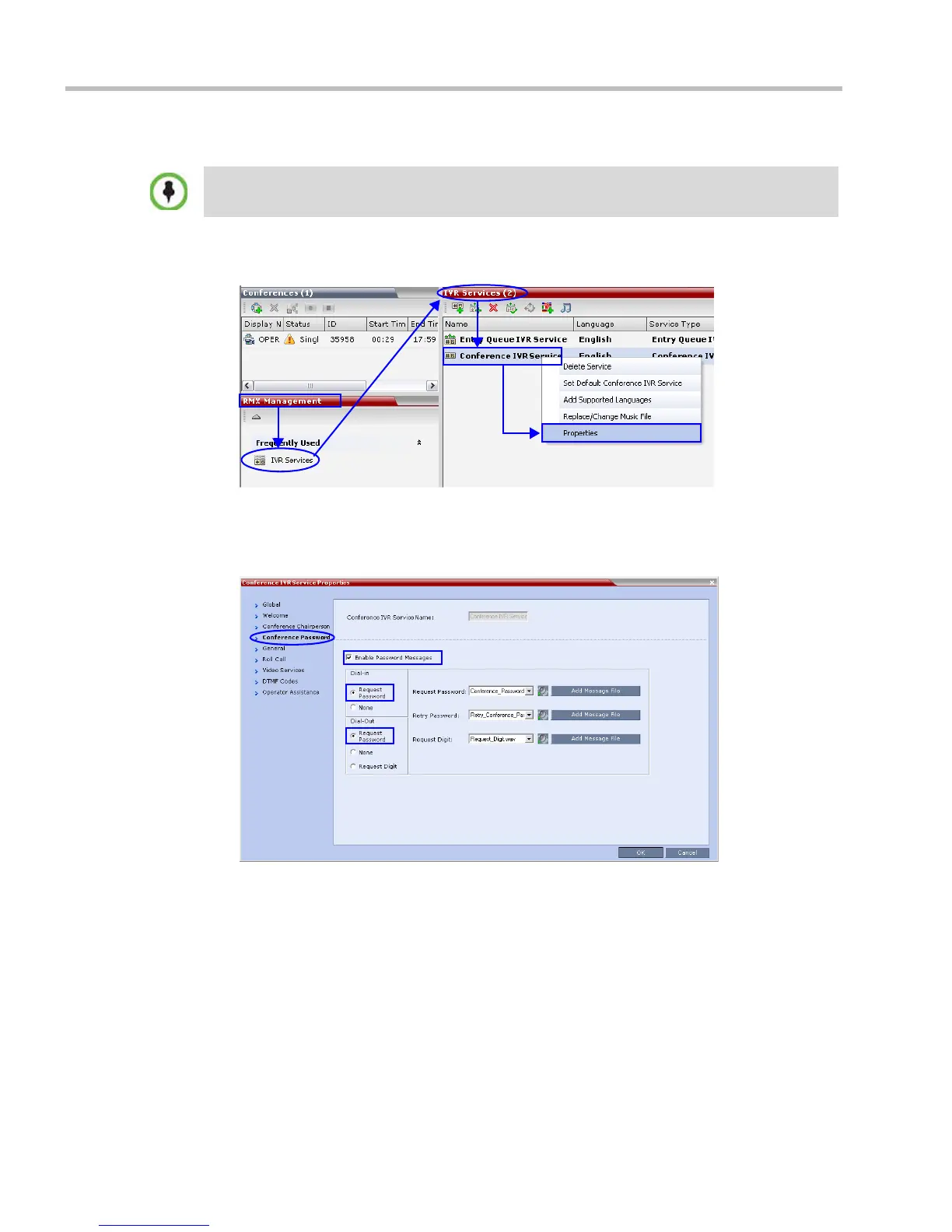
Procedure 8: Configure IVR Settings.
1 In the RMX Management pane, click IVR Services.
The IVR Services list opens.
2 Right-click the Conference IVR Service and select Properties
3 Click the Conference Password tab.
The Conference IVR Service Properties - Conference Password dialog box is displayed.
4 Select the Enable Password messages.
5 Set Dial-in to Request Password
6 Set Dial-Out to Request Password
7 Click the Roll Call tab.
Perform this procedure if a password is to be used to access the conference, otherwise skip.














 To Next Page