Chapter 2-Basic Operation
Polycom, Inc. 2-7
The High Port Usage threshold represents a percentage of the total number of video or voice
ports available. It is set to indicate when resource usage is approaching its maximum,
resulting in no free resources to run additional conferences. When port usage reaches or
exceeds the threshold, the red area of the gauge flashes and a System Alert is generated. The
default port usage threshold is 80% and it can be modified by the system administrator. For
more information, see the RealPresence Collaboration Server (RMX) 1500/2000/4000
Administrator’s Guide, "Setting the Port Usage Threshold” on page 21-21.
MCU State
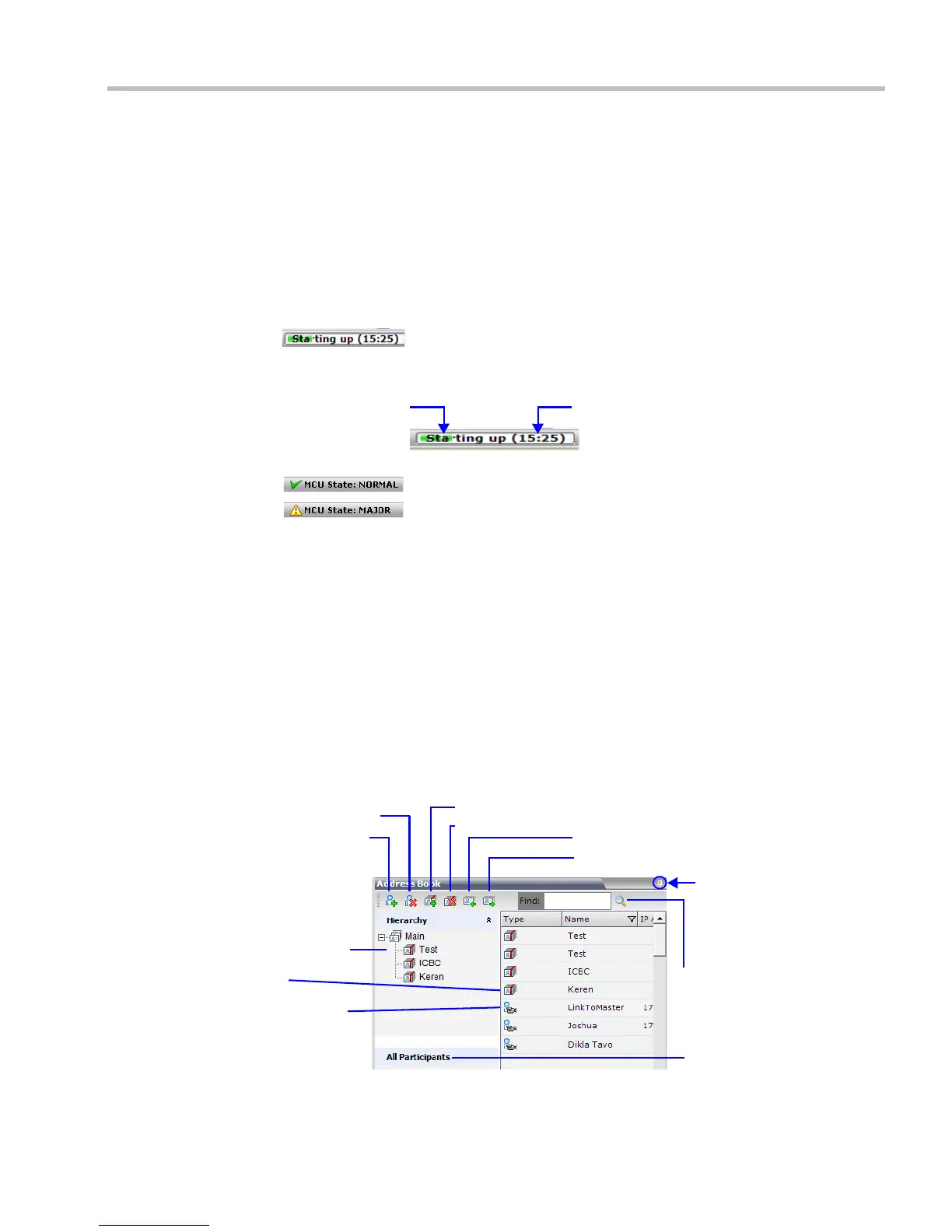
The MCU State indicator displays one of the following:
• – The MCU is starting up. The time remaining until the system start-
up is complete is displayed between brackets while a green progress indicator bar
indicates the start-up progress.
• – The MCU is functioning normally.
• – The MCU has a major problem. MCU behavior could be affected
and attention is required.
Address Book
The Address Book is a list of Participants and Groups that have been defined on the RMX. The
information in the Address Book can be modified only by an administrator. All RMX users
can, however, view and use the Address Book to assign participants to conferences.
The Address Book toolbar contains a Quick Search field and the following six buttons:
Progress Indicator Bar Time Remaining
• New Participant • New Group
• Delete Participant • Delete Group
• Import Address Book • Export Address Book
Hierarchical Tree
Group
Video Participant
Delete Group
New Participant
Import Address Book
New Group
Export Address Book
Delete Participant
Click to hide Address Book
Find
Displays the All Participants List














 To Next Page