Chapter 2-Basic Operation
Polycom, Inc. 2-3
Failed Login attempts are written to the system Log Files and are recorded as Audit
Events. The Audit files can be retrieved by the Administrator User.
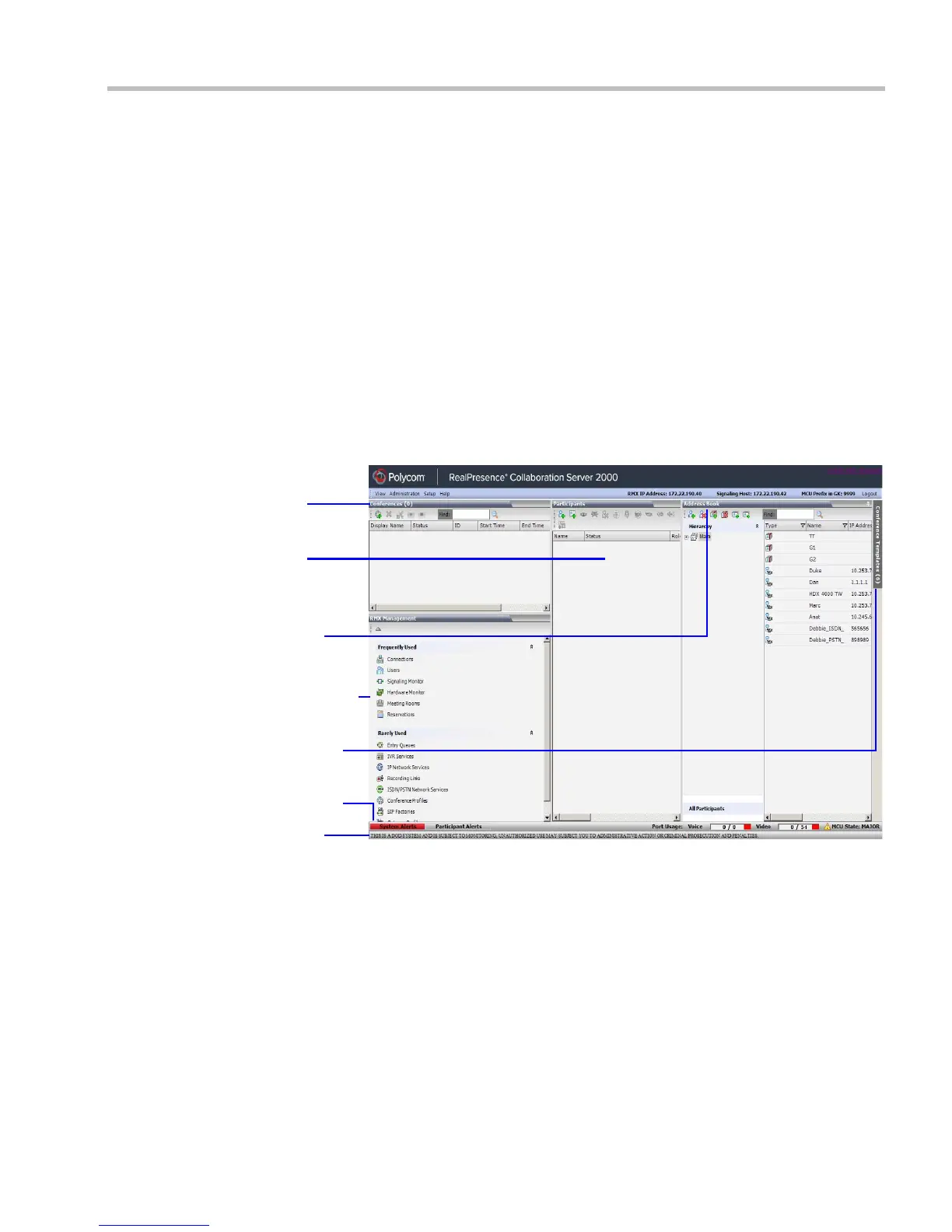
RMX Web Client Screen Components
The RMX Web Client’s main screen consists of five panes:
• Conference List
• List Pane
• RMX Management
• Status Bar
• Address Book
• Conference Templates
For more information, see the RealPresence® Collaboration Server (RMX®) 1500/2000/4000
Administrator’s Guide, "Users, Connections and Notes” on page 15-1.
The main screen can be customized. For more information, see "Customizing the Main
Screen” on page 2-10.
Conferences
List
List
Status Bar
RMX
Management
Address
Book
Conference
Templ ates
Tab
Banner














 To Next Page