Chapter 5-Deploying a Polycom RMX™ Serial Gateway S4GW
Polycom, Inc. 5-13
Testing
Dialing to the RMX from an ISDN Endpoint
To dial to the RMX from an ISDN endpoint:
Dial String: <ISDN Number of AdTran>##<Conference
_Room_Number>
Example: 5556789##4000
Dialing to an ISDN Endpoint from the RMX
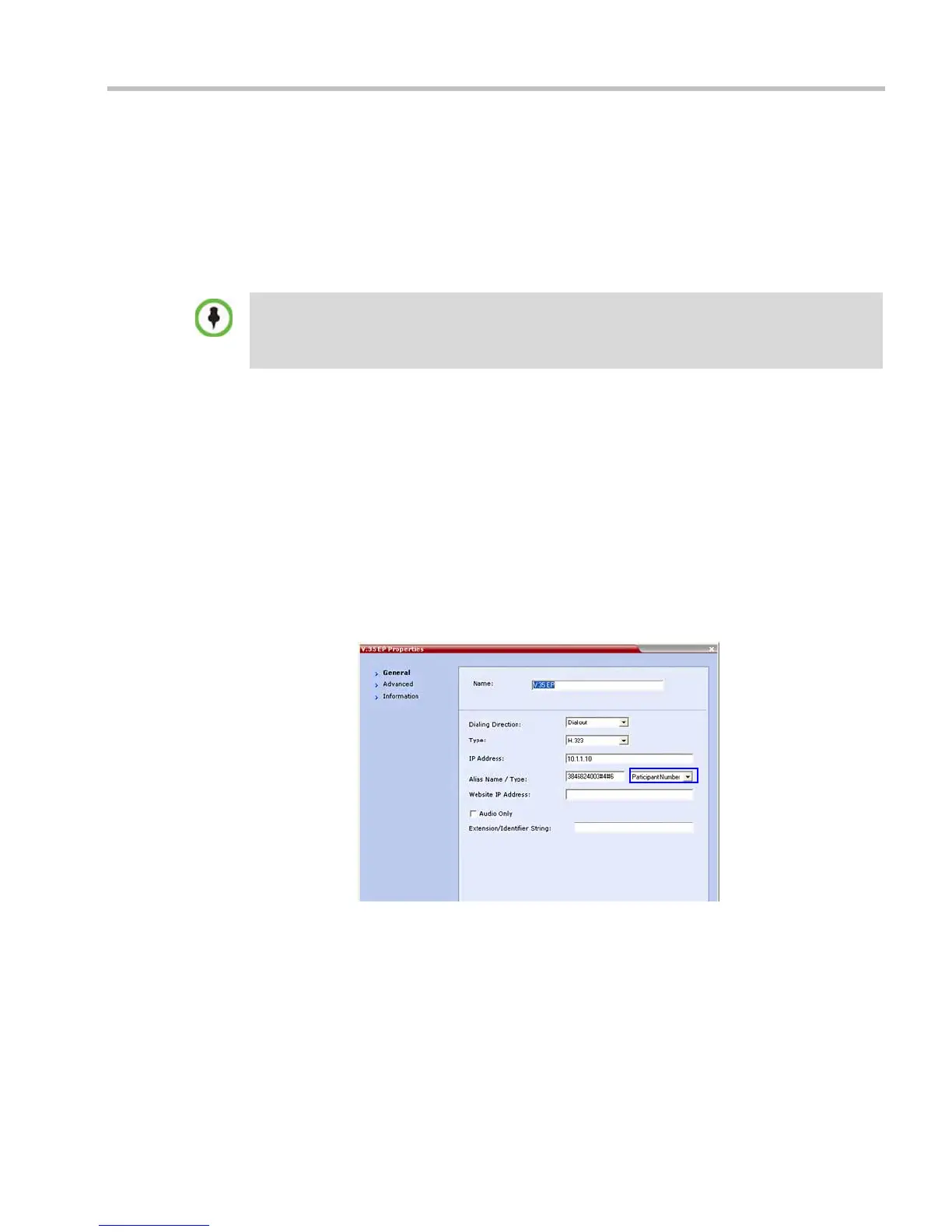
To dial to an ISDN endpoint from the RMX:I
Example: For a 384kbps call:
Serial Gateway S4GW - Maximum Security Mode
In Ultra Secure Mode, it is required that the S4GW Serial Gateway operates in Maximum
Security Mode.
To enable Maximum Security Mode:
1 Login to the Gateway as an administrator:
a In your browser type the URL of the Gateway.
• The password can be included in the dial string by adding #<password> at the end of the dial
string.
• The password can be entered via DTMF from the endpoint (HDX) if including it in the dial string
would create a security concern.
IP Address: The IP address of the Serial Gateway
Alias Name
/Type:
<service prefix><ISDN Number><AdTran
suffix> and select Participant Number
The first number in the AdTran suffix is the bit rate
(#3 for 56kbps, #4 for 64kbps).
The second number in AdTran suffix is the number of
B Channels.














 To Next Page