Chapter 2-Basic Operation
Polycom, Inc. 2-35
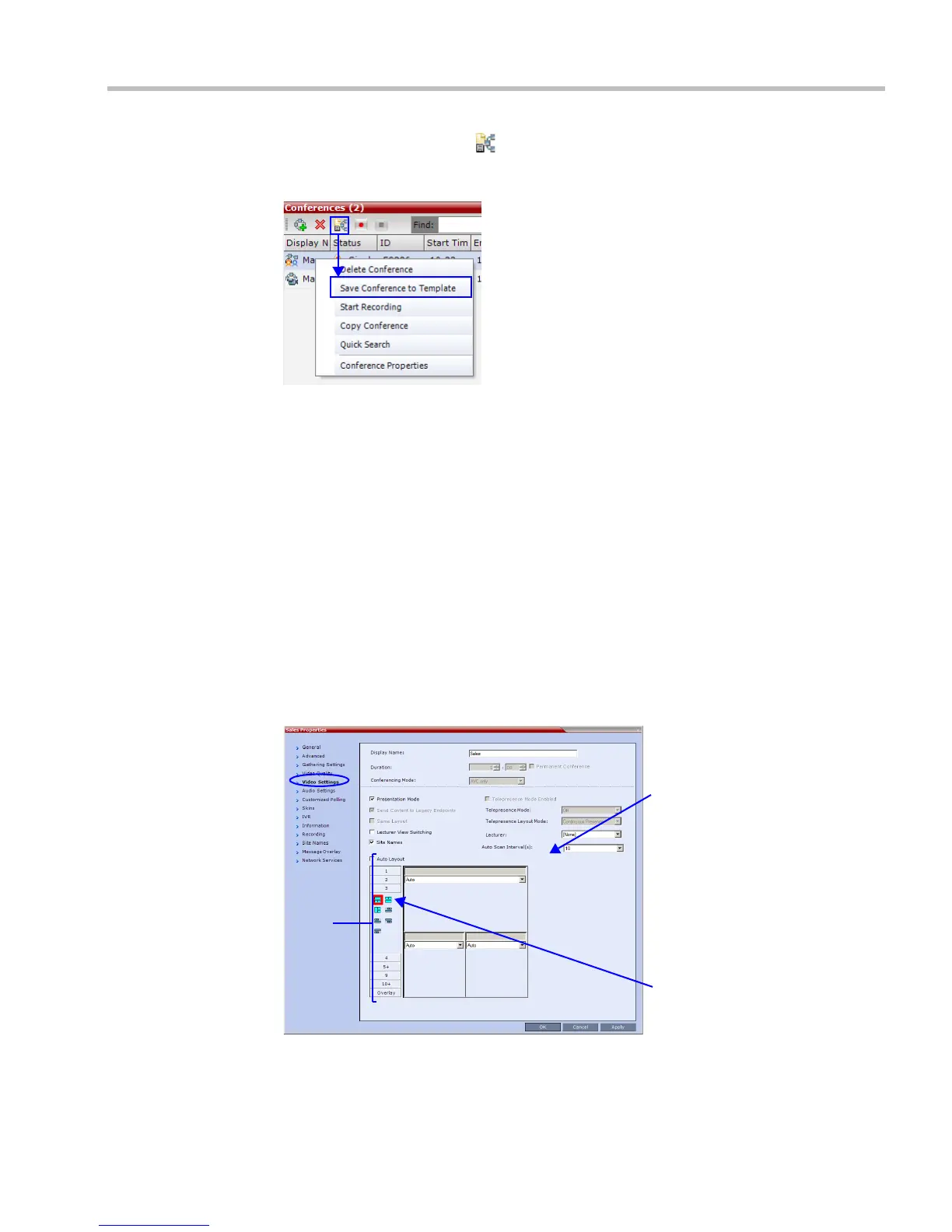
2 Click the Save Conference () button.
or
Right-click and select Save Conference to Template.
The conference is saved to a template whose name is taken from the ongoing conference
Display Name.
Changing the Video Layout of a Conference
While the conference is running, you can change the video layout and select one of the video
layouts supported by the RMX.
Video Layout selection can be done in two levels:
• Conference Level – Applies to all conference participants. All participants have the
same video layout.
• Participant Level – The participant’s video layout is changed. All other conference
participants’ video layouts are not affected.
The initial video layout is selected for the conference in the Conference Profile.
Participant level video layout selection overrides conference level video layout settings.
To change the video layout of a conference:
1 In the Conference Properties dialog box, select Video Settings.
2 If Auto Layout check box is selected, clear it.
Selected
Layout
Video
Layout
Options
Video
Windows
Representation














 To Next Page