Chapter 1-First Time Installation and Configuration
Polycom, Inc. 1-5
Installing the Telescopic Rail Runners on the Rack
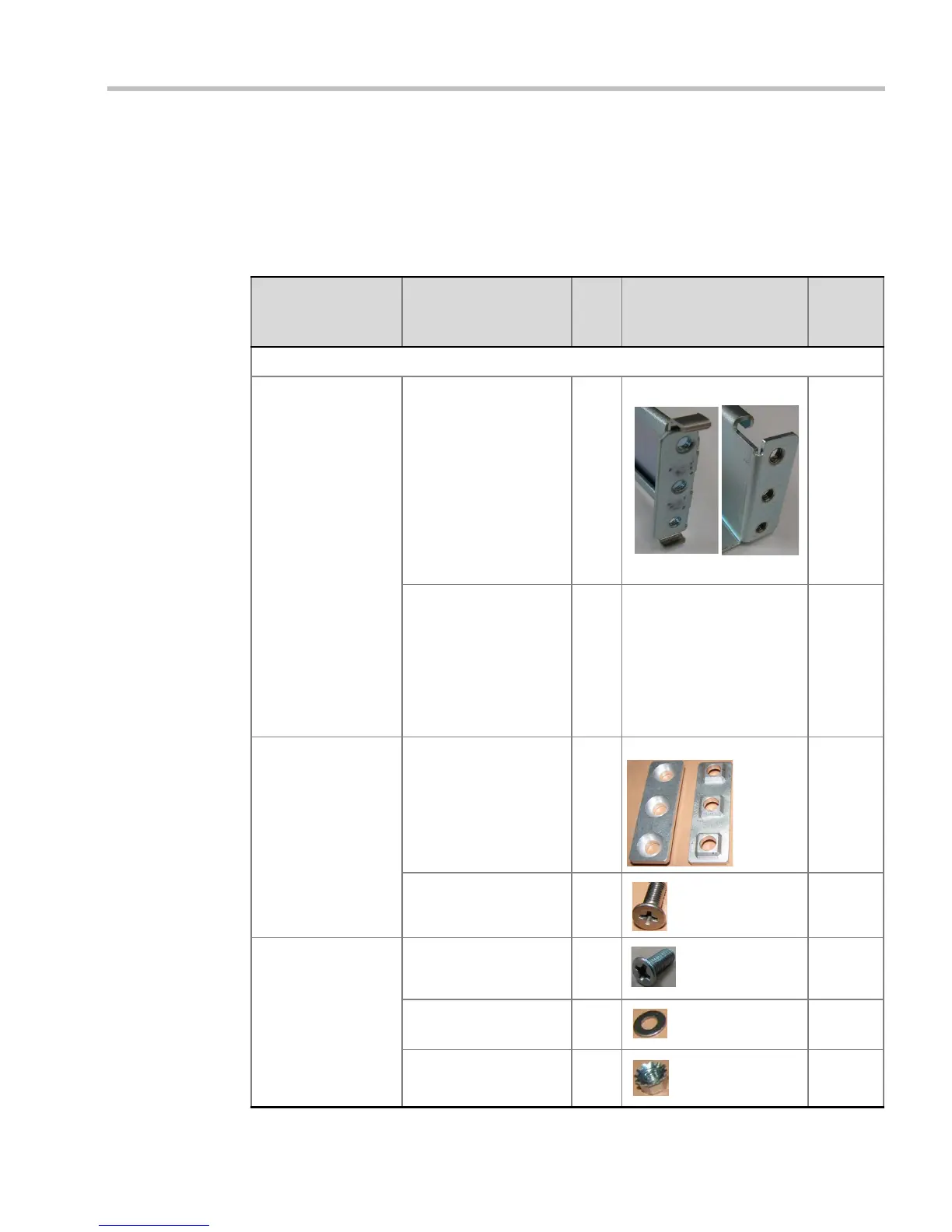
Telescopic Rail Runners Accessory Kit
Before installing the telescopic rail runners in the rack, make sure that the kit has the
following parts:
Table 1-1 Rail Runners Kit Contents
Part/Kit no. Item
Item
no. Item Sample
Item
Quantity
ASY2716A-L0
Rail runner Left rail runner (two
types available: item (a)
with or (b) without rail
runner clip
Note: The rail runner
clip is designed to
attach and clip onto the
chassis runner frame.
1(a) (b)
Note: rail runner end views
1
Right rail runner (two
types available: with or
without rail runner clip)
Note: The rail runner
clip is designed to
attach and clip onto the
chassis runner frame.
2 See Figure 1-1 1
Rack spacer
assembly kit
Rack spacer 3 Front & Rear 4
Flat head screw -
M5*10mm
48
Rail runner assembly
kit
Flat head screw -
M3*8mm
54
Flat washer M3 6 4
Nut spring M3 7 4














 To Next Page