Polycom RealPresence Collaboration Server (RMX)1500/2000/4000 Deployment Guide for Maximum Security Environments
1-64 Polycom, Inc.
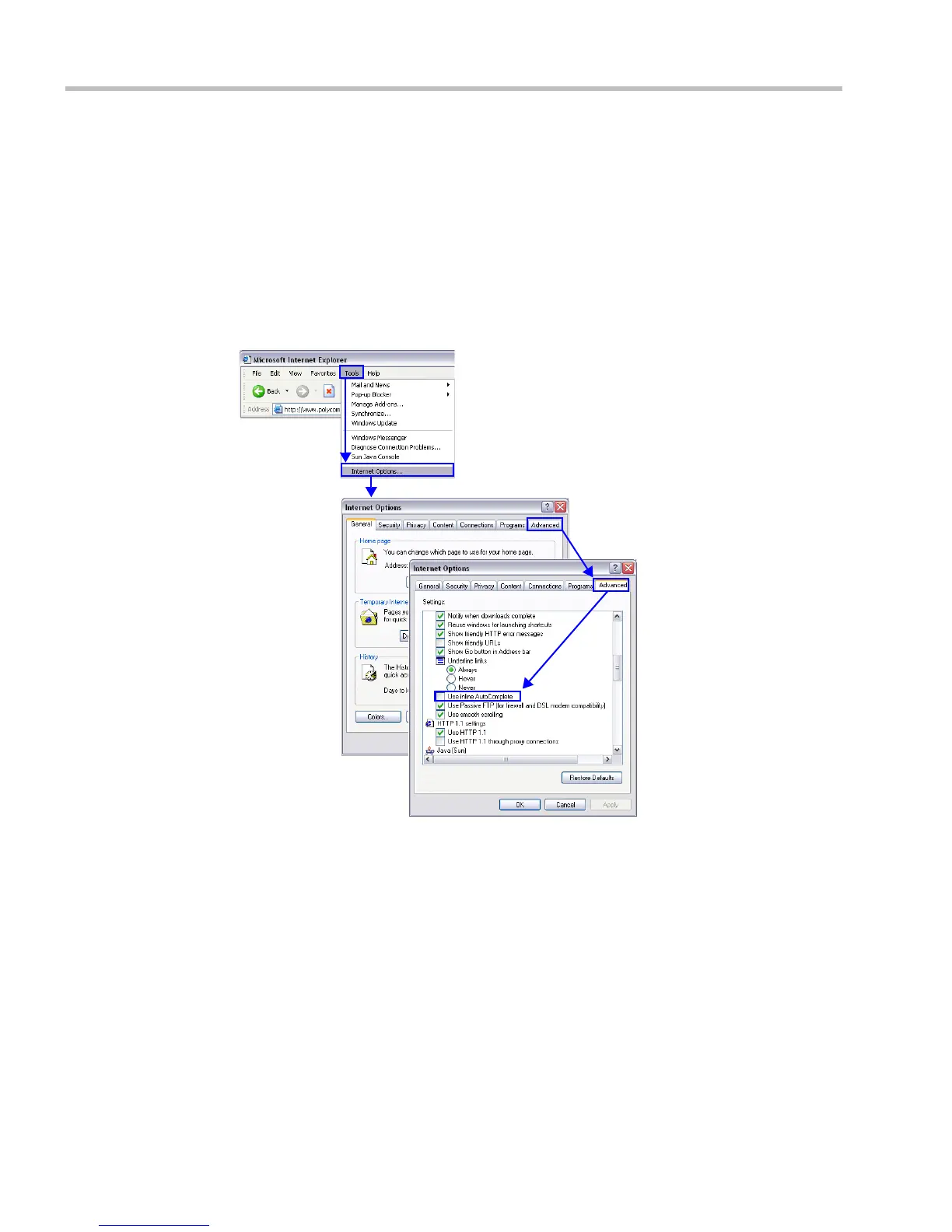
Procedure 11: Disable Inline AutoComplete Option in Web
Browser
To protect both User Names and Passwords it is recommended to disable the Inline
AutoComplete option in the web browser on the workstation.
To disable the Inline AutoComplete option in Internet Explorer®:
1 In the web browser menu, select Tools > Internet Options.
2 Select the Advanced tab.
3 Clear the Use inline AutoComplete check box.
4 Click the OK button.














 To Next Page