Chapter 2-Basic Operation
Polycom, Inc. 2-5
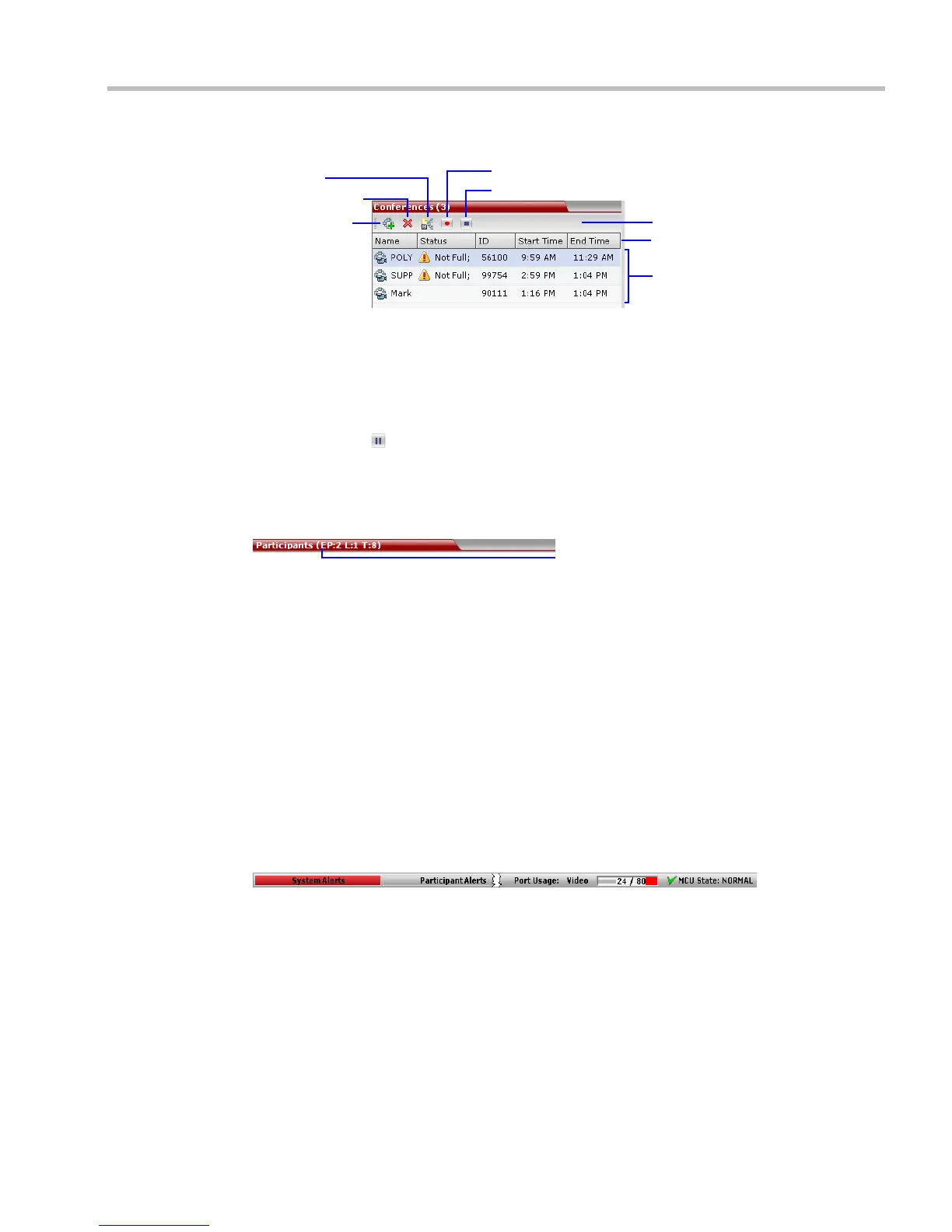
The Conferences list toolbar contains the following buttons:
• New Conference – to start a new ongoing conference.
• Delete Conference – delete the selected conference(s).
If Conference Recording is enabled the following are displayed in color:
— Start/Resume Recording – start/resume recording.
— Stop Recording – stop recording.
— Pause – toggles with the Start/Resume button.
List Pane
The List pane displays details of the item selected in the Conferences pane or RMX
Management pane. The title of the pane changes according to the selected item.
RMX Management
The RMX Management pane lists the entities that need to be configured to enable the RMX to
run conferences. Only users with Administrators permission can modify these parameters.
The RMX Management pane is divided into two sections:
• Frequently Used – parameters often configured monitored or modified.
• Rarely Used – parameters configured during initial system set-up and rarely modified
afterward.
Status Bar
The Status Bar at the bottom of the RMX Web Client contains System and Participant Alerts
tabs as well as Port Usage Gauges and an MCU State indicator.
Toolbar
List Headers
Conference Data
New Conference
Delete Conference
Stop Recording
Start/Resume/Pause Recording
Save Conference
to Template
Participants: 2, Cascade Links: 1, Total (Expected): 8














 To Next Page