Chapter 2-Basic Operation
Polycom, Inc. 2-15
3 If all participants are undefined, dial-in and no additional information is required for
the new conference, click OK.
4 To add participants from the Participants Address Book or to define participants (mainly
dial-out participants) click the Participants tab.
Participants Tab
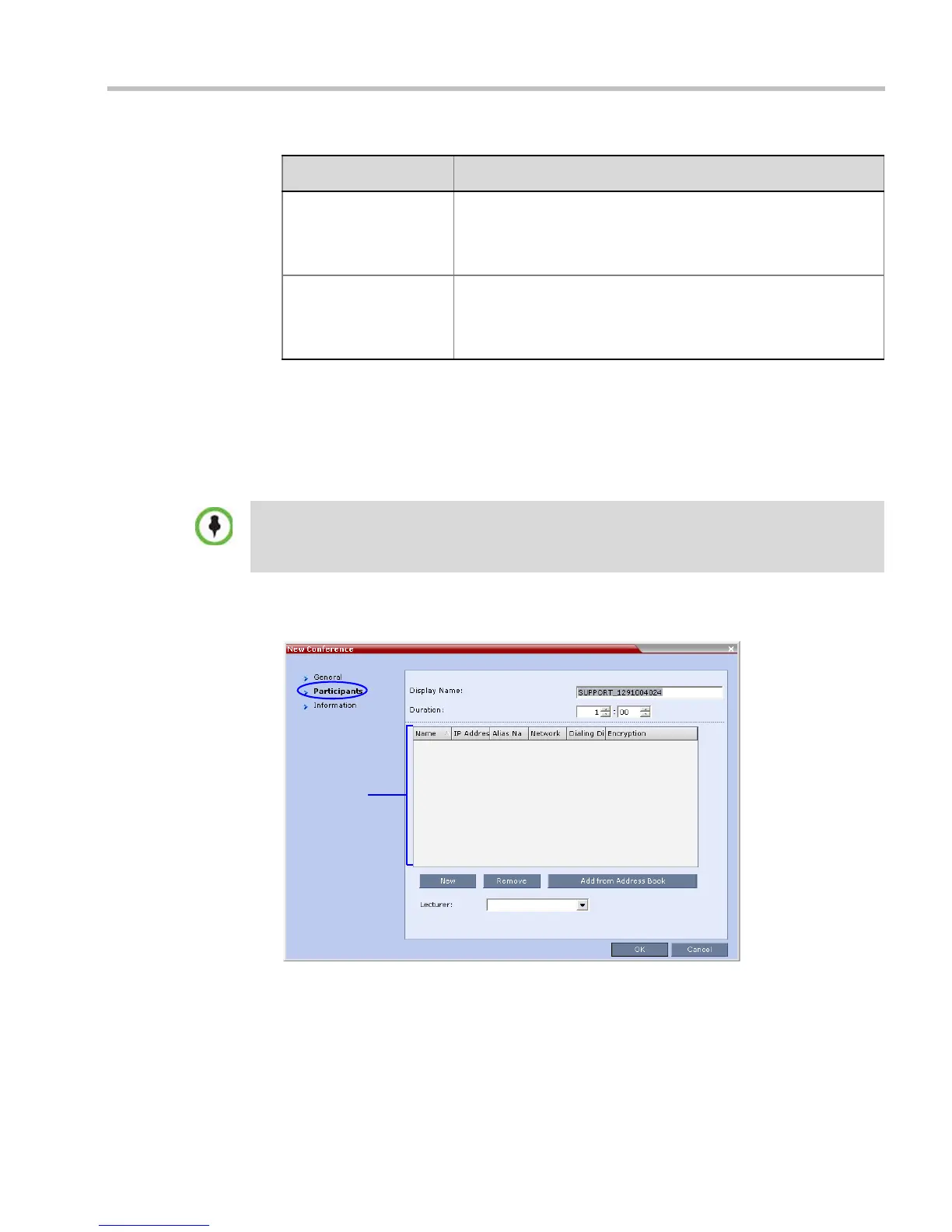
5 Click the Participants tab.
The Participants tab opens.
When defining a new conference, the Participants List is empty.
Reserve Resources for
Video Participants
Enter the number of video participants for which the system must
reserve resources.
Default: 0 participants.
Maximum: 80 participants.
Reserve Resources for
Audio Participants
Enter the number of audio participants for which the system must
reserve resources.
Default: 0 participants.
Maximum: 120 participants.
Table 2-2 New Conference – General Options (Continued)
Field Description
This procedure is optional.
The Participants tab is used to add participants to the conference from the Address Book.
It is also used to add defined dial-out participants to the conference. Defined dial-out participants are
connected to the conference automatically when the conference is launched














 To Next Page