Chapter 1-First Time Installation and Configuration
Polycom, Inc. 1-51
Switching to Secure Communication Mode
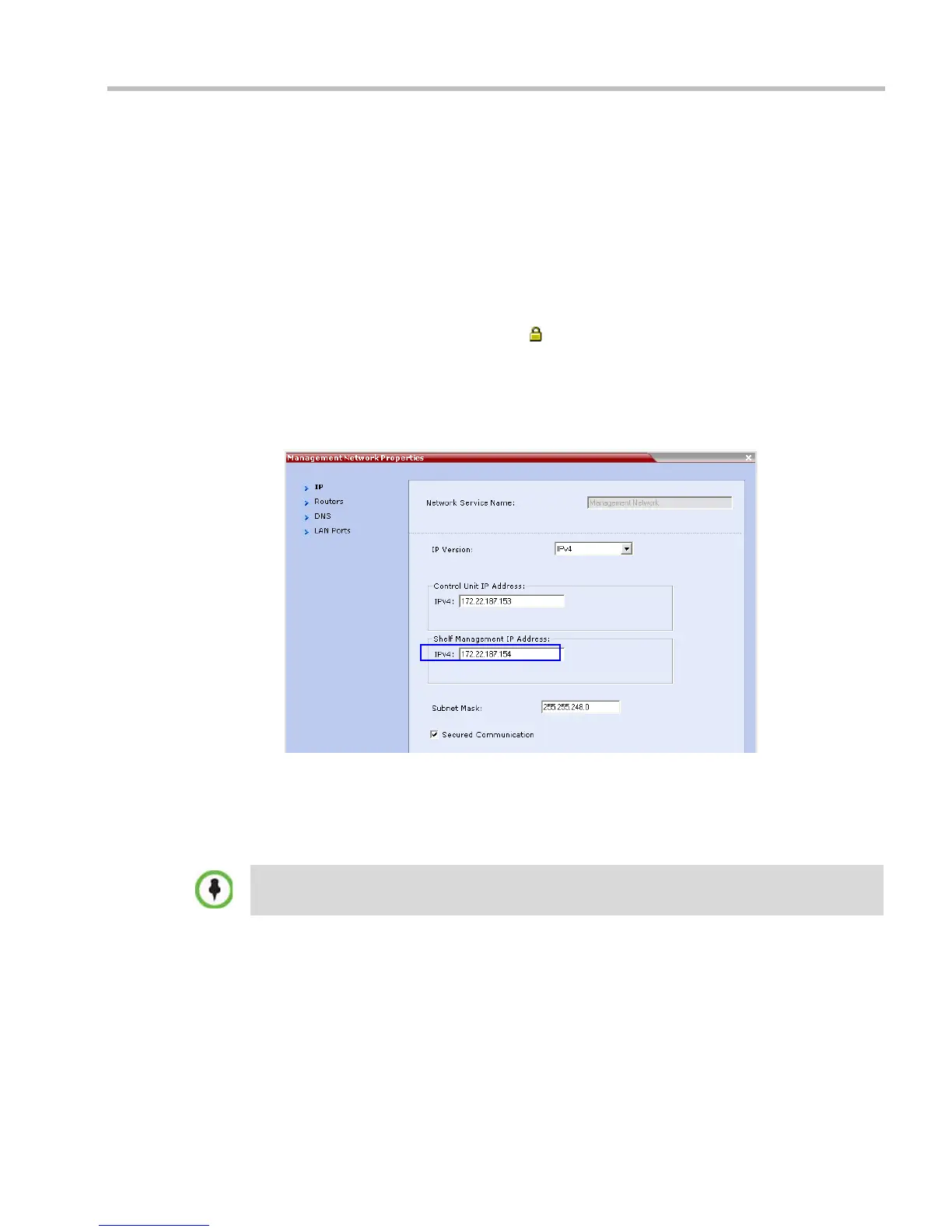
After the SSL/TLS certificate is installed, secure communications are enabled by modifying
the properties of the Management Network in the Management Network properties dialog box.
When Secure Communications Mode is enabled:
•Only https:// commands from the browser to the Control Unit IP Address of the
RMX are accepted.
•The RMX listens only on secured port 443.
• All connection attempts on port 80 are rejected.
• A secure communication indicator ( ) is displayed in the browser’s status bar.
To enable secure communications mode:
1 In the RMX Management pane, click IP Network Services.
2 In the IP Network Services list pane, double click the Management Network entry.
The Management Network Properties dialog box is displayed.
3 Select the Secured RMX Communication check box.
4 Click OK.
5 In the Reset Confirmation dialog box, click Yes.
6 In the Please wait for system reset message box, click OK.
Refresh the browser periodically until the RMX Web Client – Terms of Usage screen is
displayed
System restart may take up to five minutes.














 To Next Page