Polycom RealPresence Collaboration Server (RMX)1500/2000/4000 Deployment Guide for Maximum Security Environments
3-6 Polycom, Inc.
Using an Internal Certificate Authority
If your TLS certificate was created and issued by an Internal Certificate Authority, it may not
be seen as having been issued by a trusted Certificate Authority. The RMX Manager is not
downloaded successfully and a warning is received stating that the certificate was not
issued by a trusted Certificate Authority.
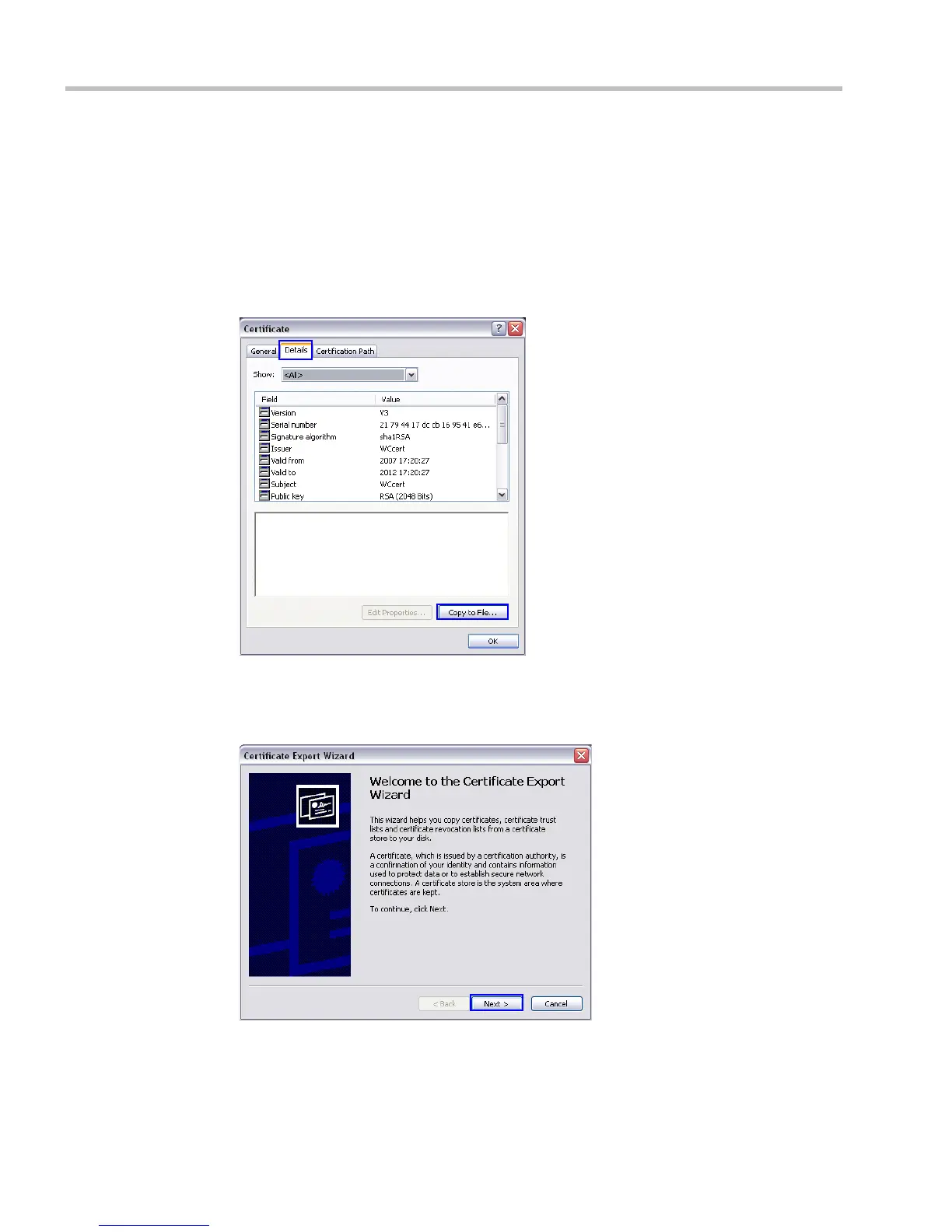
To add the Internal Certificate Authority as a trusted Certificate Authority:
1 Navigate to the folder where the certificate (.cer) file is saved.
2 Open the certificate file.
3 Click the Detail tab.
4 Click the Copy to File button.
The Certificate Export Wizard is displayed.














 To Next Page