Polycom RealPresence Collaboration Server (RMX)1500/2000/4000 Deployment Guide for Maximum Security Environments
2-6 Polycom, Inc.
System Alerts
This is a list of system problems. The alert indicator flashes red when at least one system
alert is active. The flashing continues until a user with Operator or Administrator
permission reviews the list.
The System Alerts pane is opened and closed by clicking the System Alerts button in the left
corner of the Status Bar.
For more information about Active Alarms and Faults List, see the RealPresence®
Collaboration Server (RMX®) 1500/2000/4000 Administrator’s Guide, "System and Participant
Alerts” on page 21-1.
Participant Alerts
This is a list of participants that are experiencing connection problems. It is sorted by
conference.
The Participant Alerts pane is opened and closed by clicking the Participant Alerts button in
the left corner of the Status Bar.
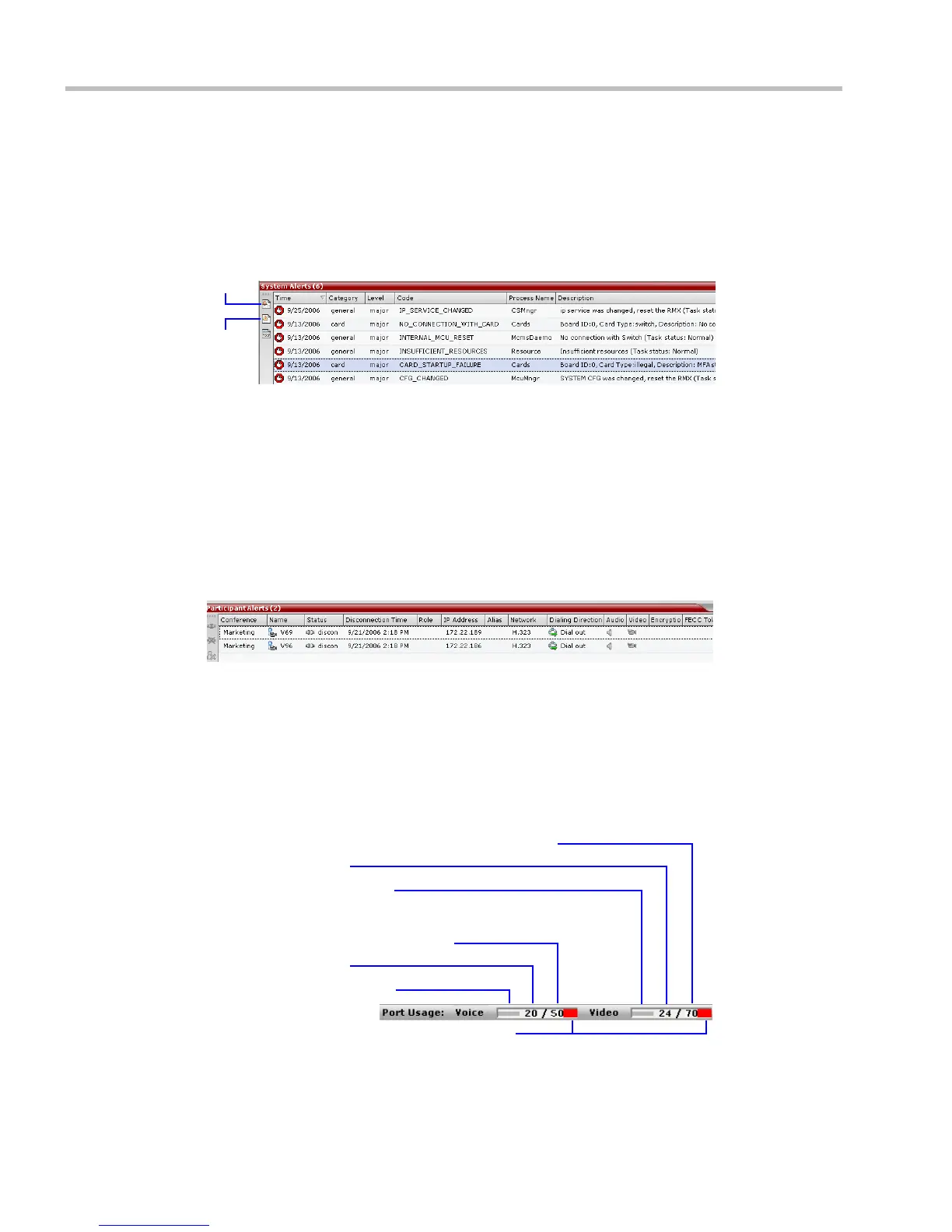
Port Usage Gauges
The Port Usage gauges indicate:
• The total number of Video or Voice ports in the system according to the Video/Voice Port
Configuration.
• The number of Video and Voice ports in use.
•The High Port Usage threshold.
Audio Ports In Use
Total Allocated Audio Ports In System
Video Port Usage Indicator
Total Allocated Video Ports (CIF resolution) In System
Video Ports In Use
Audio Port Usage Indicator
Audio and Video High Port Usage Threshold














 To Next Page