Polycom RealPresence Collaboration Server (RMX)1500/2000/4000 Deployment Guide for Maximum Security Environments
1-12 Polycom, Inc.
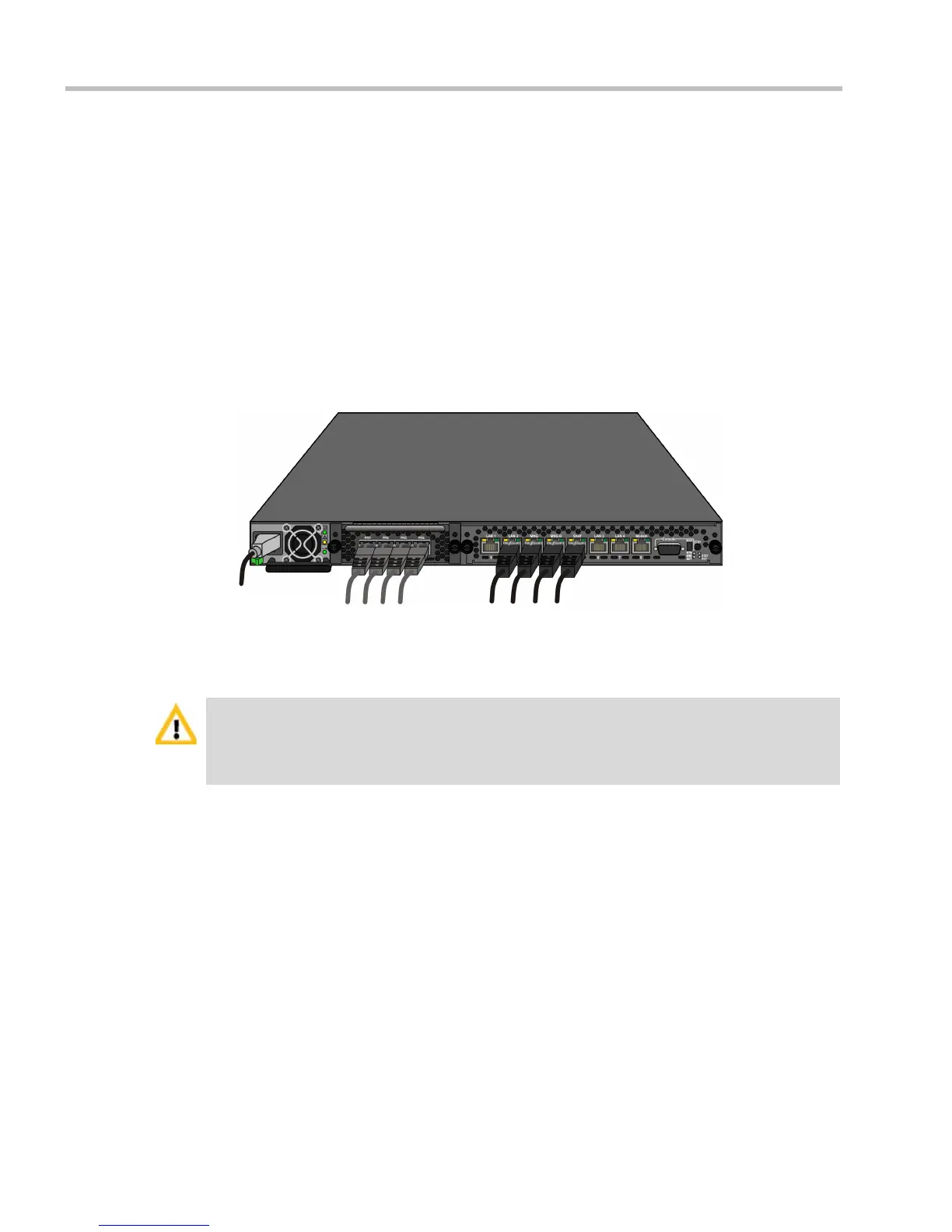
Connecting Cables to the RMX 1500
To connect the cables:
• Connect the Media cable to LAN 2 port.
— Optional. If LAN Redundancy or Multiple Networks options are used, connect the
LAN cable to LAN 1. For more information, see the RealPresence® Collaboration
Server Administrator’s Guide, "LAN Redundancy” on page 16-32
• Connect the Network cables to:
— the MNG (Signaling) port
— the MNGB (Management Network) port.
• Optional. Connect the Shelf Management cable to the Shelf port.
• Optional. For ISDN/PSTN connections, connect the E1/T1 cables to their PRI (1-4)
ports.
E1/T1 PRI
Connection(s)
Power Cable
LAN 2 - media;
MNG - signaling;
MNG B - management & Shelf
The LAN 1*, LAN3, LAN4 and Modem ports are not be used and the plastic caps covering those
ports should not be removed.
* With Multiple network and LAN redundancy configurations, LAN 1 port is used. For more
information, see the RealPresence Collaboration Server (RMX) 1500/2000/4000 Administrator’s
Guide, Multiple Services and LAN Redundancy.














 To Next Page