Setting Originals
120
4
❖
❖❖
❖ Duplex Originals
Select “2 Sided:TtoT”or “2 Sided:TtoB” of the or in the [Settings]→Set-
tings for each Users→[Original Settings] for the send scan function in with one
sided originals.
When Using as TWAIN Scanner
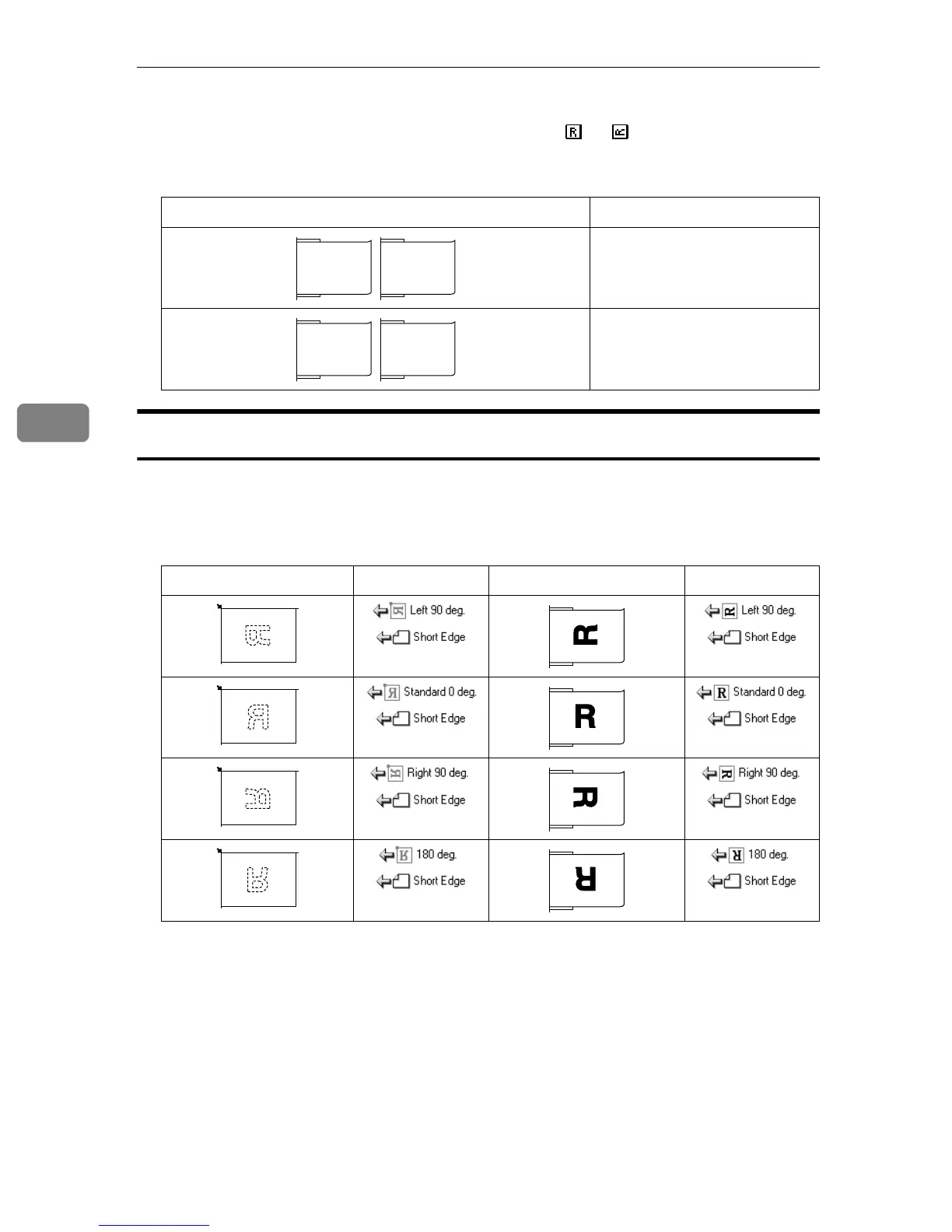
Make the settings with [Orientation:] and [Orig.Orientn.:] of the TWAIN Driver.
❖
❖❖
❖ Simplex originals in A4, B5, 8
1
/
2
” ×
××
× 14”, 8
1
/
2
” ×
××
× 11” (the originals with 215mm (8
1
/
2
”)
or more length)
ADF Settings
2 Sided T to T
2 Sided T to B
Exposure Glass Settings ADF Settings
R1
R2
R1
R2
R1
R2
R1
R2



 To Next Page