Connecting the Keyboard
25
2
Connecting the Keyboard
Use the bundled USB keyboard to en-
ter configuration of User Authenti-
cate, to make search for the
destinations of E-mails at Send Scan,
and to enter directly the E-mail ad-
dresses and subjects. This section ex-
plains how to connect the keyboard to
this machine.
A
AA
A
Turn off the power of this ma-
chine.
B
BB
B
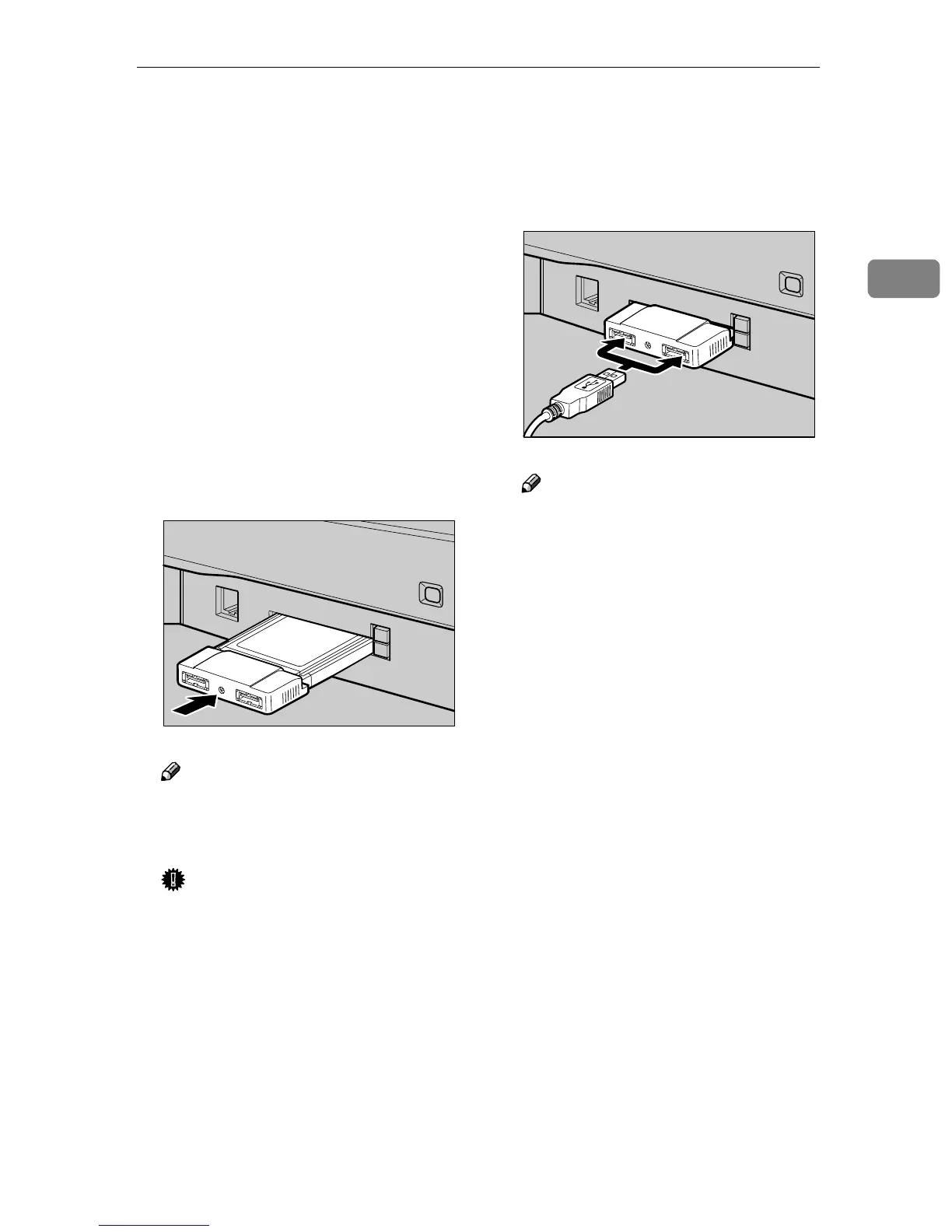
Insert the USB interface card with
this machine to the PC Card slot
on the right side panel of this ma-
chine.
Note
❒ Make sure that the card is se-
curely inserted, until you feel
the card click into place.
Important
❒ If you remove the USB interface
card while the machine is
turned on, it is necessary to re-
start the machine.
C
CC
C
Connect the USB keyboard cable
to one of the USB ports.
Note
❒ You can insert either USB port
of the two.
AFJ047S
AFJ048S



 To Next Page